


StarWind Deduplication Analyzer
- February 08, 2018
- 4 min read
INTRODUCTION
StarWind Deduplication Analyzer is the free software that analyses data on the disk. This tool allows to identify exactly how much users will benefit from data deduplication in the specified directory. The solution also helps to understand how advantageous deduplication can be if used with StarWind LSFS. StarWind Deduplication Analyzer requires no installation and runs as a single executable file.
The StarWind Deduplication Analyzer has two options: the first one allows analyzing the shared network folders and local folders on a Windows machine, while the second one enables to work with ESX Datastore.
The StarWind Deduplication Analyzer uses the wizard approach similar to StarWind V2V Converter and works in the following way: the tool runs through the files and shows the deduplication ratio that can be achieved once applied to the user’s files. The program also shows the occupied and free disk space if using StarWind LSFS technology.
The paper is intended for experienced Windows system administrators, IT professionals and experienced StarWind users who would like to run StarWind Deduplication Analyzer to estimate the effectiveness of data deduplication in their environment.
A full set of up-to-date technical documentation can always be found here, or by pressing the Help button in the StarWind Management Console.
For any technical inquiries, please, visit our online community, Frequently Asked Questions page, or use the support form to contact our technical support department.
Implementing StarWind Deduplication Analyzer
1. Launch the StarWind Deduplication Analyzer and click Next.
2. Choose the Source location, there are two options:
- Local computer which allows to analyze the local files or Windows based shares.
- VMware ESXi Server with the possibility to analyze the datastore on the ESXi Server.
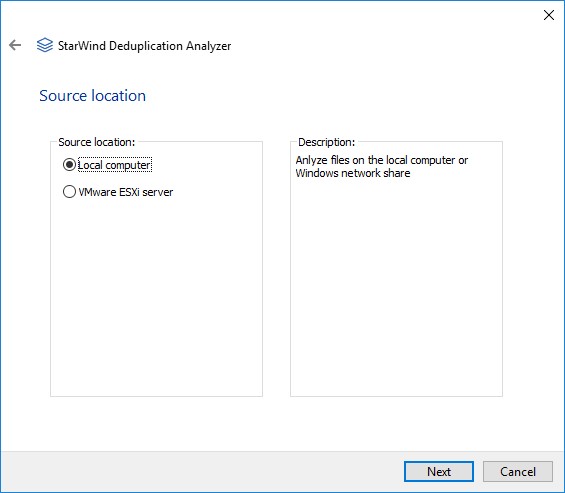
Click Next to proceed.
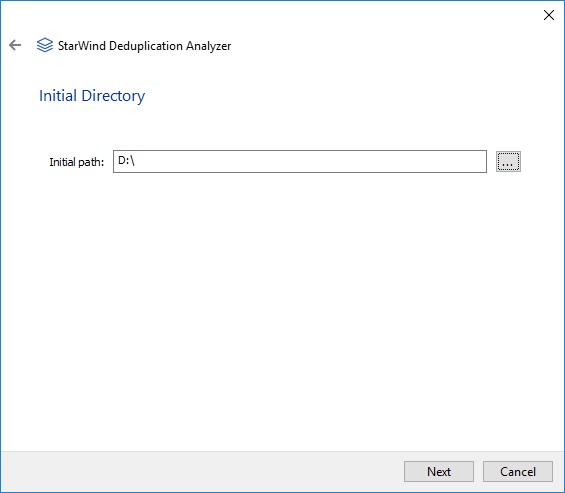
3. Specify the path to the file storage that will be analyzed.
Choose the location and click Next.
The wizard shows the progress of the data analysis. The program runs through all the files of the container specified and processes them with the deduplication module.
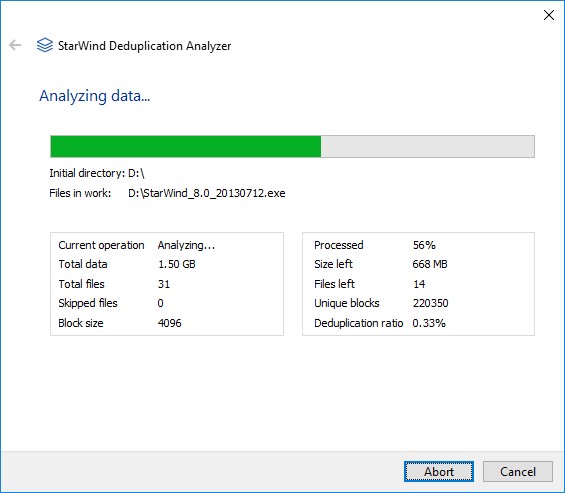
General algorithm looks the following way:
StarWind Deduplication Analyzer builds a list of all files and grabs their size. Meanwhile, the wizard shows the scanning process and the directory / file that is currently analyzed. The program opens the list of files with “read only” permission and reads the data sets. The deduplication engine determines if data is redundant and counts the number of unique blocks. The wizard constantly displays the current progress as a percentage ratio of the data processed to the total size of the data files as well as the current deduplication ratio.
4. Once the process is completed, the wizard shows the following information:
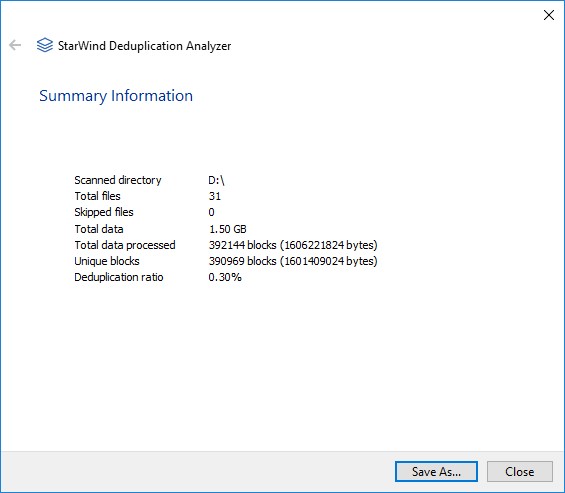
5. Click Save As to save the deduplication Summary Information and Close the wizard.
CONCLUSION
StarWind Deduplication Analyzer is an effective tool that analyzes your data and searches out for blocks that contain data duplicates. This instrument can be used with almost any storage: logical drives, network file shares or ESX Datastores. Implementing StarWind Deduplication Analyzer allows estimating how data deduplication can optimize your storage capacity and reduce the amount of disk space consumed. Once the cycle is completed, the tool provides you with a summary information on the number of unique blocks and deduplication ratio you can expect to be achieved in your infrastructure.
