
Search
Join the Technical Preview Program
See how NVMe-oF removes iSCSI
bottlenecks in your HCI
The Best Hyperconverged
Infrastructure
(HCI) for Enterprise
ROBO, SMB & Edge
The Best Virtual SAN
for Enterprise ROBO, SMB & Edge

Make your AKS web app highly available

  • September 16, 2020
  • 4 min read
Cloud and Virtualization Architect and Microsoft MVP. Florent specializes in public, private, and hybrid cloud ecosystems. An MCSE in Private Cloud, he provides technical leadership in Cloud and Datacenter Management. Florent delivers high-authority insights on Azure deployments, virtualization strategy, and optimizing enterprise-scale cloud infrastructure.


After viewing how to deploy AKS, protected it and secured it, we will se how to make the application highly available,

To start, deploy 2 AKS clusters, in 2 different regions. Deploy your application in these 2 regions. When it’s done, deploy a Traffic Manager. This feature will give you the possibility to load a website, based on your location (Performance) for example, to point to the closest region of your application:
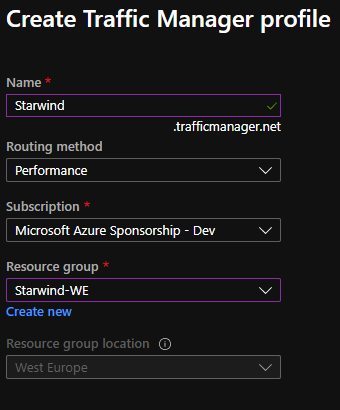
Create traffic manager profile

Add 2 endpoints, one for the first region, and one for the second:
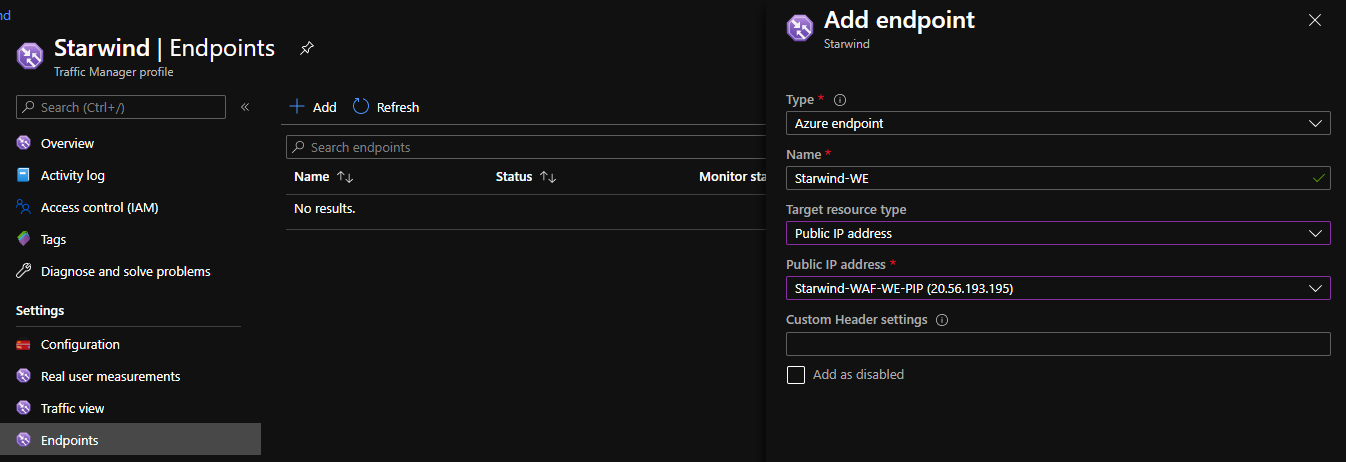
Endpoints

Endpoints should be in Degraded mode:
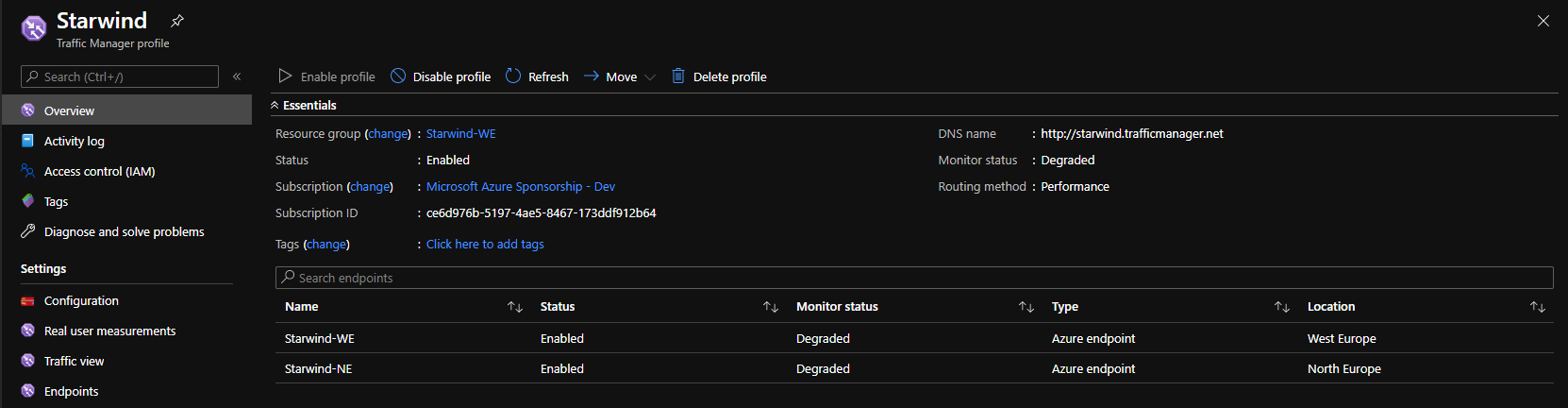
Degraded mode

It is normal. The public ip / dns of the WAF redirects to nothing. So you need to deploy a probe, with a pod, or give an existing website. To do this, go into configuration, and add a Custom Header settings, like me, host:starwind.falaconsulting.be:
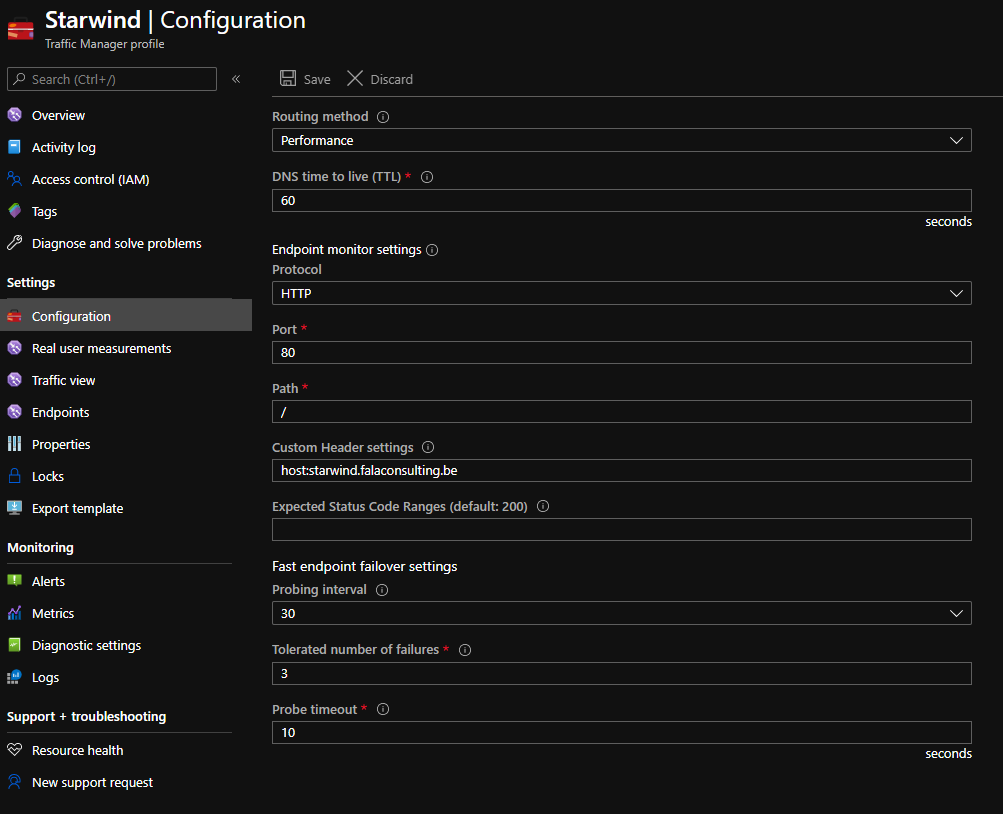
Configurations

Because this website is alive, it will change the status to Online after few seconds, if this website is alive into the 2 clusters, of course:
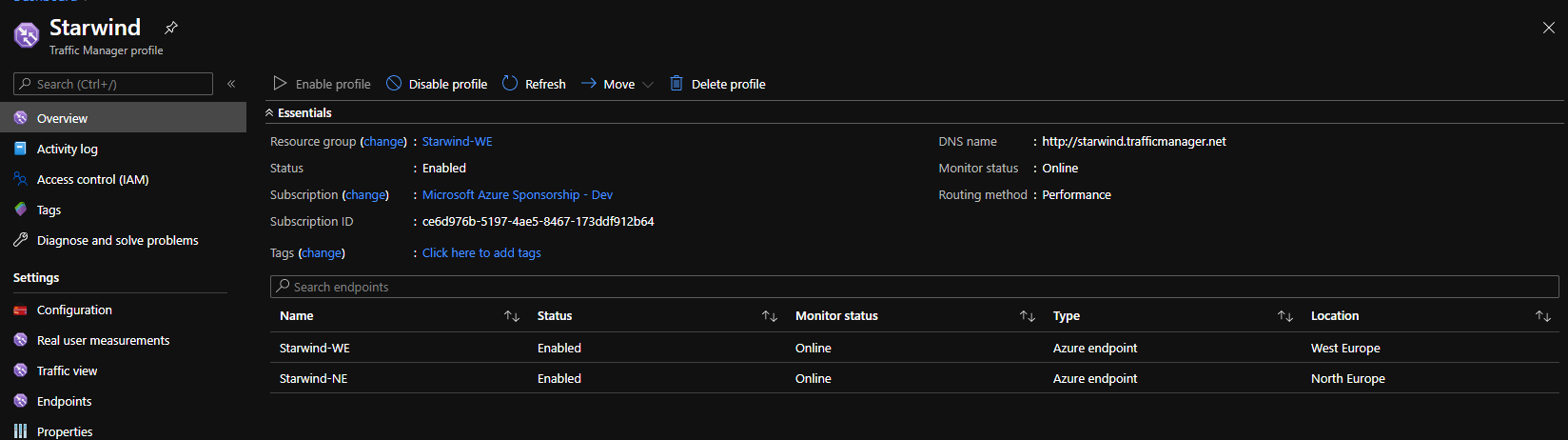
Traffic manager / overwiev

You can add a custom probe, for each cluster, with specific URL and configure this custom header setting, directly in the endpoint.

So now, I will change my DNS entry, starwindhttps.falaconsulting.be to point to the DNS name of my traffic manager, starwind.trafficmanager.net. I disabled the West Europe endpoint:
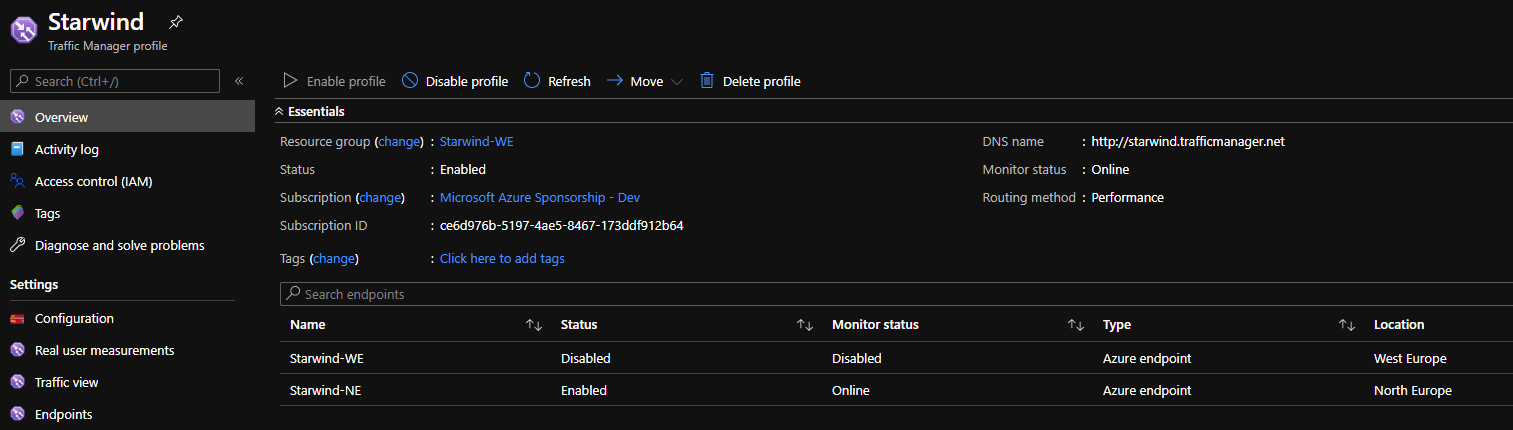
DNS entry

The website is always available. And the ping go to north Europe. If I re-enabled West Europe, because it is my closest region, I’m redirected directly to it:
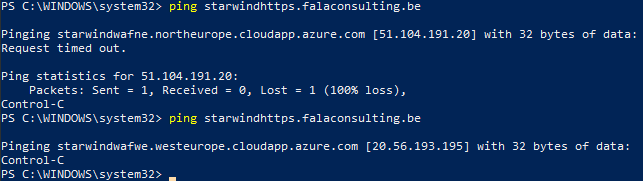
Script

So now, if a region fails, the traffic is redirected directly to the second region.

Hey! Found Florent’s insights useful? Looking for a cost-effective, high-performance, and easy-to-use hyperconverged platform?
Taras Shved
Taras Shved StarWind HCI Appliance Product Manager
Look no further! StarWind HCI Appliance (HCA) is a plug-and-play solution that combines compute, storage, networking, and virtualization software into a single easy-to-use hyperconverged platform. It's designed to significantly trim your IT costs and save valuable time. Interested in learning more? Book your StarWind HCA demo now to see it in action!