


I’ve spent years living in the VMware/Microsoft world. From vSphere 4 all the way through the Broadcom era, I’ve deployed, managed, and troubleshot thousands of VMs in production and lab environments. But 2026 looks very different. Broadcom’s licensing changes – subscription-only models, mandatory 16-core minimums, and the push toward VMware Cloud Foundation (VCF) or vSphere Foundation (VVF) bundles – have left a lot of admins (and their CFOs) looking for alternatives.
VMware VCF and VVF licensing requires a minimum of 16 physical cores per CPU, regardless of the actual core count installed (e.g., a 12-core CPU is licensed as 16). In addition to the per-CPU technical minimum, a commercial minimum purchase of 72 cores per order is enforced by Broadcom for most channels, meaning smaller environments must pay for 72 cores even if their hardware has fewer.
Everyone wants to reduce their VMware “footprint” and start exploring alternatives. But don’t forget, for this to start happening, you must dedicate some human hours to it too….
That’s exactly why I’m writing this post. Today we’re diving deep into open-source virtualization with a strong focus on Proxmox VE (built on KVM) versus pure KVM setups, and how they stack up against the remaining enterprise options like VMware ESXi/vSphere 9 and Microsoft Hyper-V. Most importantly, I’ll walk you through real-world migration paths from VMware, with special emphasis on third-party tools that actually work in 2026.
I’ve been testing these platforms in my nested lab (yes, still running on that beefy desktop with 64 GB RAM), and I’ll share what actually performs, what’s painful, and what saves real money. Let’s get into it.
The Open-Source Virtualization Landscape in 2026
Open-source isn’t just for homelabs anymore. Proxmox Virtual Environment (Proxmox VE) has matured into a serious contender, and the underlying KVM/QEMU stack powers massive public clouds (AWS, Google, Oracle, etc.). Here’s the quick breakdown:
Proxmox VE 9.x (current stable is 9.1) – Based on Debian 13 “Trixie”, Linux kernel 6.17, QEMU 10.x, LXC 6.0, OpenZFS 2.3, and Ceph Squid 19.2. It gives you full VMs (KVM), lightweight Linux containers (LXC), built-in storage (ZFS, Ceph, LVM), SDN, high availability, live migration, and backup/restore via separate backup product – all from a clean web UI. Note that major backup vendors support with their products so you don’t have to change backup software (and usually you can’t due compliance purposes anyway).
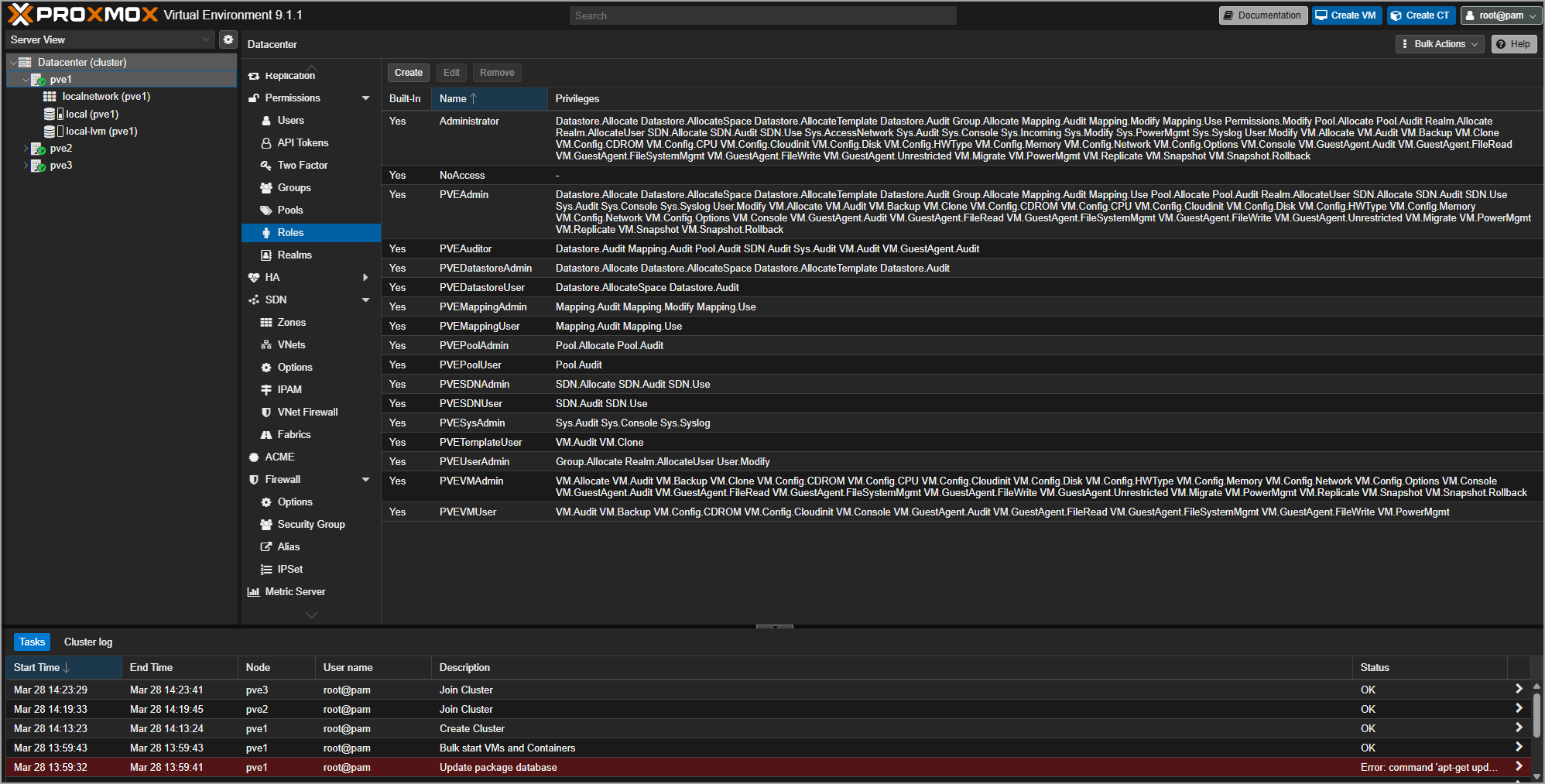
Proxmox Datacenter Manager 1.0 (released December 2025) – This is the real “vCenter killer” for many mid-size environments. It’s a product directly from Proxmox VE and It brings centralized management, role-based access, bulk operations, and clustering for dozens or hundreds of nodes. I tested the 1.0 release and the UI is snappy, clean, and feels surprisingly enterprise-grade. When it comes to management products for Proxmox VE multi-cluster environment, there other very promising alternatives such as PegaProx or ProxCenter.
It took VMware years to finalize vCenter Server appliance (VCSA) for Linux, to get rid of Flash UI, and still, it’s heavy and consumes a lot of resources compared to the alternatives that installs on the top of Linux via a single line of code.
Plain KVM / libvirt / virt-manager – More flexible if you want total control, but you lose the out-of-the-box web UI, storage replication, and HA. Great for advanced users who script everything with Ansible or Terraform.
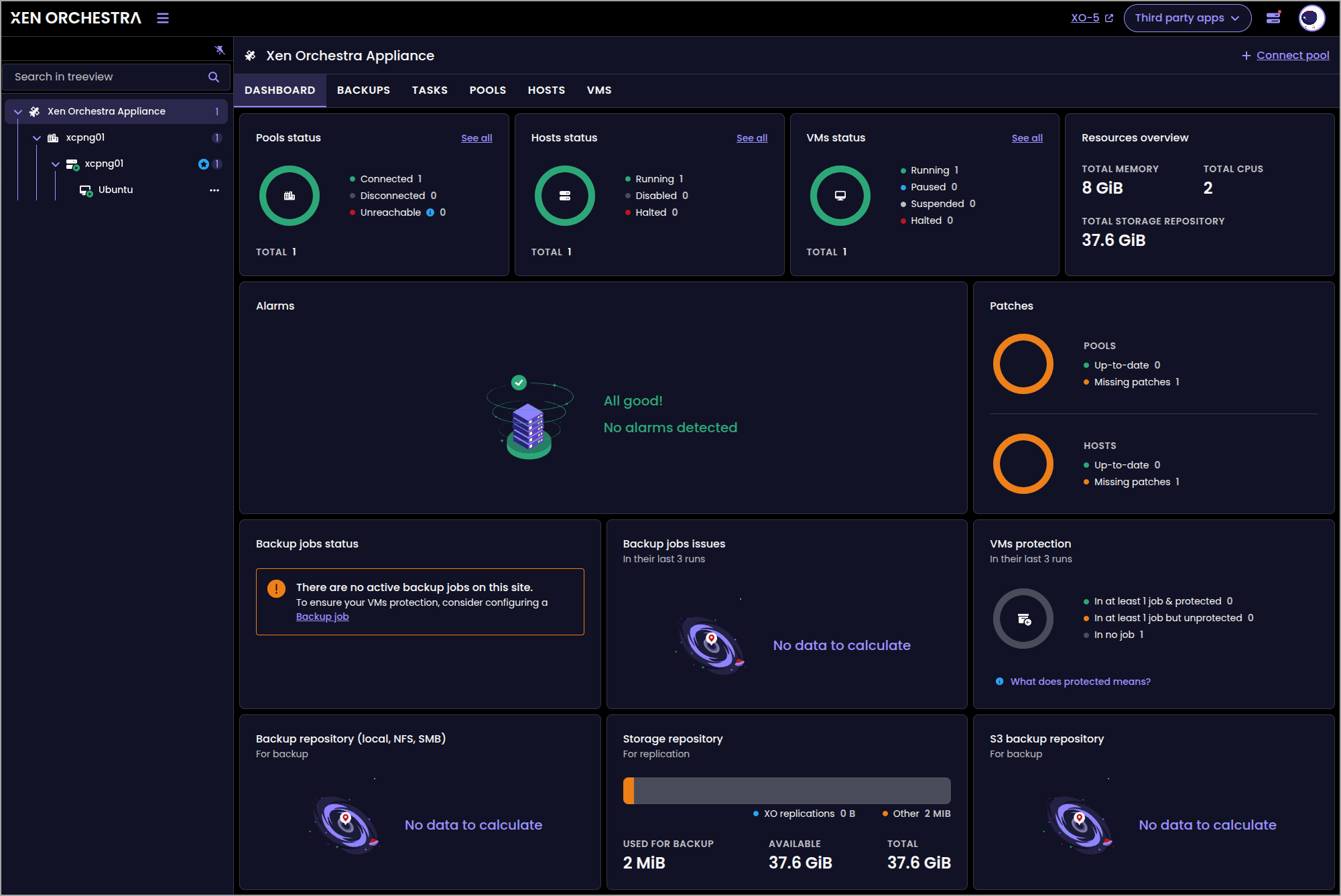
Other open-source mentions: XCP-ng + Xen Orchestra is solid alternative, considering the fact, that XCP-NG will be supported by Veeam Backup and replication. This means that smaller shops currently using Veeam backup software will be able to easily transition to XCP-NG seamlessly.
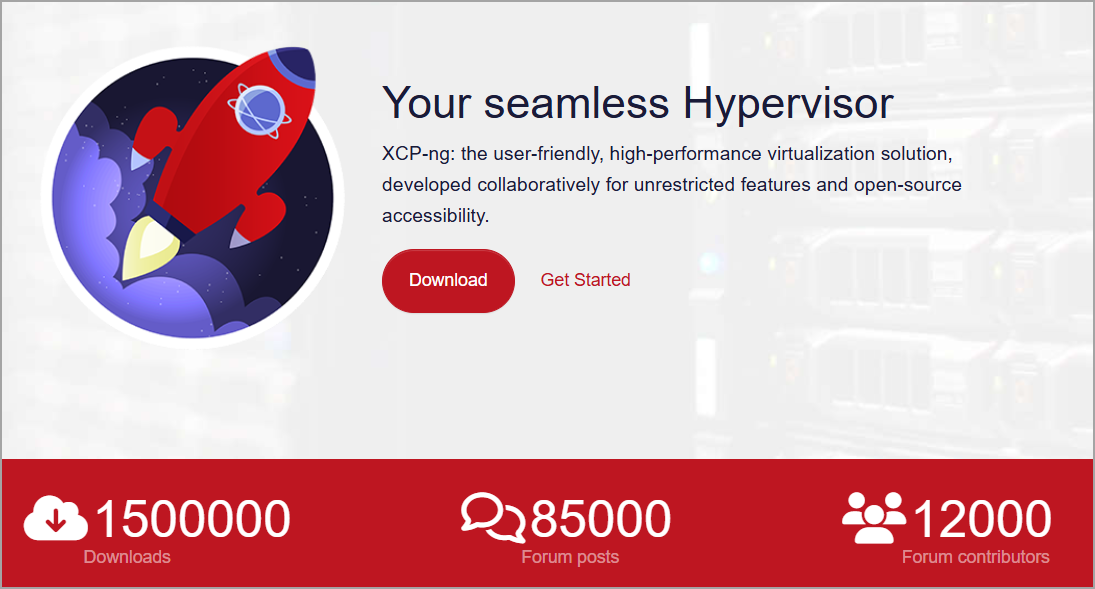
XCP-ng currently enforces a 2TB limit on virtual disks when using the VHD file format due to the legacy SMAPIv1 storage stack. The newer format, QCOW2, is currently the default virtual disk format for new installations in the beta channel, replacing the legacy VHD format which had a 2 TiB limit. So, it is not production ready just yet, but it is just a question of weeks imho.
The new format supports disks up to 16 TiB, includes built-in compression, snapshots, and online coalesce capabilities.
While QCOW2 is not yet supported on XOSTOR (LINSTOR) due to ongoing stability work, it works with all other storage repository types.
Xen Orchestra 6.0 (released in December 2025) includes improved features for managing QCOW2 volumes, including backups and replication for disks larger than 2 TiB
However, Proxmox dominates the conversation right now because of its simplicity and feature completeness.
Proxmox/KVM vs. Enterprise Options – Head-to-Head
Here’s how things look in 2026 (real-world, not marketing slides):
| Feature | Proxmox VE 9.x (KVM) | VMware vSphere 9 (ESXi) | Microsoft Hyper-V |
|---|---|---|---|
| Licensing | Completely free (optional paid support) | Subscription-only, expensive bundles | Included with Windows Server / Azure |
| Management | Web UI + Datacenter Manager | vCenter Server (required for clusters) | Hyper-V Manager + Windows Admin Center |
| Live Migration | Built-in | vMotion | Live Migration (requires clustering) |
| Storage | ZFS, Ceph, LVM, NFS, iSCSI | vSAN (expensive), VMFS, iSCSI, NFS | Storage Spaces, SMB, NFS |
| Containers | Native LXC + OCI support | Yes (via Tanzu) | Windows containers only |
| Backup Integration | Native + Veeam, NAKIVO full support | External support Veeam, Nakivo | Good with Azure Backup |
| Hardware Support | Excellent (Debian base) | Best-in-class | Windows-centric |
| Performance | Near-native (KVM) | Excellent | Excellent |
| Learning Curve | Moderate | Steep (for new admins) | Low if you’re Windows-heavy |
My take: Proxmox wins on cost and simplicity for SMBs and mid-market. Pure KVM is unbeatable if you already have strong Linux scripting skills. For general admin type person, I’d recommend Proxmox or XCP-NG.
VMware still leads in massive enterprises that need 24/7 vendor support and have deep integration with other Broadcom/VMware products. Hyper-V remains the safe choice for shops that are 100 % Microsoft.
Migrating from VMware to Proxmox – The Practical 2026 Playbook
This is the part most of you are here for. Good news: migrations are easier than ever. Proxmox has a built-in ESXi import wizard (greatly improved since 8.x), but I’ll focus on third-party and hybrid approaches which might be interesting. Here are the methods that actually work reliably in production today.
Preparation (do this first – every time)
- Install VirtIO drivers and QEMU Guest Agent inside Windows/Linux VMs while they’re still on ESXi (huge performance win after migration). VirtIO drivers for Windows virtual machines are installed by attaching the virtio-win ISO to the VM and running the virtio-win-gt-x64.msi installer from within the guest OS.
- Uninstall VMware Tools.
- Take a full backup (you’ll thank me later).
- Document network, IP, and storage configs.
Option 1: Proxmox or XCP-NG Native ESXi Import Wizard (fastest for many)
Proxmox can now connect directly to your ESXi host/datastore and import VMs live or offline. Disk conversion (VMDK → qcow2/raw) happens automatically. Great for small clusters, but some people prefer third-party tools for better reporting or zero-downtime scenarios.
XCP-NG can import running VMware VMs. Xen Orchestra 6 includes an integrated V2V (VMware to Vates) migration tool that enables streaming, agentless conversion of VMware VMs to XCP-ng with warm migration support for all ESXi versions, including VMFS6 and VSAN configurations.
Xen Orchestra (XO), the management tool done by Vates, is the primary tool used to execute the “Import from VMware” process, which allows VMs to remain running while XCP-ng snapshots the disk and transfers data in the background. This method minimizes downtime, requiring a brief shutdown only during the final cutover to synchronize changes.
Option 2: Veeam Backup & Replication (my personal favorite third-party route)
Since Veeam 12.2, Proxmox is a fully supported hypervisor (XCP-NG coming up next, early April I would say -😊). The workflow I use most:
- Backup VMs from VMware with Veeam.
- Restore directly to Proxmox (instant VM creation + disk conversion).
- Supports changed-block tracking and granular restores. This method gives you a safety net – you keep the original VMware VM until cutover. Zero data loss, minimal downtime.
Option 3: Other solid third-party tools
- virt-v2v (open-source, free) – Excellent for batch conversions. Run it from a Linux machine with access to both environments. Handles Windows/Linux, converts VM configs, and injects VirtIO drivers. It is a command-line tool that converts virtual machines from foreign hypervisors (such as VMware, Xen, Hyper-V, and VirtualBox) to run on KVM managed by libvirt, OpenStack, oVirt, or Red Hat Virtualization.
- Vinchin Backup & Recovery – Commercial tool with strong Proxmox support and one-click migration wizards. Popular in Europe/Asia for larger environments.
- NAKIVO Backup & Replication 11.2 and higher – Full Proxmox 9.x support and VMware vSphere 9 compatibility. Great if you already own NAKIVO.
- StarWind V2V Converter (free tier) – Simple GUI for VMDK → Proxmox conversion if you want something dead simple. Multi-VM conversion, Full CLI support too, Hot migrations. (My latest post about StarWind V2V converter is here).
Option 4: Manual / scripted – Export with VMware’s ovftool → transfer OVF/VMDK → qm importovf on Proxmox → qemu-img convert if needed → Ansible for post-migration config (IP, drivers, etc.).
Pro tip: Always test the first 3-5 VMs on a separate Proxmox node. Pay special attention to GPU passthrough, nested virtualization (now better in Proxmox 9), and TPM state (supported in qcow2 now).
When Should You Choose Open-Source vs. Staying Enterprise?
Go open-source (Proxmox/KVM) if:
- You want to kill licensing costs without using bundles you don’t need.
- Your workloads are mostly standard VMs/containers.
- You have Linux-savvy admins (or are willing to learn).
- You run < 100 nodes.
- Stick with enterprise (VMware/Hyper-V) if:
- You need certified support SLAs and have massive scale/compliance requirements.
- Your environment is heavily integrated with other VMware products.
- You’re a pure Windows shop.
Final Words
2026 is the year many VMware shops are finally pulling the trigger on open-source. The end of support for vSphere 8.0 is programmed on October 11, 2027. This seems far away, but considering the number of resources it takes for the whole migration process, better start early.
Proxmox VE 9 + Datacenter Manager gives you 90 % of what vCenter offered – at 0 % of the licensing cost. (well, if you don’t need to have day-1 certified repos for patching).
The migration tools (especially Veeam restore and virt-v2v) have matured enough that downtime is measured in minutes, not days.
If you’re planning a move, start small: spin up a 3-node Proxmox cluster, migrate a couple of non-critical VMs, and measure everything. You’ll be surprised how fast you’ll want to go all-in and how “good enough” those alternatives have become.
