
If you’ve been watching the VMware/Broadcom saga unfold over the past couple of years, you know the pain. Skyrocketing subscription costs, bundling that forces you to buy more than you need, and the feeling that your infrastructure expenses are no longer under control.
Many of you are VMware veterans like me and have been exploring Proxmox VE as a serious, cost-effective alternative. It’s Debian-based, open-source at its core (AGPLv3), hyper-converged friendly with ZFS and Ceph, and runs KVM/QEMU VMs plus LXC containers. But one piece was always missing for larger or distributed environments: a proper centralized management plane that feels like vCenter.
Enter Proxmox Datacenter Manager (PDM) 1.1, released at the end of May 2026. This isn’t just another dashboard, but rather to be the single pane of glass many migrating teams have been waiting for.
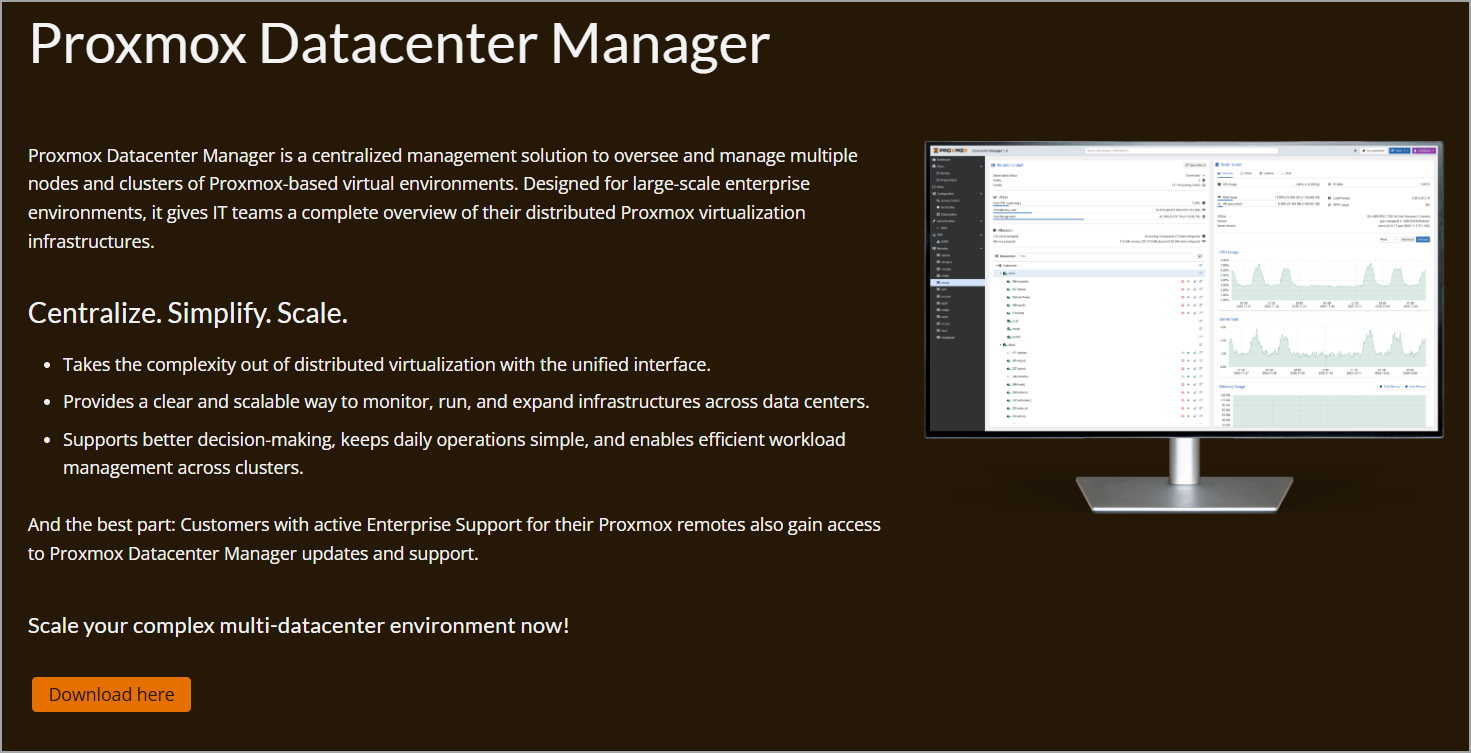
In this article, I’ll walk through what’s new in 1.1, how it positions itself as a vCenter alternative, and importantly for those doing due diligence, where it still falls short of full vSphere maturity. All while keeping an eye on the TCO (Total Cost of Ownership) benefits that make Proxmox so attractive right now.
Why Centralized Management Matters in a Post-VMware World
In vSphere, vCenter Server is the brain: inventory, policies, migrations, monitoring, updates — everything flows through it. Individual ESXi hosts are somewhat independent, but you rarely manage them in isolation for anything beyond the most basic tasks.
Proxmox VE clusters are different by design. Each cluster is more self-contained, with its own web UI, and HA, live migration, and storage (Ceph/ZFS) work great within the cluster. For single-site or small deployments, many admins are happy jumping between node UIs or using the built-in tools. But once you have multiple clusters across sites, or you’re scaling to dozens/hundreds of nodes, the fragmentation becomes real. Logging into separate web interfaces, tracking subscriptions manually, monitoring distributed Ceph clusters — it adds up in time and potential errors.
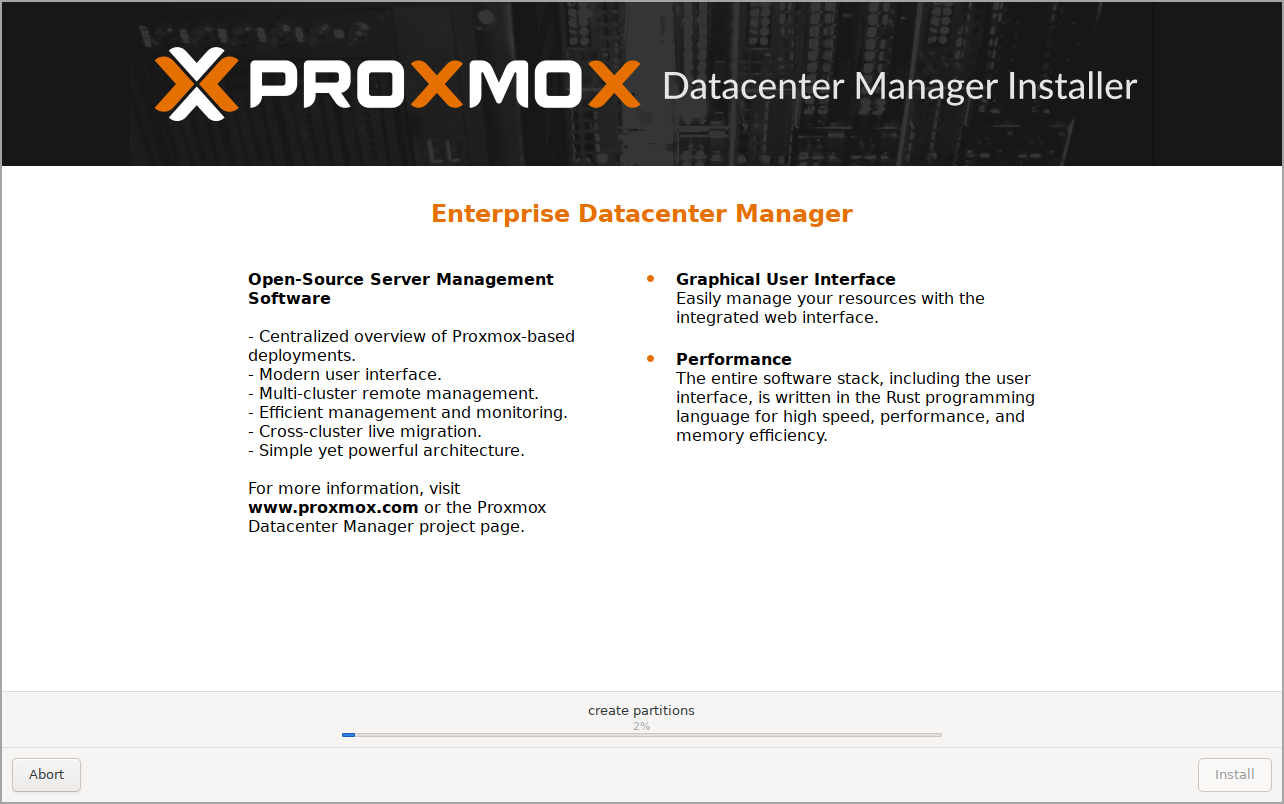
PDM sits “above” your Proxmox VE clusters and Proxmox Backup Server (PBS) instances. It’s a separate appliance (installable via ISO on bare metal or as a VM), lightweight, and not in the critical path of your cluster operations. If PDM goes down, your clusters keep running. The installation ISO is Debian based distro, easy 5 min of work.
What’s New in Proxmox Datacenter Manager 1.1
The 1.1 release (May 28, 2026) focuses heavily on automation, visibility, and multi-site operations.
Here are the highlights that matter most for VMware admin:
Automated Installation Workflows – This is probably the standout feature for anyone building or expanding fleets. PDM now acts as a central configuration server. You create “answer files” via a wizard (network, disks, locales, subscriptions, etc.), generate secure bearer tokens, and boot new nodes with a custom ISO that pulls the config over HTTPS. Installation progress is tracked right in the PDM interface.
You can even pre-assign subscription keys so new nodes register automatically. For teams coming from vSphere Lifecycle Manager (vLCM) or Auto Deploy, this brings a familiar “standardized provisioning” feel — without the complexity or licensing cost. Great for remote sites or rapid scaling.
Centralized Subscription Key Management – No more hunting through emails or spreadsheets. PDM maintains a pool of keys, lets you assign them to remotes, and handles lifecycle. Answer files can embed them. For enterprises with many nodes, this alone saves administrative overhead.
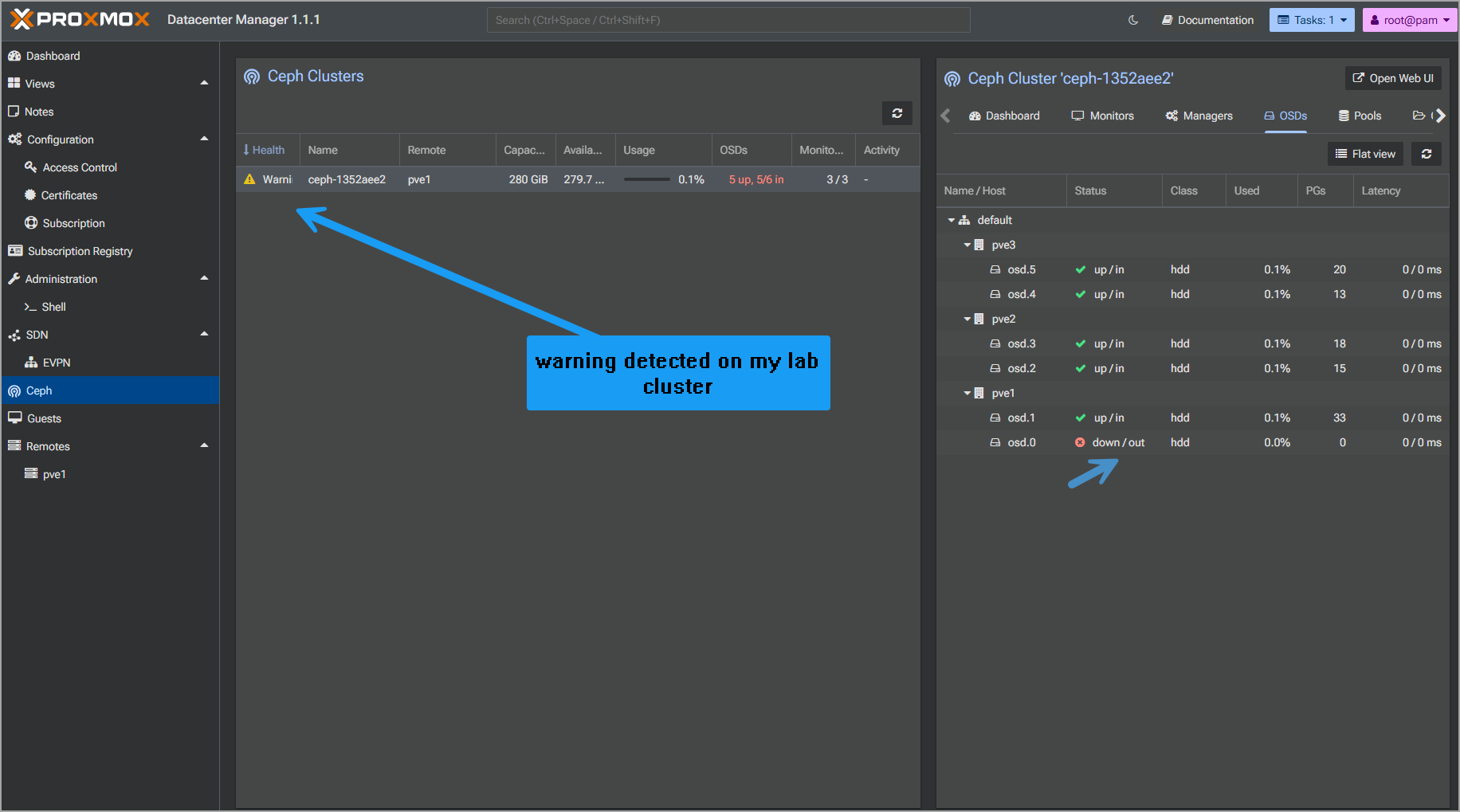
Unified Ceph Cluster Monitoring – If you’re running hyper-converged Proxmox (highly recommended for cost savings — no separate SAN needed), this is gold. One dashboard gives health, capacity, performance across multiple Ceph clusters: OSDs, MONs, Managers, MDS, pools, CephFS, flags — all consolidated.
No more SSH or per-cluster logins to check quorum or rebalancing. Granular and real-time. VMware admins used to vSAN analytics will appreciate the visibility, even if the underlying tech differs.
Central Guest and Snapshot Management (First Iteration) – Cross-remote view of all QEMU VMs and LXC containers. Sortable tables, tree views, text filtering, basic power operations, and now snapshot management (create, rollback, delete, edit descriptions). You can even resume paused/suspended VMs from the central UI. It’s early days, but it’s a solid start toward true multi-cluster orchestration.
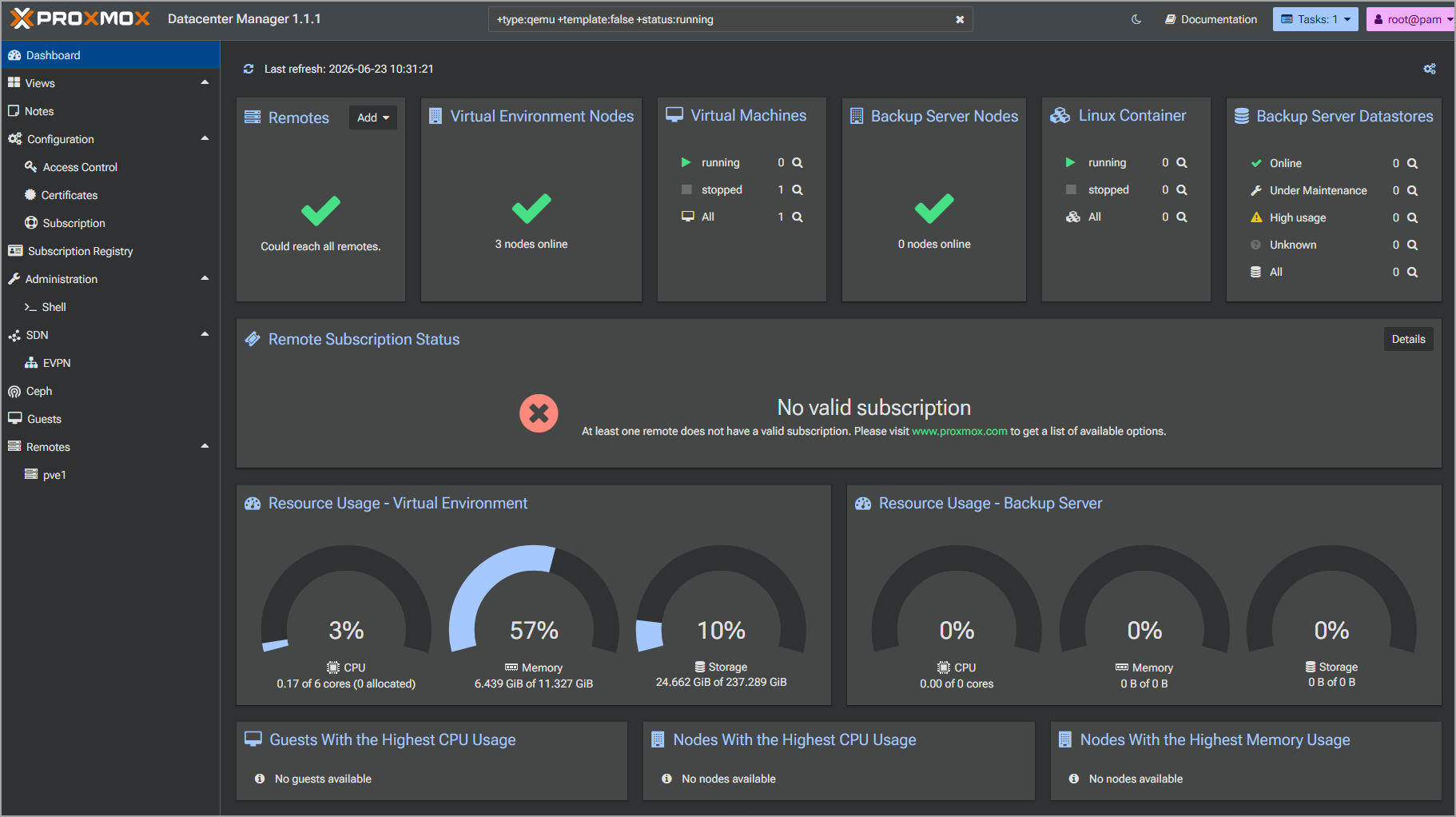
Enhanced Visualization and Local Metrics – World map widget for geographic distribution (set locations on nodes), gauge widgets for CPU/RAM/storage, and RRD graphs for the PDM host itself. Clean, modern, and useful for executive overviews or capacity planning.
Under the hood: Based on Debian 13.5 “Trixie”, Kernel 7.0, OpenZFS 2.4. Solid, up-to-date stack.
How PDM 1.1 Feels Like a vCenter Alternative
Single Pane of Glass: Unified view of multiple independent clusters and PBS instances. Search, dashboards, resource gauges.
Multi-Cluster Operations: Start/stop/reboot/migrate guests across clusters (live migration between independent clusters is powerful for maintenance or load balancing).
Lifecycle Bits: Automated provisioning + subscription management echoes parts of vLCM and vCenter inventory.
Monitoring: Better-than-before Ceph visibility and host metrics reduce the need to drill into individual UIs.
Cost Model: Open-source core. Enterprise support ties into your existing Proxmox subscriptions (no separate PDM key needed if you have qualifying remotes). Huge contrast to vCenter licensing.
For many mid-sized environments or distributed setups, this closes the “management gap” enough to make Proxmox production-viable without third-party tools.
Features Still Lacking Compared to VMware vSphere/vCenter
Let’s be honest and technical — PDM is version 1.x and evolving fast, but it’s not a full vCenter replacement yet. VMware has 20+ years of enterprise polish and we all knows that VMware has really struggled to get things right in vCenter.
No Advanced DRS-like Automation: Proxmox has basic balancing, but no intelligent, policy-driven Distributed Resource Scheduler with affinity/anti-affinity at the same maturity. Manual or scripted migrations for now.
Limited Orchestration & Automation: vCenter + PowerCLI/vRO is deep. PDM’s central guest management is basic (power ops and snapshots). Expect more in future releases, but today you’ll still use Proxmox APIs, Terraform, or Ansible for heavy automation.
Disaster Recovery & Replication: No built-in SRM equivalent or advanced cross-site orchestration out of the box. You can use Proxmox Backup Server + replication, ZFS send/receive, or third-party tools, but it’s not as seamless as vSphere Replication + Site Recovery Manager.
Networking: No NSX-style micro-segmentation or advanced distributed firewalling in the core platform (though you can layer solutions).
Update & Compliance Lifecycle: PDM helps with visibility, but full cluster-wide rolling updates with pre/post checks aren’t as comprehensive as vLCM.
High Availability for the Manager Itself: PDM isn’t clustered/HA yet (clusters themselves have HA). Fine for most, but enterprise purists will note it.
Storage & Advanced Features: vSAN has mature HCI features; Proxmox Ceph is excellent and often cheaper, but requires more tuning knowledge. No direct equivalent to some vSphere storage policies.
Ecosystem & Certifications: Fewer “certified” enterprise integrations and partner tools compared to the VMware ecosystem (though backup vendors like Veeam are adding strong Proxmox support).
In short: For cost-driven migrations where you prioritize open-source control, Ceph HCI, and lower TCO, the gaps are manageable with process adjustments or complementary tools. If you need every vSphere Enterprise Plus bell and whistle today, you might stay hybrid or wait for PDM roadmap items.
Worth It for Cost-Conscious Migrators?
Absolutely, especially if you’re already running Proxmox or planning a phased exit from VMware. PDM 1.1 makes managing distributed Proxmox environments significantly more pleasant and scalable. The automated installs and Ceph unification alone are practical wins that reduce daily toil.
Calculate your savings: No per-core VMware tax, flexible subscriptions, and the ability to run on commodity hardware with open-source storage. Many organizations report 50-70%+ TCO reduction depending on scale and I’m not surprised.
Proxmox (and PDM) isn’t trying to be a VMware clone — it’s building something pragmatic and community-driven. The roadmap looks promising, and with the momentum from VMware “refugees”, development should accelerate. Many alternatives, such as ProxCenter Management Tool for Proxmox are even better while other projects are still emerging.
If you’re evaluating, download the ISO, spin up PDM in a lab, connect a couple test clusters, and try the automated workflow. You might find, like many others, that you don’t miss vCenter as much as you thought.
FAQ
What is Proxmox Datacenter Manager 1.1?
Proxmox Datacenter Manager (PDM) 1.1 is a centralized management platform for multiple Proxmox VE clusters and Proxmox Backup Server instances. It provides a unified view of distributed environments and adds centralized monitoring, guest management, provisioning, and subscription management.
Can Proxmox Datacenter Manager replace VMware vCenter?
PDM 1.1 covers several core vCenter-style functions, including centralized inventory, multi-cluster visibility, VM management, monitoring, automated node deployment, and subscription management. However, it does not yet match vCenter in areas such as advanced DRS-style automation, lifecycle management, network virtualization, and disaster recovery orchestration.
What is new in Proxmox Datacenter Manager 1.1?
Version 1.1 adds automated Proxmox VE installation workflows, centralized subscription key management, unified Ceph monitoring, improved VM and container management, snapshot operations, geographic visualization, and expanded local performance metrics.
Does Proxmox Datacenter Manager affect cluster availability?
No. PDM runs above the managed Proxmox VE clusters and is not part of their critical operating path. If the Datacenter Manager instance becomes unavailable, connected clusters continue running independently.
Can PDM manage multiple Proxmox clusters?
Yes. PDM provides centralized visibility across independent Proxmox VE clusters and Proxmox Backup Server instances. Administrators can view resources, manage guests, monitor Ceph environments, and perform selected operations from one interface.
What features are still missing compared with VMware vCenter?
PDM currently lacks a mature DRS equivalent, advanced cross-site disaster recovery orchestration, NSX-style networking features, comprehensive lifecycle and compliance management, and built-in high availability for the PDM management instance itself.
Is Proxmox Datacenter Manager suitable for VMware migrations?
It can be a practical option for organizations moving from VMware to Proxmox, particularly when managing several clusters or sites. PDM reduces the management fragmentation traditionally associated with larger Proxmox deployments, though organizations that depend heavily on advanced vSphere automation may still need complementary tools.