


If you’ve spent the last two years looking at renewal quotes from Broadcom while feeling a mix of confusion and dread, you’re not alone.
The good news is Proxmox VE has moved well past the “homelab curiosity” phase. With over 1.5 million installed hosts across 142 countries (as officially stated) it’s now a popular hypervisor that more and more organizations are deploying in production.
The platform’s technical progress over the past two years, combined with shifting economics elsewhere in the virtualization market, has put it on shortlists where it would have been dismissed a few years ago.
This article covers what Proxmox VE and Proxmox Backup Server actually do, where the platform has improved recently, and what you should know before deploying it in production.
What is Proxmox VE?
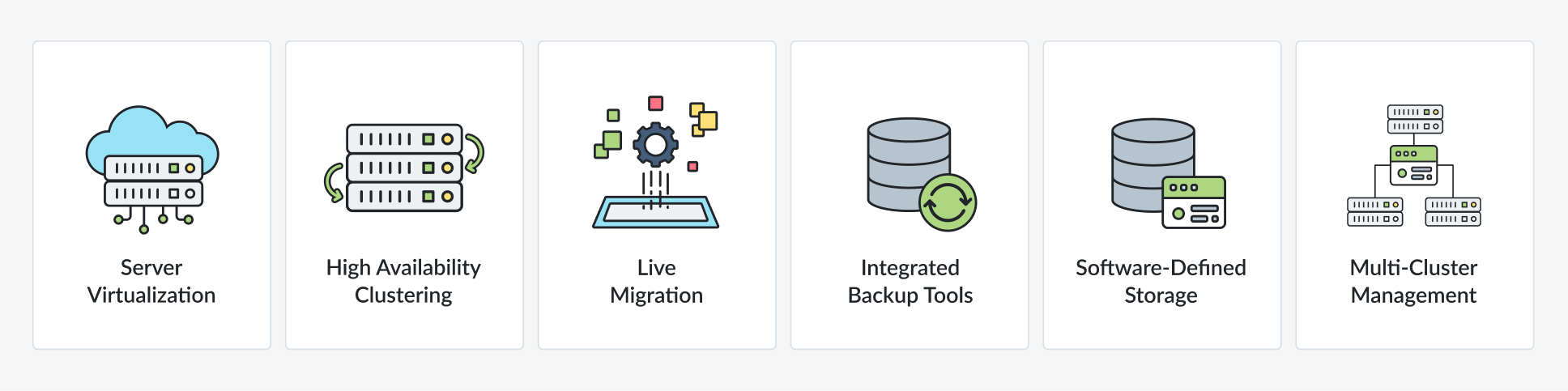
Proxmox Virtual Environment (VE) is an open-source platform designed for managing server virtualization in environments ranging from small labs to enterprise datacenters. It combines two virtualization technologies: KVM (Kernel-based Virtual Machine) for full virtualization and LXC (Linux Containers) for lightweight, containerized applications:
- KVM provides hardware-level virtualization with dedicated CPU, memory, and storage resources per VM – strong isolation, full OS support, and compatibility with Windows, Linux, and BSD guests.
- LXC containers share the host kernel, which means they start in seconds and consume a fraction of the resources a full VM would need. For services like DNS, DHCP, reverse proxies, or monitoring agents, containers are significantly more efficient.
The practical value is that you can run a Windows Server VM for Active Directory alongside an LXC container running nginx on the same host, managed from the same interface, without needing separate infrastructure for each workload type.
Why organizations are looking at Proxmox now
Interest in Proxmox has grown sharply over the past two years. According to Ahrefs data, search volume for “ESXi to Proxmox migration” has increased by roughly 400% since 2024.
The primary driver is VMware’s licensing restructuring under Broadcom – perpetual licenses are gone, and per-core subscription bundles have pushed renewal costs up significantly for many organizations. But cost isn’t the only factor. Teams that evaluated Proxmox two or three years ago and dismissed it for missing “enterprise-grade” features are finding that many of those gaps have closed.
To put the platform in context against other options:
| Proxmox VE | VMware vSphere | Nutanix AHV | |
|---|---|---|---|
| Licensing | Open-source, optional paid support | Per-core subscription (mandatory) | Hybrid subscription |
| 5-year TCO | Low | High (increased under Broadcom) | High |
| Storage | Native ZFS, Ceph, NFS, iSCSI, LVM | vSAN (add-on cost) | Native HCI |
| Management | Built-in web GUI (no separate server) | vCenter (required, separate license) | Prism |
| Backup | Native PBS integration | Third-party (Veeam, etc.) | Integrated |
| Built-in container support | LXC (native) | vSphere Pods (limited) | None (VM only) |
| Multi-cluster mgmt | PDM (new in 2026) | vCenter (mature) | Prism Central |
What changed in 2025-2026
If you last evaluated Proxmox a few years ago, several recent additions are worth a second look.
Proxmox Datacenter Manager (PDM)
Multi-cluster management was one of the main arguments against Proxmox in larger environments. Each cluster had its own web interface, and there was no unified view across sites. PDM fixes this – it provides a single pane of glass for managing multiple Proxmox clusters across different locations, with a centralized update management panel for rolling patches across your infrastructure.
PDM requires PVE 8.4+ and PBS 3.4+ at minimum. It communicates with clusters via the public API only and doesn’t run on PVE nodes themselves – it’s a separate management appliance. There’s no separate subscription key; it’s included with existing enterprise support licenses.

Improved VMware migration wizard
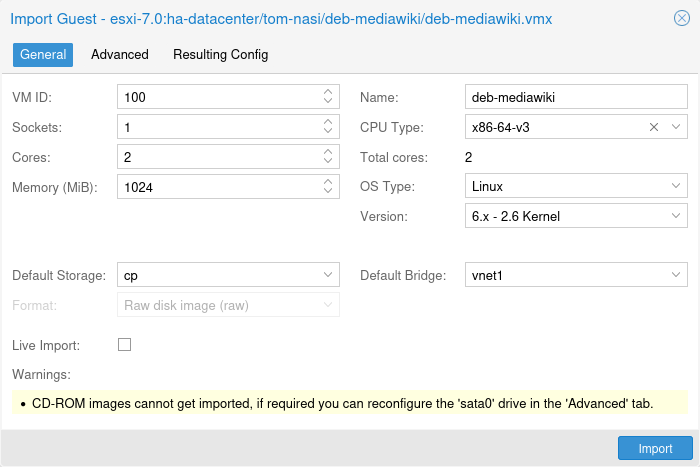
The migration framework now supports direct API-to-API transfers from VMware and Hyper-V environments. You point Proxmox at an existing vCenter or ESXi host and automate much of the workflow – disk conversions, driver injections, and network mapping. For large-scale migrations, this is a significant time saver compared to the manual OVF export process or using 3rd party tools.
Note: That said, community experience with large migrations reveals some gotchas worth knowing about. Windows VMs frequently fail with INACCESSIBLE_BOOT_DEVICE after migration because they expect LSI Logic controllers but encounter VirtIO SCSI. The fix is to change the storage controller while the VM is still live in VMware, before starting the migration. VMs with snapshot chains need those snapshots consolidated first – the import wizard won’t handle complex chains. Virtual TPM state doesn’t transfer, so any full-disk encryption tied to vTPM needs to be removed pre-migration.
Software-defined networking (SDN)
SDN is now a core part of the Proxmox stack, not a tech preview. It supports VXLAN and EVPN for multi-tenant networking, which opens the door to private cloud architectures with proper network segmentation. For organizations building internal cloud platforms or running multi-tenant infrastructure, this capability was previously a major gap.

Production deployment considerations
Proxmox works in production – plenty of organizations have been running it for years without issues. But there are hardware and architecture decisions that will determine whether your deployment is smooth or painful.
ZFS memory requirements
ZFS uses RAM for its Adaptive Replacement Cache (ARC), which stores frequently accessed data blocks in memory for fast reads. The commonly cited rule is 1 GB of RAM per 1 TB of storage. Proxmox 8.1+ defaults the ARC maximum to 10% of system RAM, clamped at 16 GB.
In practice, ZFS will yield ARC memory to VMs when they need it, so running out of memory shouldn’t happen – but the ARC shrinks more slowly than standard Linux page cache, which can cause brief performance dips during memory pressure. The safe approach: allocate 4 GB base + 1 GB per TB of raw disk, and don’t over-commit VM RAM to the point where there’s no headroom left for ARC. One important detail – avoid putting swap on ZFS. It causes system instability.
Networking
For modern workloads, 10 GbE is the realistic minimum. If you’re running Ceph for hyperconverged storage, plan for 25 GbE – disk rebuilds after a node failure will saturate a 10 GbE link and introduce latency to production VMs.
Jumbo frames (MTU 9000) are worth configuring, but they must be consistent across the entire network path – every switch, every NIC, every bond interface. Inconsistent MTU configuration is one of the most common causes of mysterious performance issues and Ceph “slow request” warnings.
A few hardware notes from community experience: Intel XXV710 25 Gbps cards sometimes cap at 6-9 Gbps out of the box – disabling ASPM in BIOS resolves this. Mellanox cards have occasional firmware quirks with IP address handling when switching between speeds. Both work fine once properly configured.
Backup server placement
Never run PBS on the same physical hardware as your production VMs. A dedicated server with high-density HDD storage (or SSD if budget allows) on a separate network segment is the right approach for disaster recovery.
Proxmox Backup Server (PBS)
PBS is a dedicated backup solution designed specifically for Proxmox VE environments. It integrates directly with PVE – you configure backup jobs from the Proxmox web interface, and backups are stored on the PBS server.
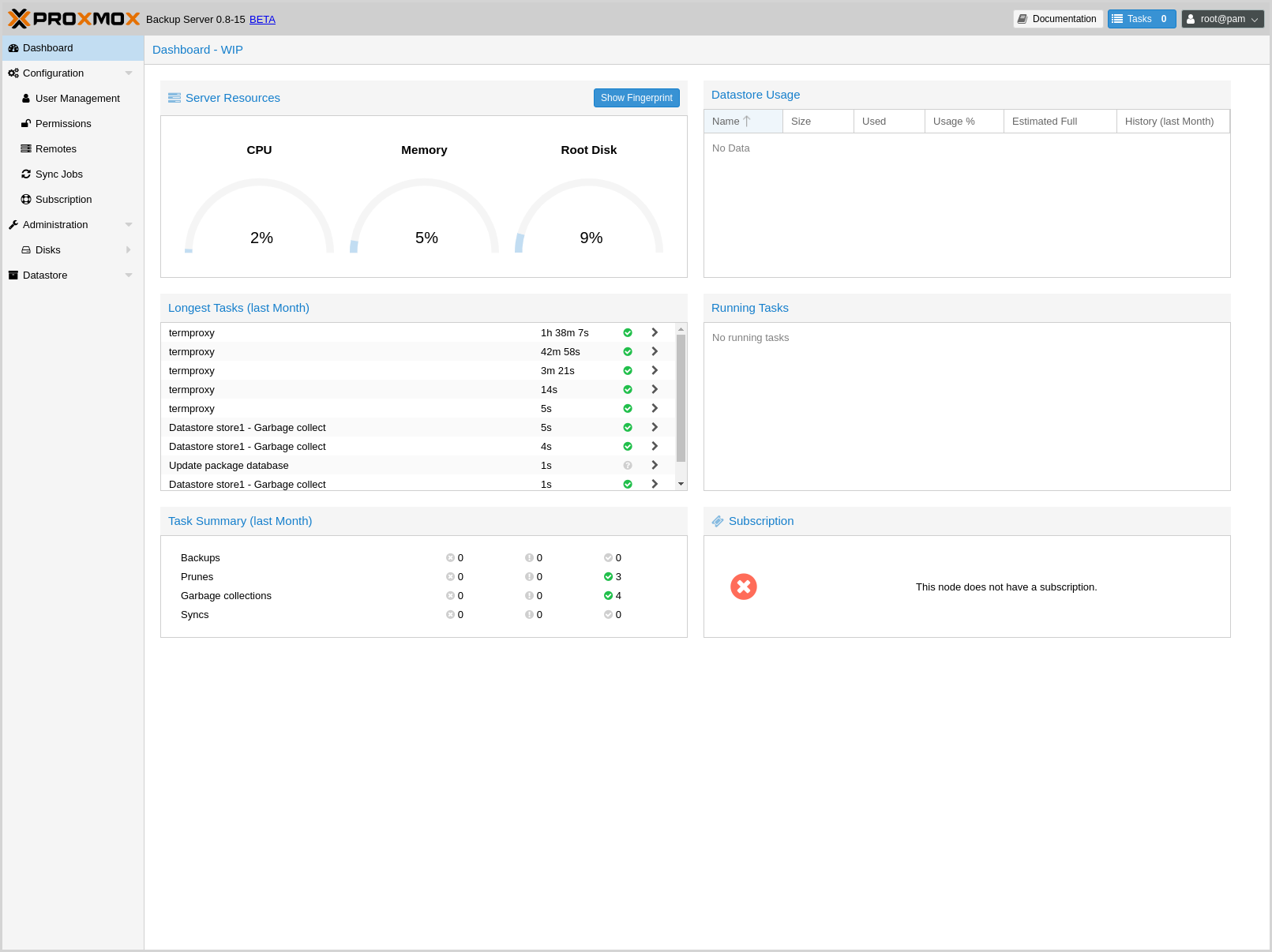
The core architecture is built around content-addressable deduplication. Instead of storing full copies of every backup, PBS breaks data into variable-length chunks, hashes them, and stores each unique chunk only once. A VM that’s 90% identical to its previous backup only transfers and stores the 10% that changed. This applies across VMs too – if you run 20 identical Windows Server VMs, the shared OS blocks are stored once.
Backups can be encrypted client-side before leaving the PVE host, which means you can safely replicate backup data to remote or untrusted storage targets. PBS also includes built-in integrity verification – it periodically re-checksums stored chunks to detect silent corruption before you discover it during a restore.
Performance characteristics
PBS performance is primarily CPU-bound, not network-bound. SHA-256 checksums, zstd compression, and chunk verification are all CPU-intensive operations. Community members have reported scenarios where 10 Gbps NICs sit mostly idle while backup throughput is limited to 80-90 MB/s because the CPU is saturated. Single-thread performance matters more than core count for PBS.
For the storage backing the PBS datastore, local SSD (RAID-10 with ZFS) or all-NVMe is the best option. Avoid running PBS datastores on network shares – the deduplication architecture creates many small file operations that are brutal on NFS/SMB latency. If you need to tune verification performance, increasing the default-verification-readers to 16 and default-verification-workers to 32 can push throughput from the default ~800 MB/s to over 5 GB/s.
Enable the QEMU guest agent and dirty-bitmap backups to transfer only changed blocks rather than reading full raw disk images. This dramatically reduces both backup time and storage traffic.
Pricing (2026)
Proxmox VE subscriptions are per CPU socket per year. The free tier is fully functional for production use – the subscription adds access to the enterprise repository (tested and stable packages) and vendor support.
| Plan | Price (per socket/year) | What you get |
|---|---|---|
| Community | €120 | Enterprise repository access |
| Basic | €370 | Customer portal, 3 support tickets/year |
| Standard | €550 | 10 tickets, ~4-hour response |
| Premium | €1,100 | Unlimited tickets, ~2-hour response |
PBS subscriptions are per server per year, with no limits on storage capacity or number of protected clients.
| Plan | Price (per server/year) | What you get |
|---|---|---|
| Community | €560 | Enterprise repository access |
| Basic | €1,120 | Up to 5 support tickets |
| Standard | €2,240 | 15 tickets, ~4-hour response |
| Premium | €4,480 | Unlimited tickets, ~2-hour response |
What to know before committing?
Proxmox is a strong platform, but it’s not a drop-in VMware replacement for every organization. A few things to consider realistically.
Linux administration skills are required. Proxmox runs on Debian, and troubleshooting often means working in the command line. Teams that have only ever managed infrastructure through VMware’s GUI will face a learning curve. This isn’t insurmountable, but it’s not trivial either – especially for networking (bonding, bridges, VLANs) and storage (ZFS, Ceph) configuration.
Enterprise support has limitations. Proxmox support operates during business hours in Europe, not 24/7 globally. For organizations that need round-the-clock vendor support for critical outages, this is a meaningful gap compared to VMware or Nutanix. Third-party ecosystem support (Veeam, Zerto, etc.) is growing but still limited compared to VMware’s ecosystem.
HA at scale needs careful planning. Proxmox HA works well for small-to-medium clusters. At 2,000+ VMs, managing HA groups and failover priorities becomes more complex than it is with vSphere DRS. There’s no equivalent to DRS for automated resource balancing across hosts.
No instant clones. If your workflow depends on rapidly spinning up identical VMs from a template (common in VDI and dev environments), Proxmox doesn’t have an instant clone feature. Linked clones exist but aren’t the same thing.
None of these are dealbreakers for most organizations, but they’re worth factoring into your evaluation rather than discovering them during deployment.
Where Proxmox fits best?
Educational institutions and research labs were early adopters – limited budgets, flexible requirements, and teams comfortable with Linux. SMBs are the fastest-growing segment now, particularly organizations in the 50-500 employee range that need enterprise features without enterprise licensing costs.
DevOps teams use Proxmox for development and CI/CD environments where a mix of containers and full VMs is needed on the same infrastructure. And increasingly, organizations are deploying Proxmox in production for general server virtualization – not as a secondary platform, but as the primary hypervisor.
The common thread across these use cases is teams that have the Linux skills to operate the platform and want to avoid the cost structure and vendor dependency of proprietary alternatives.
