


When you deploy your AKS cluster, by default, all pods have the same priority, 0, except for default pods that are created during the AKS creation:
kubectl get pods --all-namespaces -o custom-columns=NAME:.metadata.name,PRIORITY:.spec.priorityClassName |
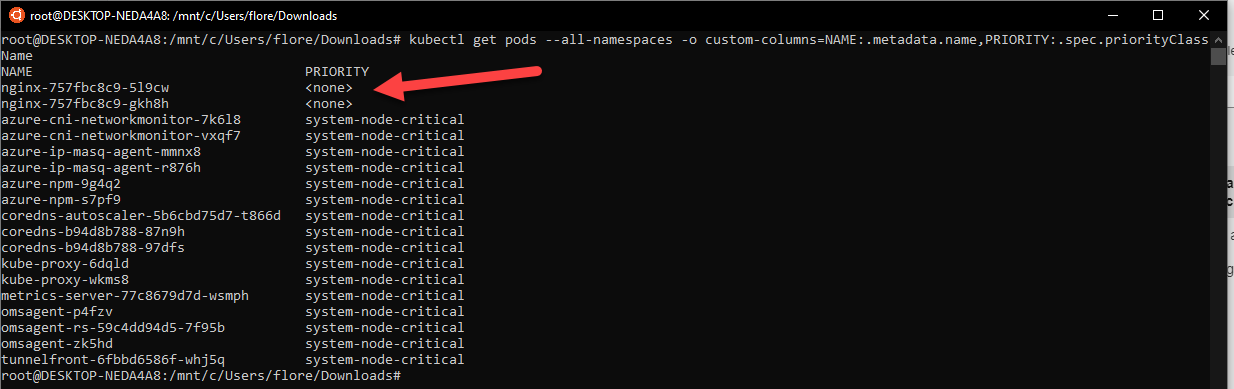
It means that when you do your CA rotation, or you have a crash, pods will restart randomly 😊 first arrive, first serve…
With Pod Priority, you can classify your pods, to give a start priority.
By default, you have 2 class created:
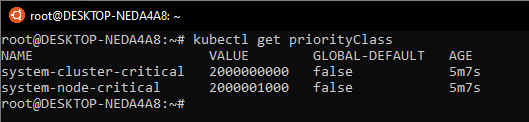
Bigger is the value, higher will be the priority.
Let’s start by adding 3 new priorities. Use the following yaml file to create them:
apiVersion: scheduling.k8s.io/v1beta1 kind: PriorityClass metadata: name: dev-priority value: 10000 globalDefault: false --- apiVersion: scheduling.k8s.io/v1beta1 kind: PriorityClass metadata: name: acc-priority value: 100000 globalDefault: false --- apiVersion: scheduling.k8s.io/v1beta1 kind: PriorityClass metadata: name: prd-priority value: 1000000 globalDefault: false |
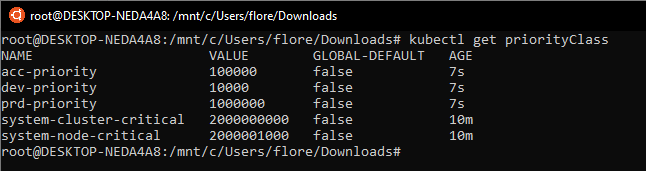
Apply this yaml file. We have now 3 new priorities, that we can use:
Now, let’s apply these priorities to pods:
kind: Deployment apiVersion: apps/v1 metadata: name: nginx-dev labels: app: nginx-dev nginx-dev: nginx-dev spec: replicas: 10 selector: matchLabels: app: nginx-dev task: nginx-dev template: metadata: labels: app: nginx-dev task: nginx-dev version: v0.0.1 spec: containers: - name: nginx-dev image: nginx ports: - containerPort: 80 priorityClassName: dev-priority |
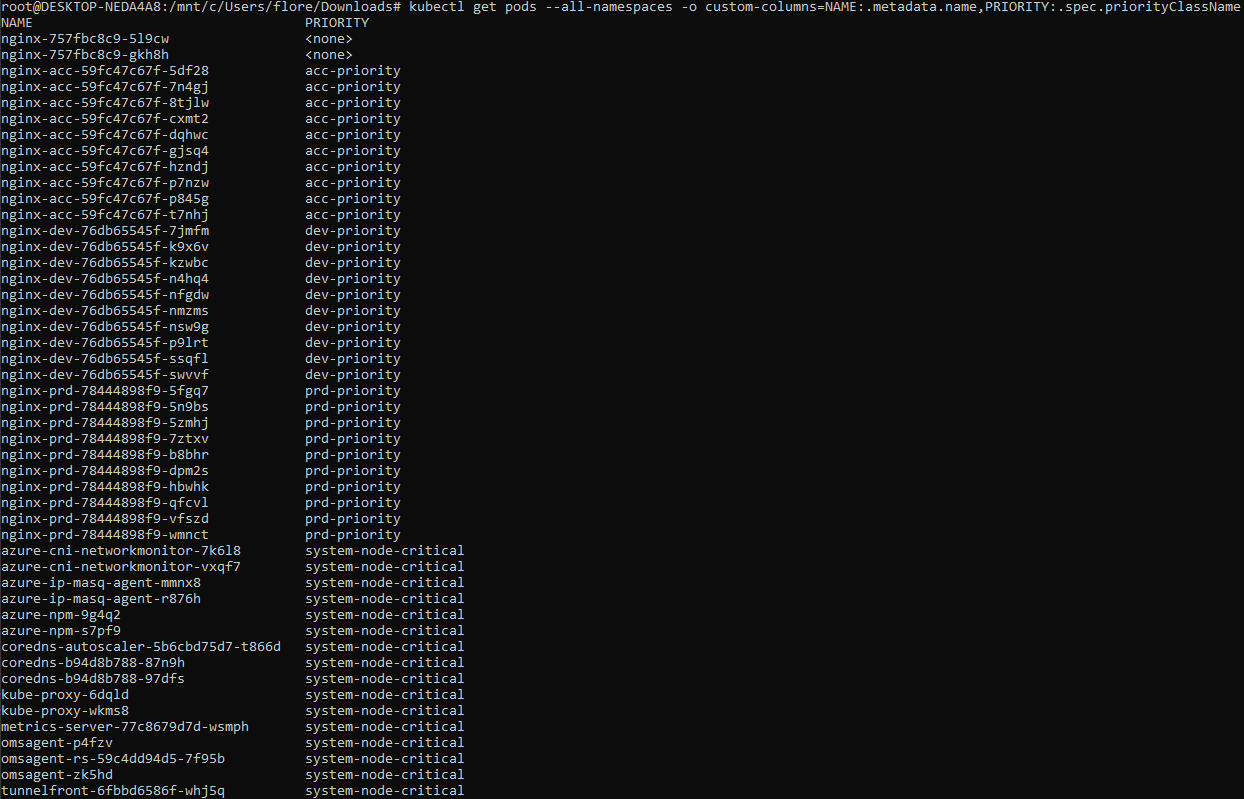
As you can see, I deployed a lot of pods, with priority, by using in my deployment file the priorityClassName parameter.
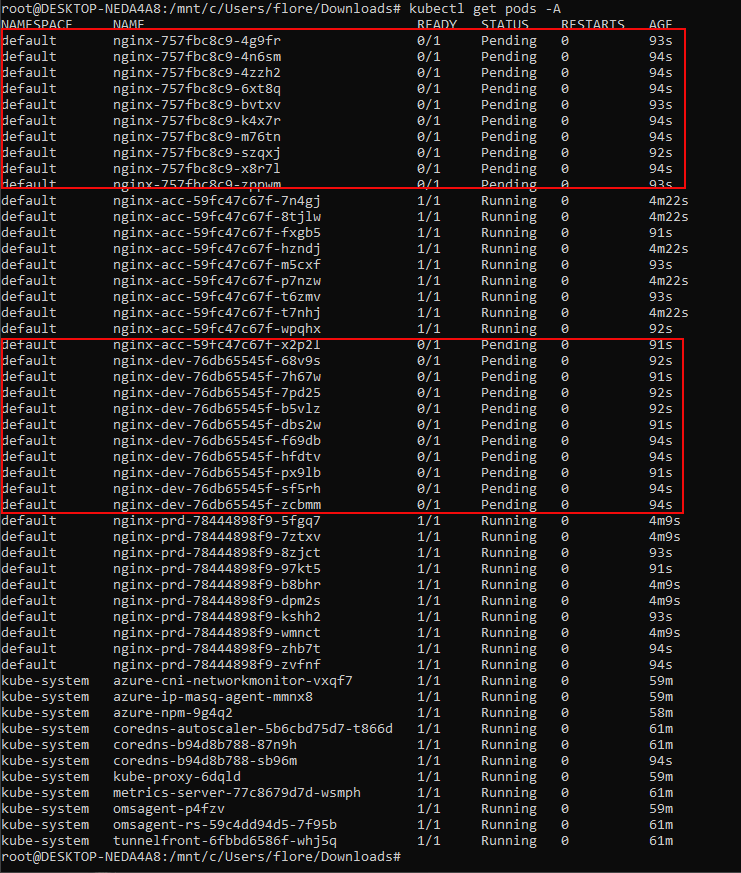
Because I can have a maximum of 30 pods per node, I scale down my cluster from 2 nodes to one. I can see that dev pods and pods without priority are not running:
If I check logs of pods, I can see
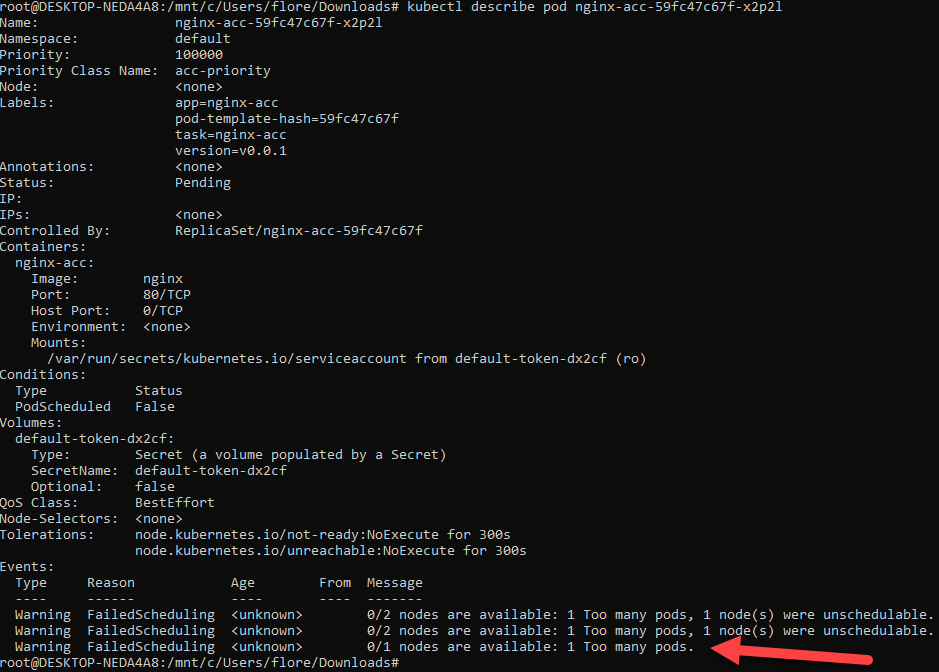
As you can see, it works fine. Don’t forget to apply this great feature in your AKS environment.
You can also test this feature, by following this article: Kubernetes Operations: Prioritize Workload in Overcommitted Clusters (microsoft.com)
