
When you manage an IT infrastructure, few tasks are as critical yet as routinely underestimated as patching. Whether you’re running a small business with a handful of Linux servers and Windows machines or an enterprise with hundreds of nodes across multiple distributions, keeping systems up to date is non-negotiable. Unpatched systems are low-hanging fruit for attackers, and compliance requirements like CIS benchmarks only add to the pressure.
I’ve spent years working with VMware, Microsoft, and various Linux setups, writing about upgrades, security patches, and keeping environments stable. The challenges haven’t changed much: SSH marathons, inconsistent scripts, forgotten hosts, and auditors asking for evidence that takes days to compile. Tools like PatchMon are here to help and to change that by providing unified visibility and management for Linux, FreeBSD, and Windows fleets.
The Patching Reality Check
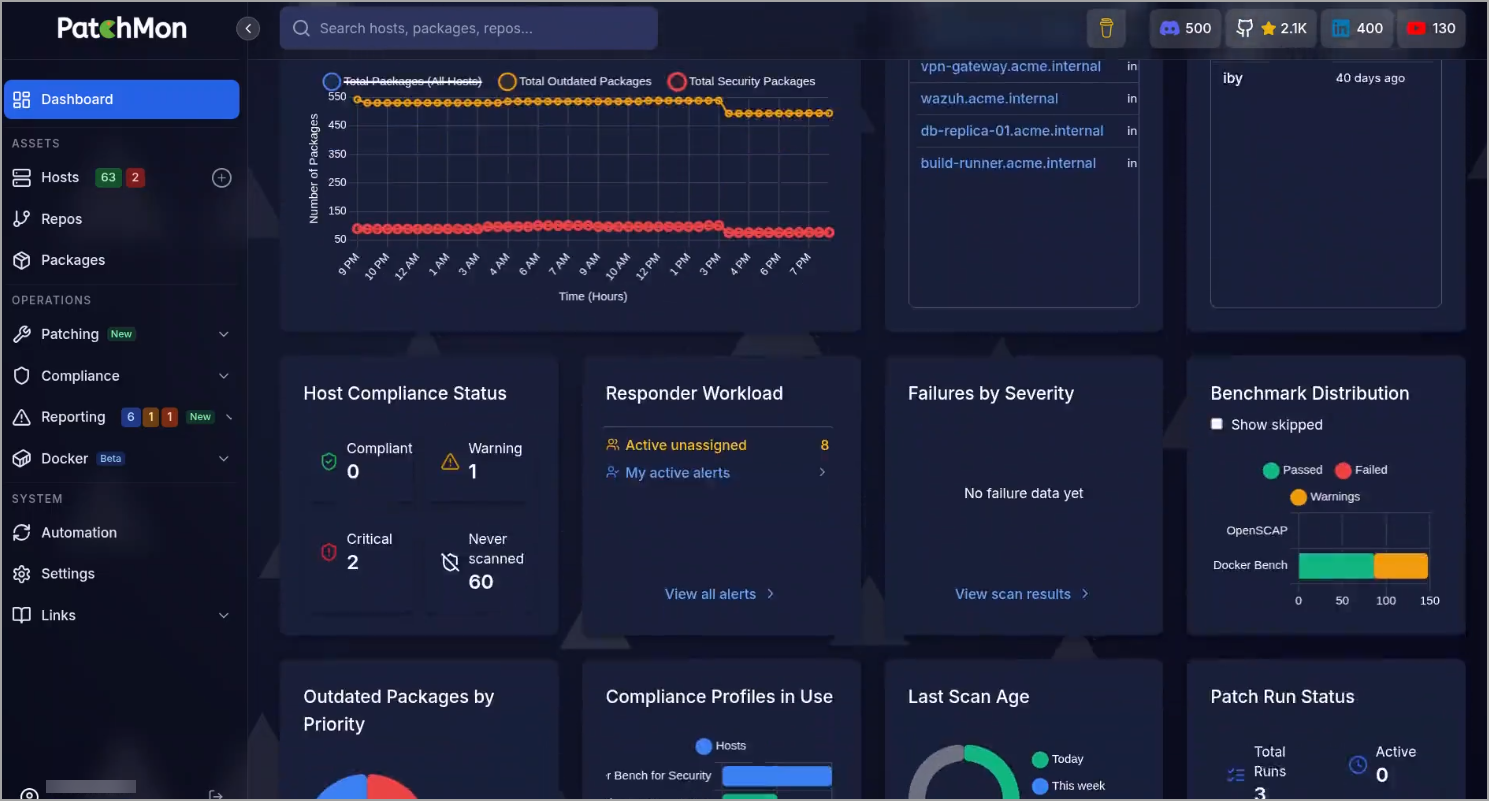
Let’s be honest. Patch Tuesday (or its Linux equivalents) often turns into chaos. You have Ubuntu servers using APT, RHEL/AlmaLinux with DNF, Alpine with APK, Arch with Pacman, FreeBSD pkg, and Windows Update – all needing attention. PatchMon has Six package mangers within the dashboard to help you. In small businesses, one or two admins juggle this alongside everything else. In enterprises, it scales to dozens or hundreds of nodes, with different teams, maintenance windows, and risk profiles.
The consequences of falling behind are severe. Exploits targeting known vulnerabilities spread fast. We’ve seen major incidents where a single unpatched system became the entry point for ransomware or data breaches. Security isn’t just about firewalls and antivirus anymore – it’s fundamentally about reducing the attack surface through timely updates.
Beyond security, there’s compliance. Standards like CIS Benchmarks, SOC 2, ISO 27001, or industry-specific regulations demand proof that you’re managing vulnerabilities systematically. Manual processes make this painful. Spreadsheets get out of date quickly, and “I think we patched it” doesn’t satisfy auditors.
Why Patching Matters More Than Ever
Security and Exploits: Most breaches exploit known vulnerabilities with available patches. Delaying updates means living with unnecessary risk. Critical security updates often address remote code execution, privilege escalation, or denial-of-service flaws. In a mixed environment, one weak Linux node can compromise the whole network.
Operational Stability: Patching isn’t just “apply and forget.” Poorly tested updates can break applications or cause downtime. That’s why dry-run capabilities, scheduling, and approval workflows are essential. Tools that let you preview changes reduce surprises.
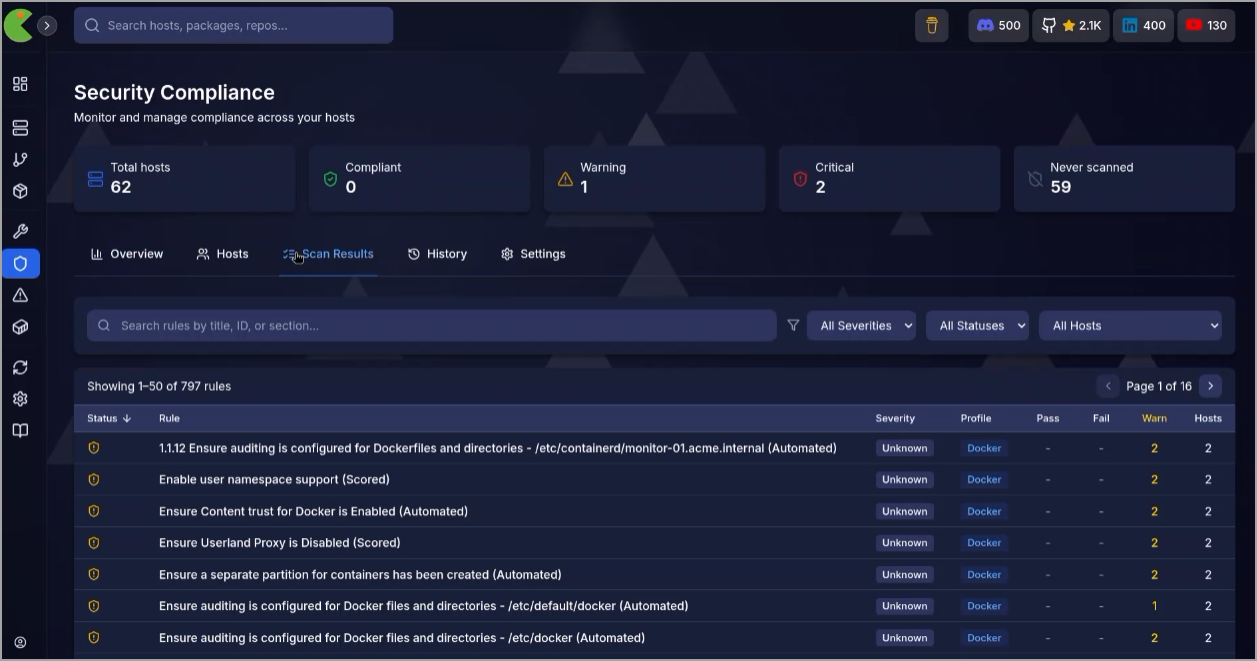
Compliance and Audit Readiness: CIS benchmarks cover everything from file permissions and service configurations to network settings. Running OpenSCAP scans manually across fleets is time-consuming. Automated scanning with historical tracking turns compliance from a quarterly fire drill into ongoing visibility.
Resource Efficiency: Admins shouldn’t spend Mondays doing patch reconnaissance tours. Time saved on patching can go toward strategic work like infrastructure optimization or new projects.
For small businesses, this means fewer nights worrying about security. For enterprises, it means better control, consistent policies, and reduced mean time to patch.
Introducing PatchMon: Unified Patch Management
PatchMon is an open-source (AGPL v3) platform designed specifically for mixed environments. It provides a single dashboard for Linux, FreeBSD, and Windows visibility, with patching capabilities focused on Linux/FreeBSD today (Windows deployment is on the roadmap). Over 55K servers reportedly run it, with a growing community.
Key Capabilities:
- Multi-Package Manager Support: Automatic detection and reporting for APT, DNF/YUM, APK, Pacman, FreeBSD pkg, and Windows Update. One view show pending updates across everything, with security flagging.
- Patch Policies and Scheduling: Define policies for immediate application, delayed rollout, or fixed maintenance windows. Assign to host groups with exclusions for special cases. Timezone support helps global teams.
- Dry-Run and Approval Workflows: Preview exactly what will change before touching production. Approval gates for critical systems, with full audit trails including who approved what and shell output.
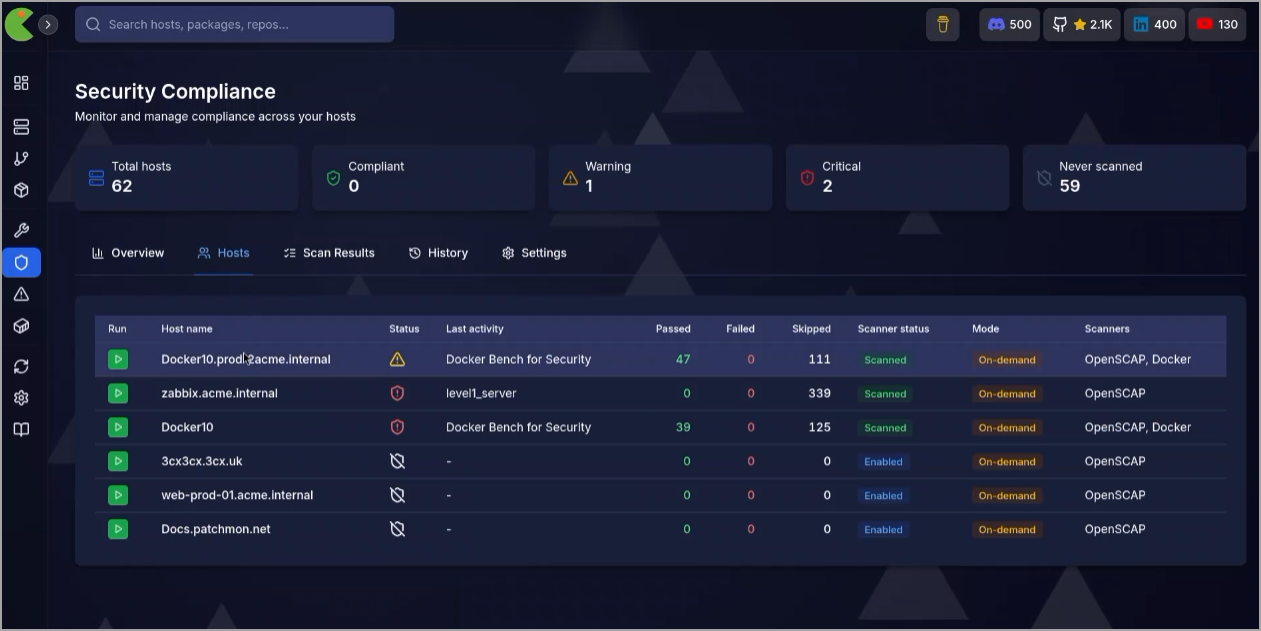
- Compliance Scanning: Integrated OpenSCAP for CIS benchmarks and Docker Bench. Rule-level results, severity ratings, remediation guidance, and trend tracking over time. This is gold for auditors—generate reports in minutes.
- Additional Features: Browser-based SSH/RDP (outbound agent connections, no exposed ports or VPN needed), Docker inventory and security scanning, alerting to Slack/Discord/etc., RBAC with SSO, and integrations with Proxmox, Ansible, and more.
Deployment is straightforward: Cloud option for quick start or self-hosted Community Edition. Lightweight agents use outbound connections only, which is a security win – no inbound firewall holes required.
Real-World Benefits for Small Businesses and Enterprises
For Small Businesses: With limited staff, PatchMon replaces ad-hoc scripts and manual checks with a clean dashboard. Install the agent with a one-liner, and you immediately see your patch status. Scheduling prevents “I forgot to update that test server” scenarios. Compliance becomes manageable even without a dedicated security person.
For Enterprises: Scale matters. Centralized visibility across heterogeneous fleets, policy enforcement, audit trails for SOC 2/ISO, and integration into existing workflows (Ansible inventories, webhooks, REST API). High-availability options and PRO support for large deployments address enterprise needs. Air-gapped and custom deployments are possible.
In my experience with VMware and Microsoft environments, unified tools reduce “patch drift” – where some nodes lag behind. PatchMon helps maintain consistency, which is crucial in virtualized or containerized setups where one vulnerable host can affect others.
Best Practices for Effective Patching
Regardless of the tool, follow these principles:
- Inventory Everything: Know every node, its OS/distribution, and role. PatchMon’s discovery helps here.
- Prioritize: Focus on security updates first. Separate critical from nice-to-have.
- Test Before Deploy: Use staging environments or dry-runs. Monitor for regressions post-patch.
- Schedule Smartly: Align with maintenance windows. Automate where possible but keep human oversight for production.
- Document and Audit: Every change should be traceable. Automated trails beat manual logs.
- Monitor Compliance Continuously: Don’t wait for audit time. Track CIS scores over time and remediate systematically.
- Combine Tools: PatchMon integrates well with configuration management like Ansible. Use it alongside your existing stack rather than replacing everything.
Potential Considerations
Like any tool, evaluate fit. Test it. Self-hosted which is available at Github, gives full control but requires maintenance of the platform itself. Cloud simplifies operations. Windows patching visibility is strong now, but full deployment is upcoming—factor that in if Windows is dominant. As with any agent-based solution, review security implications and test in your environment.
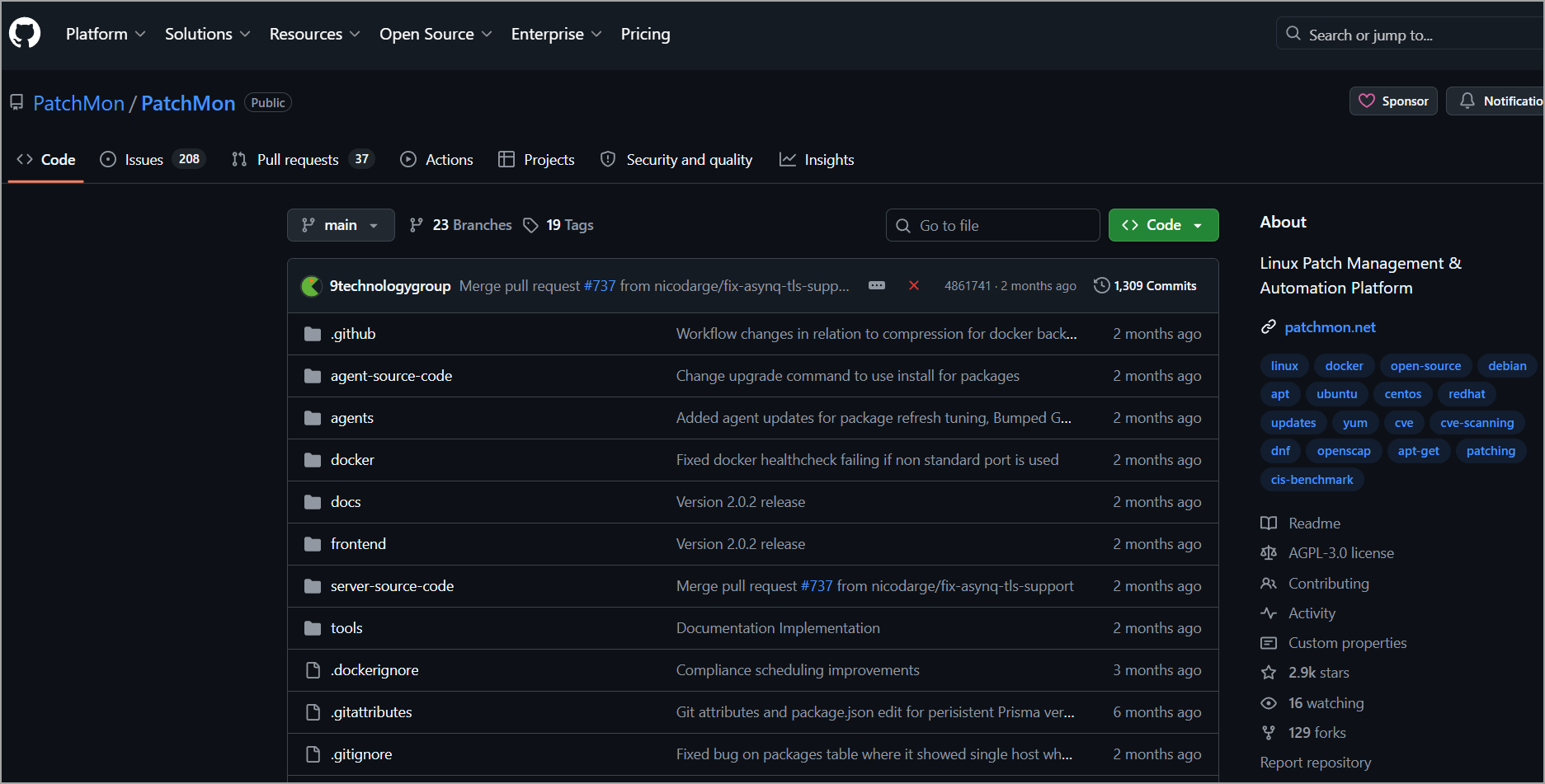
The open-source nature allows code auditing and community contributions, which is a plus for transparency-focused teams.
Final Words
Take Control of Your Patch Posture. Patching isn’t glamorous, but it’s foundational to security, compliance, and reliability. In today’s threat landscape, with exploits targeting everything from kernels to container runtimes, staying up-to-date on every managed node is essential. Tools that eliminate spreadsheets, reduce SSH fatigue, and generate audit-ready evidence deliver real ROI.
PatchMon stands out by focusing on the mixed Linux/FreeBSD/Windows reality many of us face, with strong emphasis on visibility, safe deployment practices, and compliance. Whether you’re a small team tired of manual processes or an enterprise seeking better control, it’s worth exploring – especially the self-hosted option for those who prefer owning their infrastructure. This is a good plan. Enjoy. Please note that the tool is evolving. For example the Windows patching was added only recently, and IMHO, it was a goo plan.
FAQ
How often should business systems be patched?
Critical security patches should be assessed and deployed as soon as practical. Other updates can follow a regular monthly maintenance cycle.
Do software patches always require downtime?
No. Many updates can be installed without interruption, but kernel, driver, and core system patches may require a reboot.
Which patches should be prioritized?
Prioritize actively exploited vulnerabilities, internet-facing systems, critical business services, and updates with high severity ratings.
How can teams verify that patching was successful?
Check installation results, reboot status, service health, application logs, and vulnerability scan results after deployment.