


After viewing how to deploy AKS, protected it and secured it, we will se how to make the application highly available,
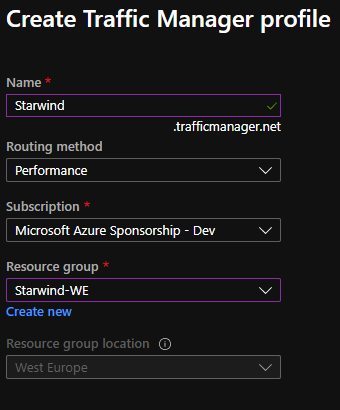
To start, deploy 2 AKS clusters, in 2 different regions. Deploy your application in these 2 regions. When it’s done, deploy a Traffic Manager. This feature will give you the possibility to load a website, based on your location (Performance) for example, to point to the closest region of your application:
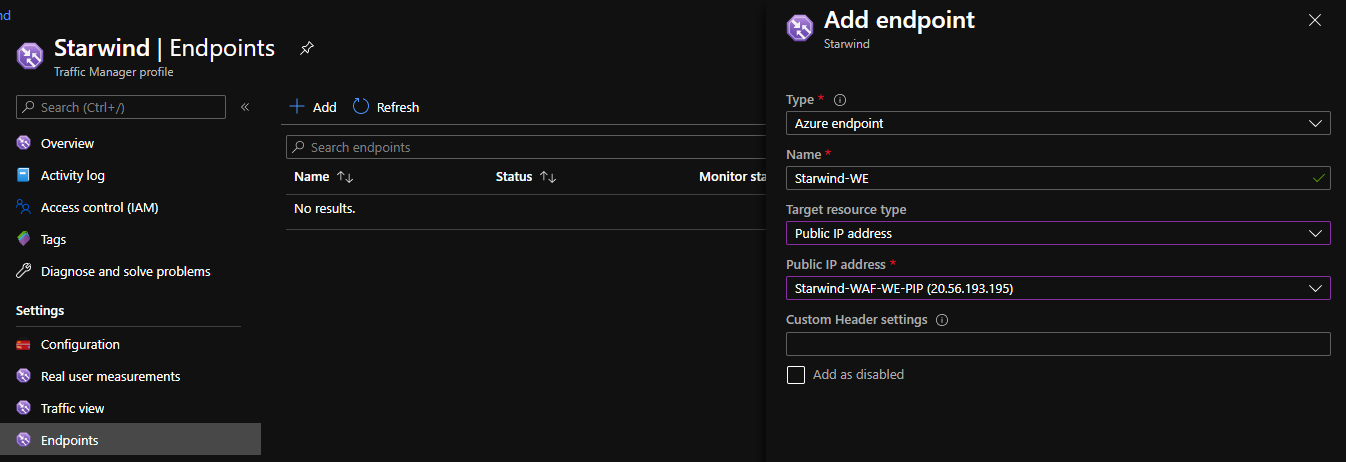
Add 2 endpoints, one for the first region, and one for the second:
Endpoints should be in Degraded mode:
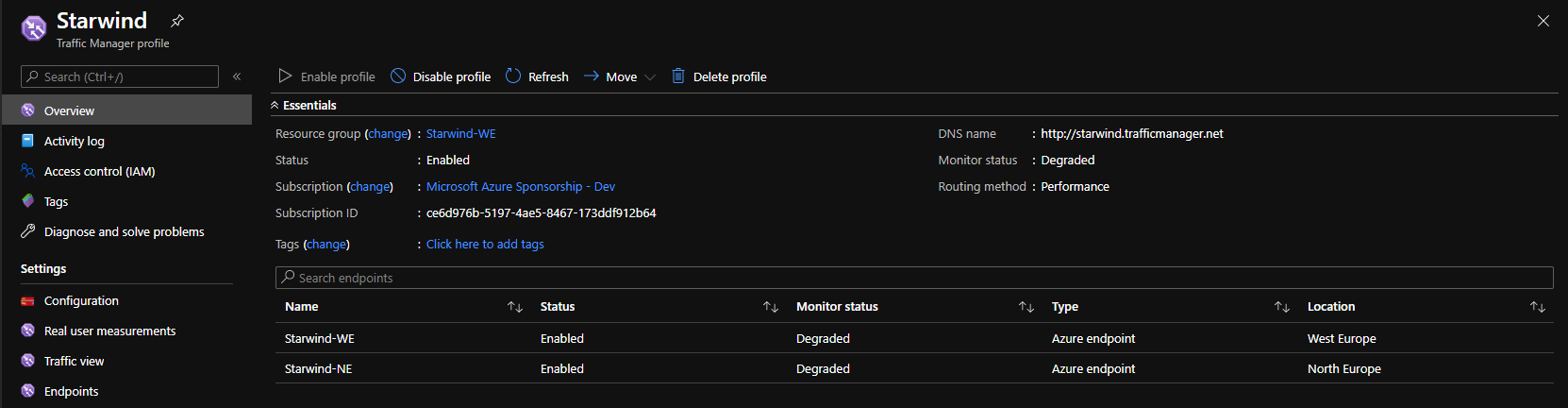
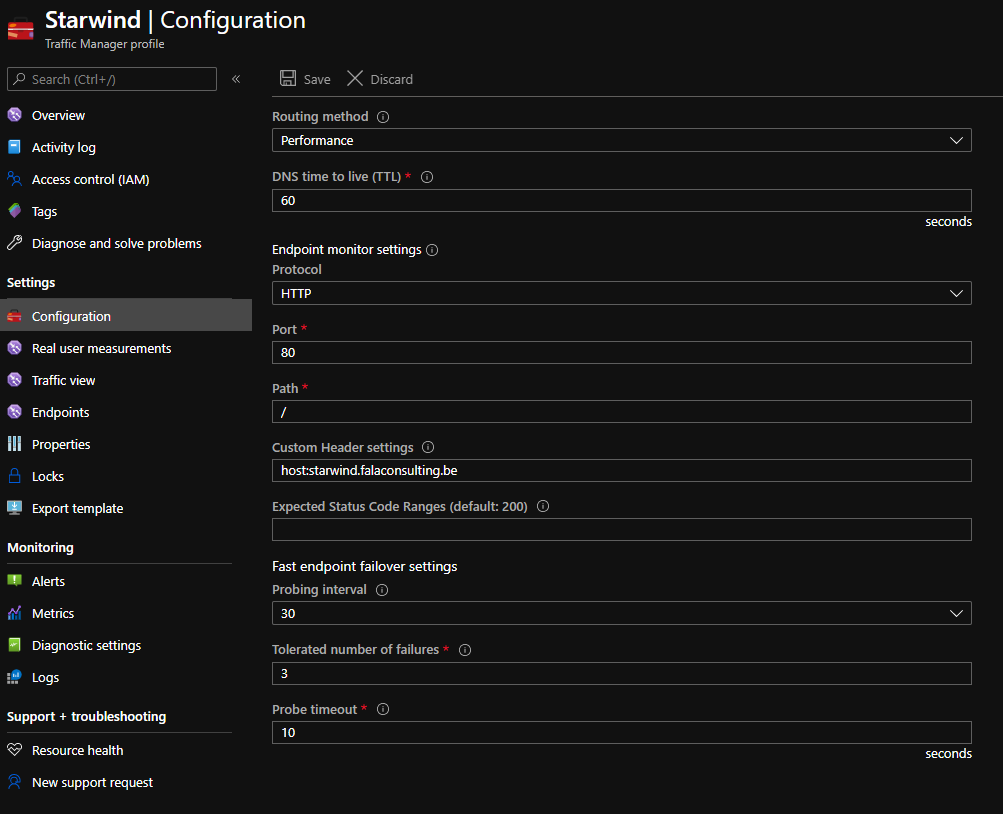
It is normal. The public ip / dns of the WAF redirects to nothing. So you need to deploy a probe, with a pod, or give an existing website. To do this, go into configuration, and add a Custom Header settings, like me, host:starwind.falaconsulting.be:
Because this website is alive, it will change the status to Online after few seconds, if this website is alive into the 2 clusters, of course:
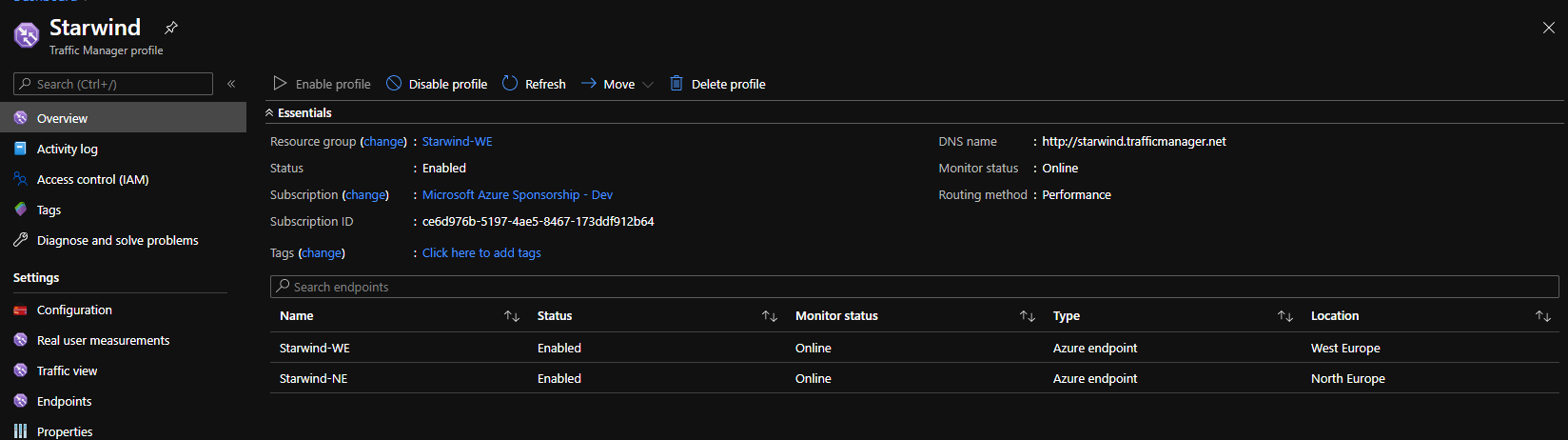
You can add a custom probe, for each cluster, with specific URL and configure this custom header setting, directly in the endpoint.
So now, I will change my DNS entry, starwindhttps.falaconsulting.be to point to the DNS name of my traffic manager, starwind.trafficmanager.net. I disabled the West Europe endpoint:
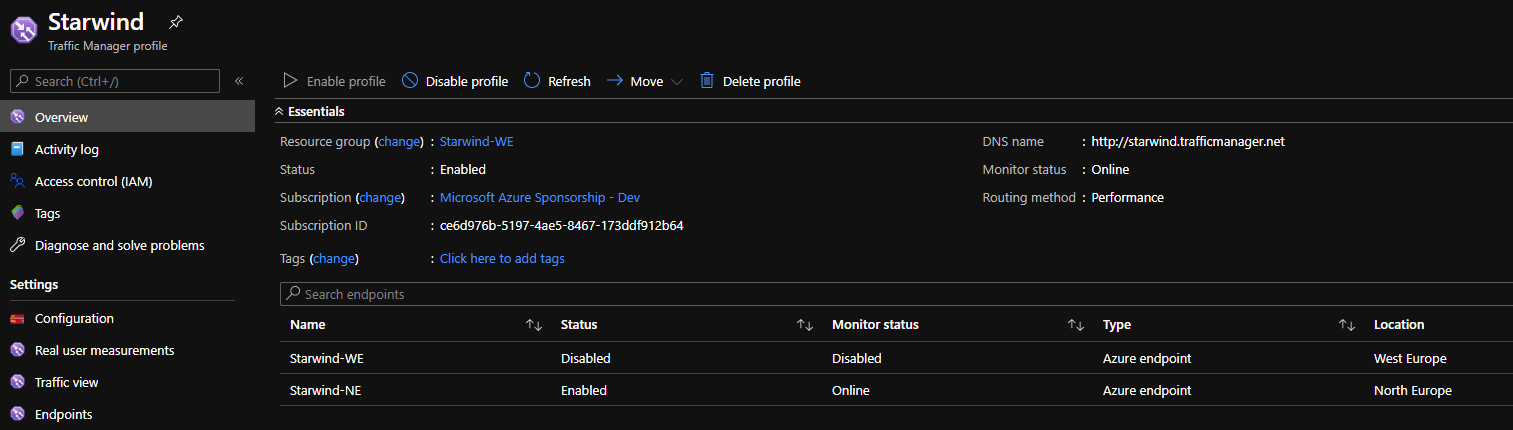
The website is always available. And the ping go to north Europe. If I re-enabled West Europe, because it is my closest region, I’m redirected directly to it:
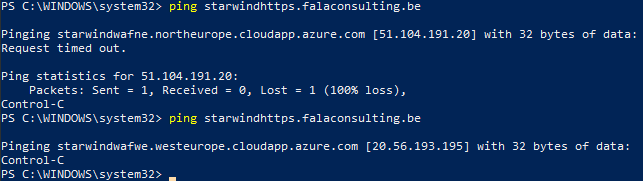
So now, if a region fails, the traffic is redirected directly to the second region.
