Search
Join the Technical Preview Program
See how NVMe-oF removes iSCSI
bottlenecks in your HCI
The Best Hyperconverged
Infrastructure
(HCI) for Enterprise
ROBO, SMB & Edge
The Best Virtual SAN
for Enterprise ROBO, SMB & Edge

Keep your AKS updated with KureD

  • January 12, 2021
  • 3 min read
Cloud and Virtualization Architect and Microsoft MVP. Florent specializes in public, private, and hybrid cloud ecosystems. An MCSE in Private Cloud, he provides technical leadership in Cloud and Datacenter Management. Florent delivers high-authority insights on Azure deployments, virtualization strategy, and optimizing enterprise-scale cloud infrastructure.

Maybe something that you don’t know, is that Microsoft patches your nodes (every nights), when new patches are available. But, sometime, you need to reboot your nodes, to apply patches. You will find more information here: https://docs.microsoft.com/en-us/azure/aks/node-updates-kured
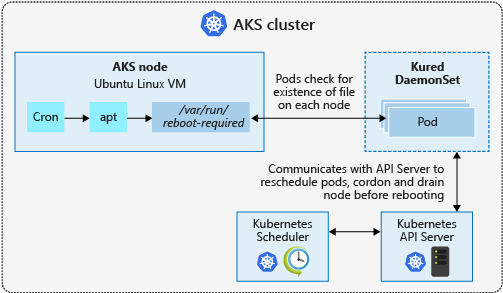
AKS node update and reboot process with kured

So, to automate the reboot, we will use KureD: https://github.com/kubereboot/kured

KureD is currently only available for Linux nodes.

This DeamonSet will be deployed, as pod, on each nodes of the cluster, and will check if the file /var/run/reboot-required exists. If this file exists, the node will have the status Ready, SchedulingDisabled

To deploy KureD, do the following:

helm repo add kured https://weaveworks.github.io/kured

helm repo update

kubectl create namespace kured

helm install kured kured/kured --namespace kured --set nodeSelector."beta\.kubernetes\.io/os"=linux

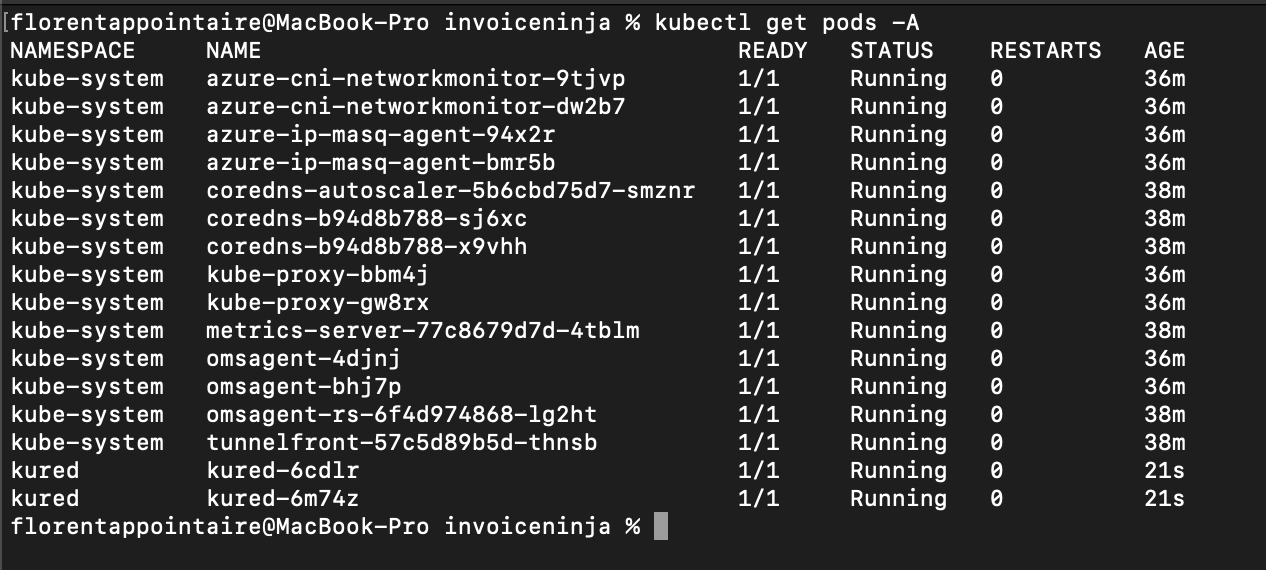
wp-image-15520

When KureD will detect the file to reboot the node, the KERNEL-VERSION will be updated:

wp-image-15521

With this KureD feature, you will now have an infrastructure up-to-date and your security team will be happy to hear this 🙂

Hey! Found Florent’s article helpful? Looking to deploy a new, easy-to-manage, and cost-effective hyperconverged infrastructure?
Alex Bykovskyi
Alex Bykovskyi StarWind Virtual HCI Appliance Product Manager
Well, we can help you with this one! Building a new hyperconverged environment is a breeze with StarWind Virtual HCI Appliance (VHCA). It’s a complete hyperconverged infrastructure solution that combines hypervisor (vSphere, Hyper-V, Proxmox, or our custom version of KVM), software-defined storage (StarWind VSAN), and streamlined management tools. Interested in diving deeper into VHCA’s capabilities and features? Book your StarWind Virtual HCI Appliance demo today!