
Search
Join the Technical Preview Program
See how NVMe-oF removes iSCSI
bottlenecks in your HCI
The Best Hyperconverged
Infrastructure
(HCI) for Enterprise
ROBO, SMB & Edge
The Best Virtual SAN
for Enterprise ROBO, SMB & Edge

[Azure] Host a static website in Azure, with reduced cost

  • April 25, 2019
  • 3 min read
Cloud and Virtualization Architect and Microsoft MVP. Florent specializes in public, private, and hybrid cloud ecosystems. An MCSE in Private Cloud, he provides technical leadership in Cloud and Datacenter Management. Florent delivers high-authority insights on Azure deployments, virtualization strategy, and optimizing enterprise-scale cloud infrastructure.


If you’ve a website, with static pages to host, don’t search a complicated solution, Microsoft released a hosting on an Azure storage account. Costs for the storage are available here: https://azure.microsoft.com/en-us/pricing/details/storage/page-blobs/

Adios IIS/Apache servers, which are expensive in resources and maintenant, to host static websites.

To get started, create a new storage account on Azure, in v2:
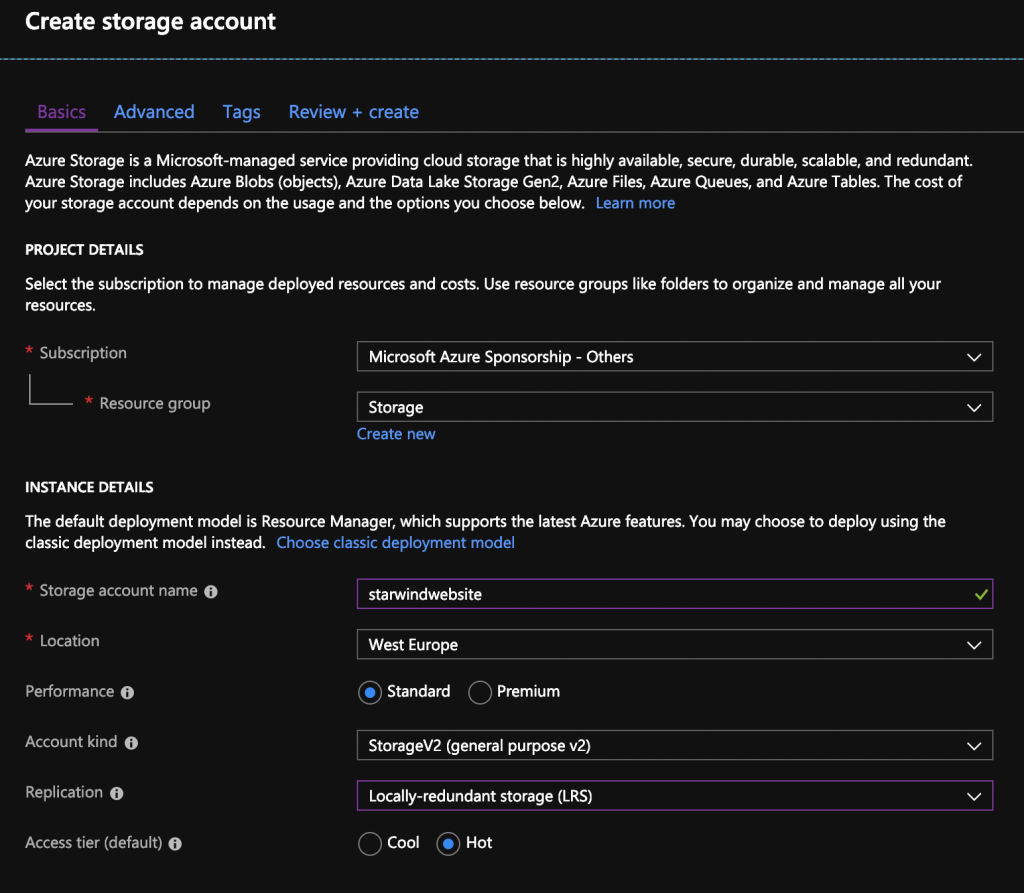
Create a new storage account on Azure

Go in Static website menu and activate the functionality:
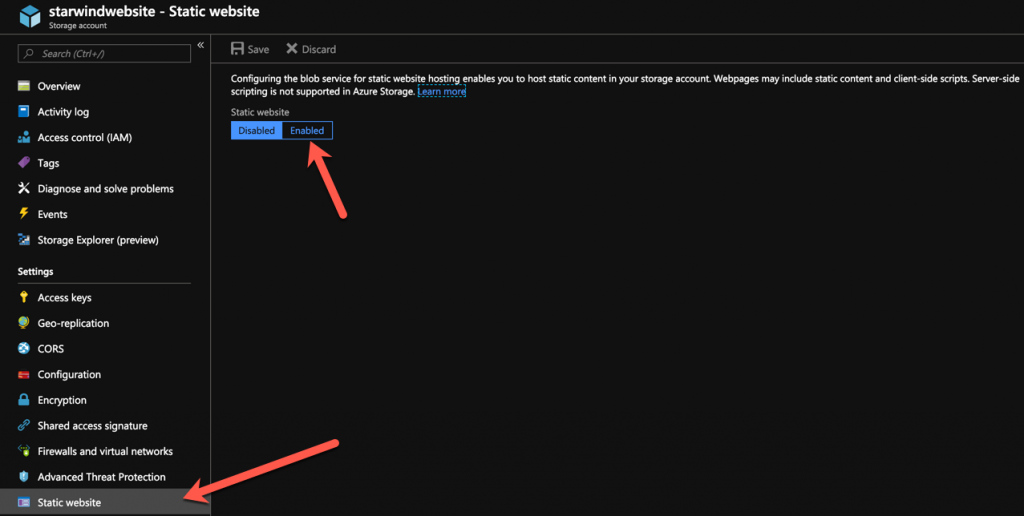
 Static website menu

Choose the name of your home page, and if you’ve one, the name of the error page. You also have the URL to access to the site. A container has also been created to host your pages:
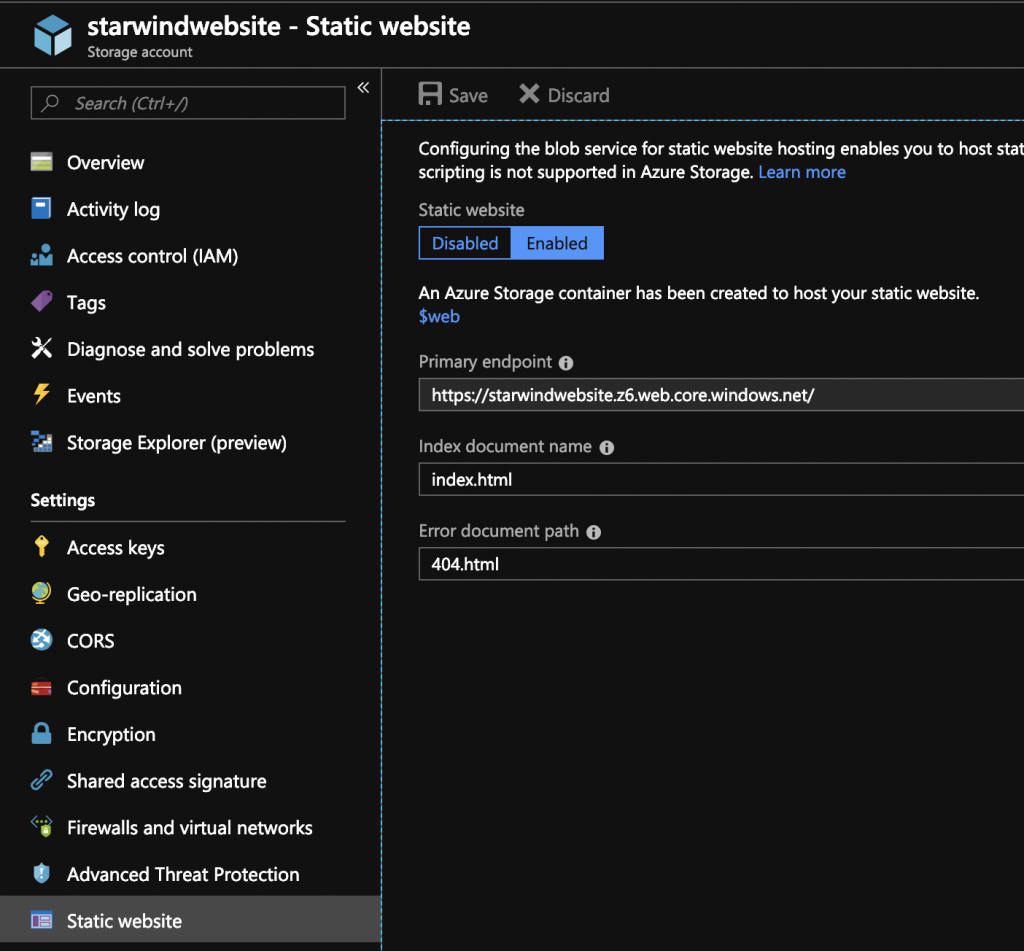
Choose the name of your home page

You can access it directly with the web interface, via Storage Explorer. Select the web container, and send your HTML files, that you want to show:
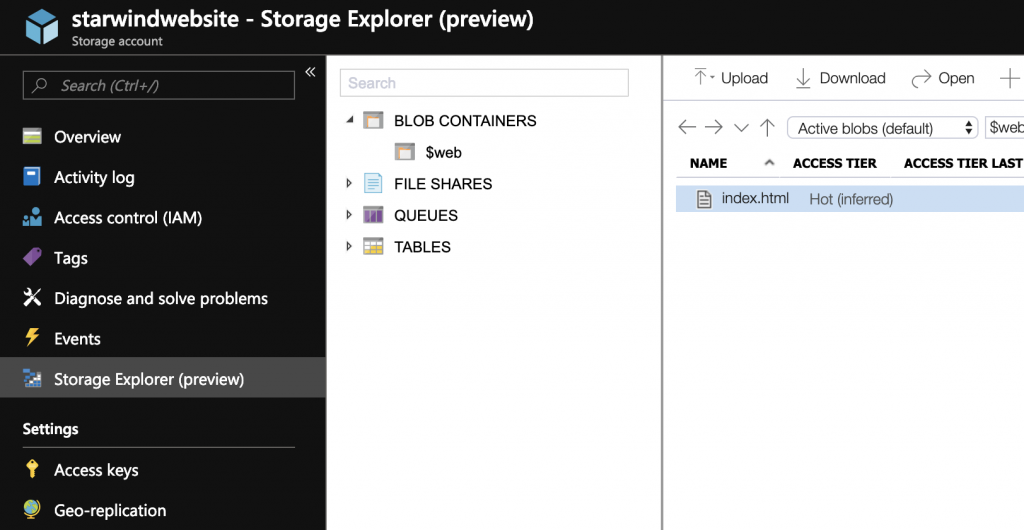
Storage Explorer menu

Your website is now accessible, from a storage account, without any configuration, cool no? 🙂
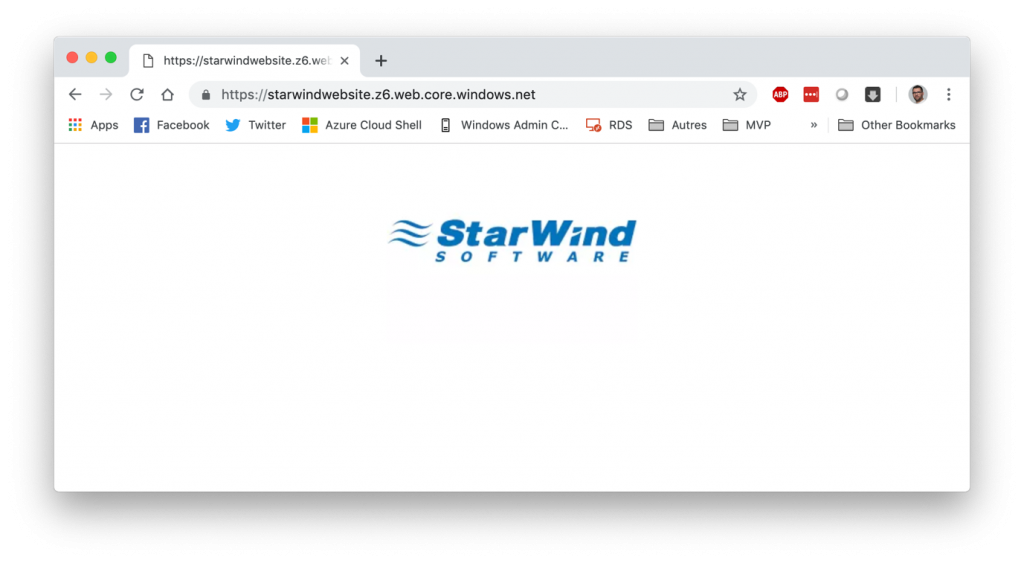
Website is now accessible

If you want a custom URL, like starwind.com for example, you just need to register your DNS in the Custom Domain menu of your storage account:
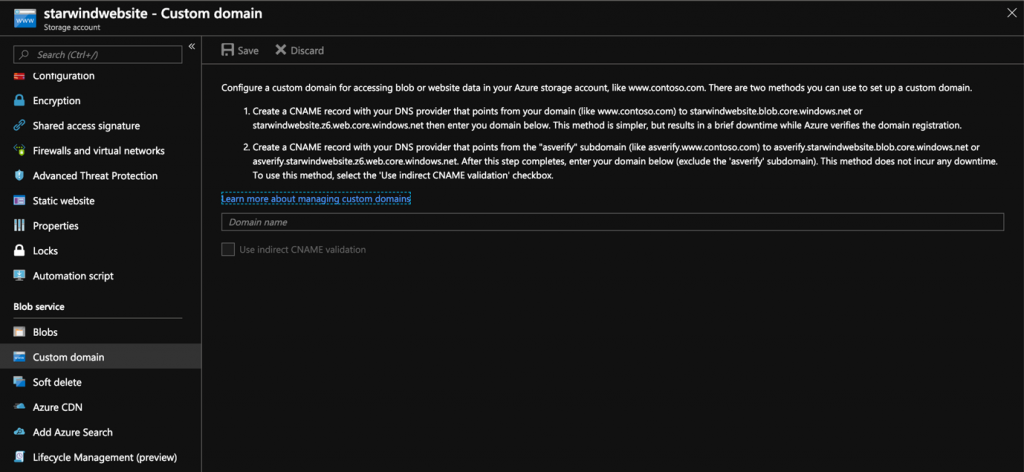
Register your DNS in the Custom Domain menu of your storage account

As you can see, it’s very simple now to host a website, without any knowledge in IT, cheaper.

Found Florent’s article helpful? Looking for a reliable, high-performance, and cost-effective shared storage solution for your production cluster?
Dmytro Malynka
Dmytro Malynka StarWind Virtual SAN Product Manager
We’ve got you covered! StarWind Virtual SAN (VSAN) is specifically designed to provide highly-available shared storage for Hyper-V, vSphere, and KVM clusters. With StarWind VSAN, simplicity is key: utilize the local disks of your hypervisor hosts and create shared HA storage for your VMs. Interested in learning more? Book a short StarWind VSAN demo now and see it in action!