
When an AlmaLinux server reaches the same SAN LUN through several Fibre Channel or iSCSI paths, Device Mapper Multipath combines those paths into one block device and monitors their health. A correct configuration keeps I/O available when a cable, switch port, HBA, network route, or storage-controller path fails. This guide shows a conservative setup for AlmaLinux 9 and 10, including WWID verification, stable device naming, configuration validation, and failover testing. The storage vendor’s host-connectivity guide takes precedence for array-specific settings.
What Is Multipath IO on AlmaLinux
A typical SAN-attached server has two host bus adapters connected through separate fabrics to two storage controllers. The operating system may discover the same LUN as several SCSI devices such as /dev/sdb, /dev/sdc, /dev/sdd, and /dev/sde. These names describe access paths, not four independent disks.
DM Multipath groups paths with the same World Wide Identifier, or WWID, and exposes one device under /dev/mapper/. The multipathd daemon monitors path state and redirects I/O when a path fails. Path selection, priority, failback, and queueing behavior depend on the array and its supported configuration.
When to Use Multipath IO on AlmaLinux
Configure DM Multipath when a supported storage array presents the same LUN through two or more Fibre Channel or iSCSI paths. It is unnecessary for ordinary local disks and does not replace RAID, snapshots, replication, or backups. Root, boot, and swap devices on SAN storage need extra initramfs planning beyond the basic data-LUN procedure in this guide.
Prerequisites
Use an AlmaLinux 9 or 10 host with administrative access. Fibre Channel zoning or iSCSI sessions must already be configured, and the array must present the same LUN through more than one path. Obtain the vendor’s Linux multipathing settings before changing path policies. Schedule a maintenance window for the final failover test.
Confirm That Multiple Paths Exist
List the candidate block devices with their SCSI addresses, serial numbers, and WWNs. Equal capacity alone does not prove that two devices are paths to the same LUN; confirm that their WWID or serial information matches.
lsblk -o NAME,HCTL,TYPE,SIZE,MODEL,SERIAL,WWN,MOUNTPOINTS
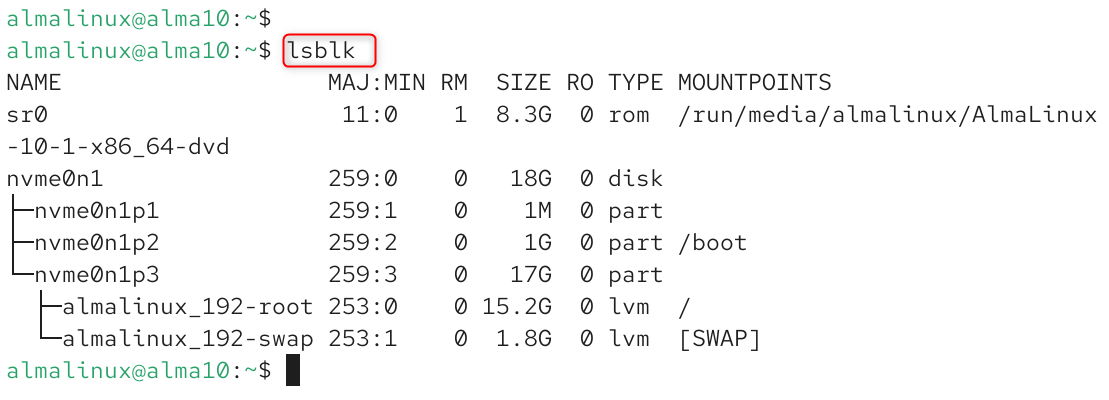
Several /dev/sdX devices with the same WWID indicate multiple paths to one LUN. If the identifiers differ, treat the devices as separate storage until the SAN administrator confirms the presentation.
Configure Multipath IO on AlmaLinux
The procedure below installs DM Multipath, creates a baseline configuration, checks the discovered topology, and adds only the overrides required by the storage array. Run the commands with sudo or from a root shell.
Step 1 Install the DM Multipath Package
Install the package that provides multipath, multipathd, mpathconf, and the supporting device-mapper components.
sudo dnf install -y device-mapper-multipath
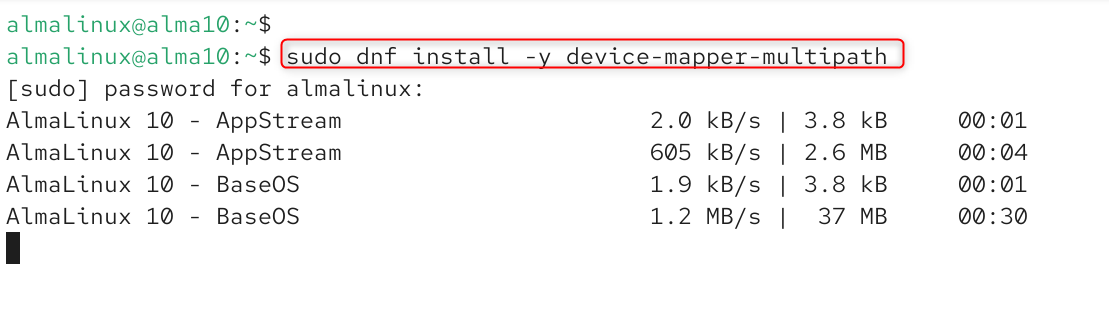
The package is available from the standard AlmaLinux repositories. On an existing server, review pending system updates separately instead of combining an operating-system update with the storage change.
Step 2 Enable DM Multipath and Start the Service
Create or update /etc/multipath.conf with mpathconf, then enable and start multipathd. Current AlmaLinux 9 and 10 guidance uses separate commands for configuration and service management.
sudo mpathconf --enable
sudo systemctl enable --now multipathd.service
mpathconf enables the baseline configuration and normally sets find_multipaths to on. The systemctl command starts multipathd immediately and configures it to start at boot.
Confirm that the daemon is active and enabled.
sudo systemctl status multipathd.service
sudo systemctl is-enabled multipathd.service
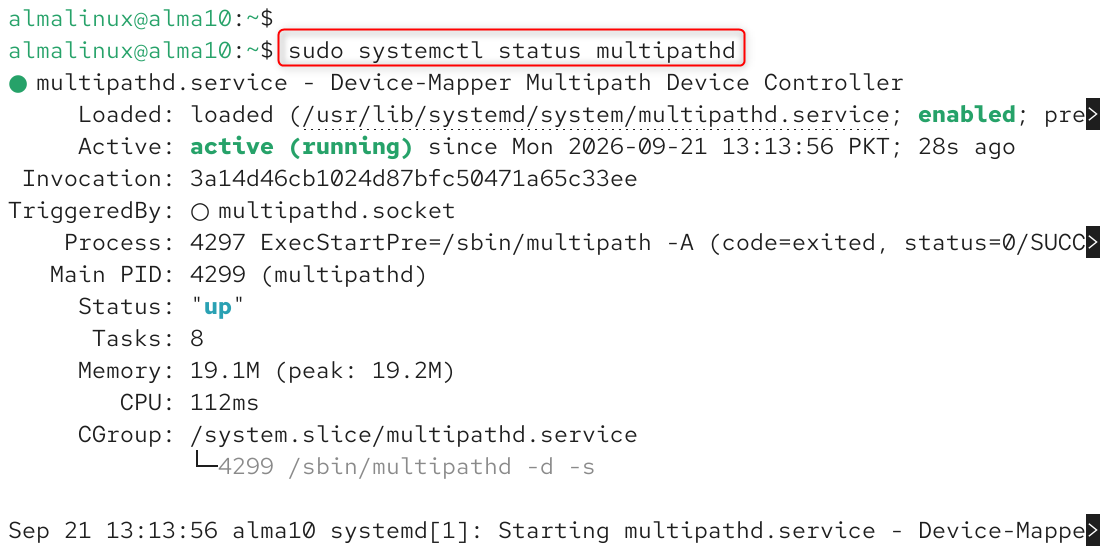
The status should report active (running), and is-enabled should return enabled.
Step 3 Check the Multipath Topology
Display the maps and path states detected by DM Multipath.
sudo multipath -ll
sudo multipathd show paths

If multipath -ll returns no maps, do not assume that the array needs a custom device block. Confirm that the same WWID is visible on at least two paths, check Fibre Channel or iSCSI connectivity, and use multipath -v2 -d for a dry-run view of devices that DM Multipath could create.
Step 4 Review the Multipath Configuration
Open /etc/multipath.conf and keep the global configuration minimal.
sudo nano /etc/multipath.conf
For a general-purpose starting point, enable find_multipaths and use WWID-based names. Avoid global path-policy overrides unless the storage vendor requires them.
defaults {
find_multipaths on
user_friendly_names no
}
The configuration file should contain only settings that differ from the built-in defaults or the device entry supplied with multipath-tools. View the effective configuration with multipath -t or multipathd show config.
- find_multipaths on tells DM Multipath to create a map when it sees at least two eligible paths with the same WWID, when an administrator explicitly creates the map, or when the WWID is already known. This helps prevent local disks from being claimed accidentally.
- user_friendly_names no uses the WWID as the map name. WWIDs remain consistent across hosts, which is useful in clusters. If shorter names are required, assign explicit aliases and deploy the same mapping on every node.
- Do not set path_grouping_policy, prio, path_checker, failback, or no_path_retry globally from a generic example. A value that is correct for one array can reduce performance or create an outage on another. In particular, no_path_retry queue can leave applications blocked indefinitely when all paths are lost.
Step 5 Apply Array Specific Settings
DM Multipath includes built-in definitions for many arrays. Inspect the effective device entry before adding an override. If the vendor’s current host-connectivity guide provides a devices block, copy its exact vendor and product expressions and change only the documented attributes.
sudo multipathd show config

devices {
device {
vendor "VENDOR_REGEX"
product "PRODUCT_REGEX"
# Add only vendor-documented overrides here
}
}
The template above is intentionally incomplete and must not be copied unchanged. Match the vendor and product strings reported by multipath -ll, and use the vendor’s prescribed ALUA, path-checker, path-grouping, failback, and retry values.
Step 6 Assign a Stable Alias When Needed
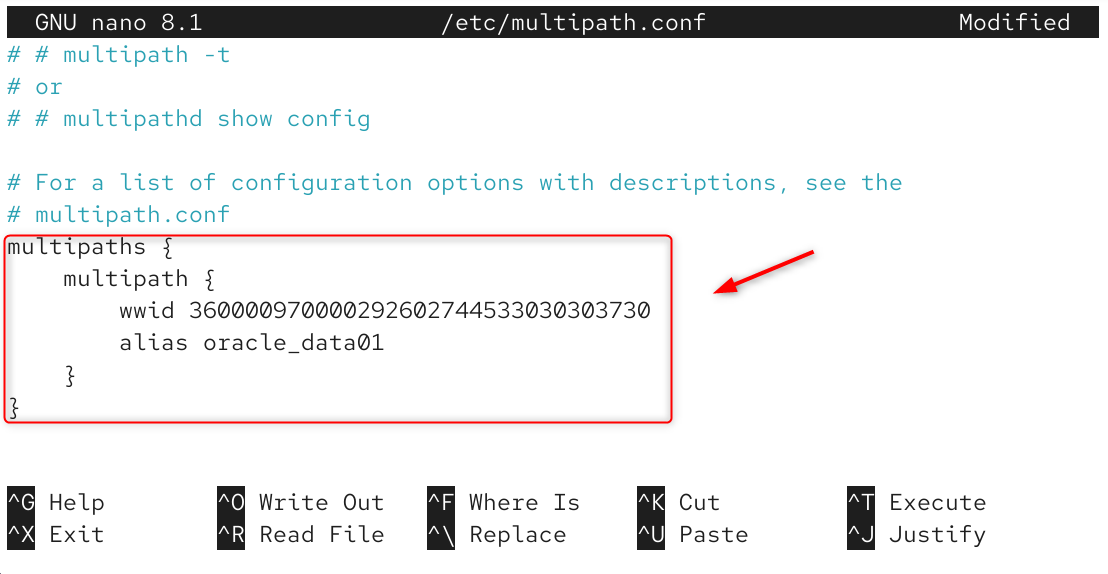
A WWID is already a stable identifier. For a human-readable name, copy the WWID from multipath -ll and add an explicit alias in the multipaths section. Use the same alias configuration on every cluster node.
sudo multipath -ll

Add the WWID and alias to /etc/multipath.conf.
multipaths {
multipath {
wwid 360000970000292602744533030303730
alias oracle_data01
}
}
Step 7 Validate Reload and Verify
Validate the file before applying it. Reload multipathd, reconfigure the maps, and confirm that every expected path appears under the correct WWID. A reload is less disruptive than restarting the daemon.
sudo multipath -t > /dev/null
sudo systemctl reload multipathd.service
sudo multipath -r
sudo multipath -ll
Step 8 Use the Multipath Device
Create filesystems, LVM physical volumes, or application storage on the multipath map under /dev/mapper/, never on an individual /dev/sdX path. For example, the following command initializes the aliased LUN for LVM.
sudo pvcreate /dev/mapper/oracle_data01

Do not format, mount, or add an underlying /dev/sdX path to LVM. Linux assigns those path names by discovery order, so they can change after a reboot or rescan and they bypass multipath failover.
Test Failover Before Production
During a maintenance window, generate controlled I/O to the multipath device and disable one SAN path using an approved switch, target, or storage procedure. Confirm that the map remains available, the failed path changes state, and I/O continues through the surviving paths. Restore the path and confirm that multipathd returns it to the expected state. Repeat for each independent failure domain without removing all paths at once.
sudo multipathd show paths
sudo multipath -ll
sudo journalctl -u multipathd -f
Do not perform a live path test on production storage without an approved rollback plan and confirmation from the storage team.
Troubleshoot Common Multipath Issues
No multipath map appears
Confirm that at least two paths report the same WWID. Check multipathd, the SAN presentation, Fibre Channel port state or iSCSI sessions, and the find_multipaths setting. Run multipath -v2 -d and review journalctl -u multipathd before adding a device override.
A path is faulty or missing
Review multipathd show paths, journalctl -k, HBA status, switch zoning, and iSCSI sessions as applicable. If new LUNs or paths were presented, install sg3_utils and rescan only during an approved maintenance procedure.
sudo dnf install -y sg3_utils
sudo rescan-scsi-bus.sh
Device names change after a reboot
Changing /dev/sdX names are expected. Reference the WWID-based multipath map or a fixed alias under /dev/mapper/. Do not use a raw path name in /etc/fstab, LVM configuration, or an application.
Performance is lower than expected
Check whether optimized paths are active, whether ALUA priorities are correct, and whether the effective path selector and grouping policy match the array vendor’s guidance. Do not force multibus merely to make every path active; some arrays require priority groups.
Final Checks
A production-ready configuration uses one multipath map per LUN, stable identifiers, vendor-approved device settings, a configuration that passes multipath -t, and a documented failover test. Keep the array guidance and host configuration together so the same settings can be reproduced after an upgrade or node replacement.
FAQ
Which package provides DM Multipath on AlmaLinux
Install device-mapper-multipath from the standard AlmaLinux repositories. It provides the multipath command, the multipathd daemon, and the mpathconf configuration utility.
How can I confirm that two paths lead to the same LUN
Compare their WWID or serial identifier. Matching capacity is only a clue and is not sufficient proof. The paths group into one multipath map only when DM Multipath identifies them as the same device.
Should I use user friendly names or WWID names
WWID-based names are stable and consistent across hosts. Explicit aliases can make selected LUNs easier to recognize, but the same alias-to-WWID mapping must be used on every cluster node. Automatically assigned mpathN names can differ between hosts.
What is the difference between active active and active passive multipathing
The storage array’s access model, ALUA priorities, path groups, and vendor settings determine which paths carry I/O. Do not treat multibus as a universal active-active setting or failover as a universal active-passive setting. Use the policy documented for the array.
Should no path retry be set to queue
Not as a universal default. Infinite queueing can keep applications blocked when every path is unavailable. Choose queue, fail, or a finite retry count from the storage vendor’s guidance and the application’s availability policy.
Do I need to rebuild initramfs after changing multipath settings
Rebuild initramfs when multipath is required during early boot, such as for a root, boot, or non-LVM swap device on SAN storage, or when the changed configuration is included in initramfs. Use the documented dracut procedure for the installed AlmaLinux release.
Should I test path failover before production use
Yes. Test one failure domain at a time during a maintenance window and confirm continued I/O, path-state changes, and recovery. A healthy multipath -ll display before the test does not prove that failover works.