


I get the appeal: snapshots feel like an undo button. They are fast, built in, and reassuring when you are about to touch something you probably shouldn’t touch on a Friday afternoon. That convenience is exactly why people start treating them like backups. They are not backups, and using them that way usually ends badly.
Snapshots are great at helping you roll back a change you just made. They are terrible at helping you recover from losing the system underneath them.
Why it matters
Most outages are not dramatic. It is usually something ordinary: a patch that went sideways, someone deleting the wrong thing, silent corruption, or storage deciding it has had enough. You do not need a disaster movie scenario to lose data. Normal operations are enough.
A protection plan exists so you can restore clean data quickly and move on, instead of spending days trying to piece together what is still usable.
Before picking tools, you need to answer a few boring but critical questions:
- RPO – How much data loss can you tolerate?.
- RTO – How long can systems stay down?
- Copy placement – Where are recovery copies stored?
- Verification – Have you ever tested restoring them?
Where snapshots and checkpoints shine
Snapshots are perfect for short-term safety nets. Take one before applying updates, changing configuration, or doing schema work. If the change fails, revert and continue.
They are also useful in dev and test environments where you want to return to the same state repeatedly.
That is their job. Temporary rollback, not long-term retention.
Leaving snapshots around “just in case” slowly drags down performance and increases the chance of consolidation trouble later.
Why they are not backups
A snapshot does not create a separate copy of data. It tracks changes relative to the same base disk on the same storage.
- If that storage fails, the snapshot fails too.
- If the chain gets corrupted, recovery becomes complicated or impossible.
- If ransomware reaches the datastore, those deltas disappear along with everything else.
None of this is theoretical. Anyone who has managed virtualization long enough has seen at least one snapshot chain become the problem instead of the solution.
What proper backups provide
Backups produce independent copies that can be restored somewhere else. That independence is the entire point. You are no longer relying on the same datastore, controller, credentials, or failure domain.
They also give you history. Problems are often discovered days later, not immediately. Without versioned backups, you may only have access to already-damaged data.
A useful backup is one you can restore onto different infrastructure without needing the original environment to still exist.
Storage-level and cloud snapshots do not change the equation
Array snapshots and cloud disk snapshots are helpful tools, but they usually share the same control plane or account boundary as the source.
If that environment is compromised or deleted, those snapshots tend to go with it.
They can feed a backup workflow. They should not be the workflow.
Application consistency still matters
Getting a VM to boot after recovery does not mean the workload is healthy. Databases and transactional systems need coordinated writes to come back cleanly.
Use application-aware methods so the data inside the VM is consistent, not just the filesystem around it.
Otherwise you are testing bootability, not recoverability.
A practical protection pattern
A setup that works in real environments usually looks something like this:
- Keep a local backup repository for quick restores.
- Maintain a second copy on separate infrastructure, often object storage in another account or location.
- Add a long-retention layer that cannot be altered easily, whether that is immutable storage or offline media.
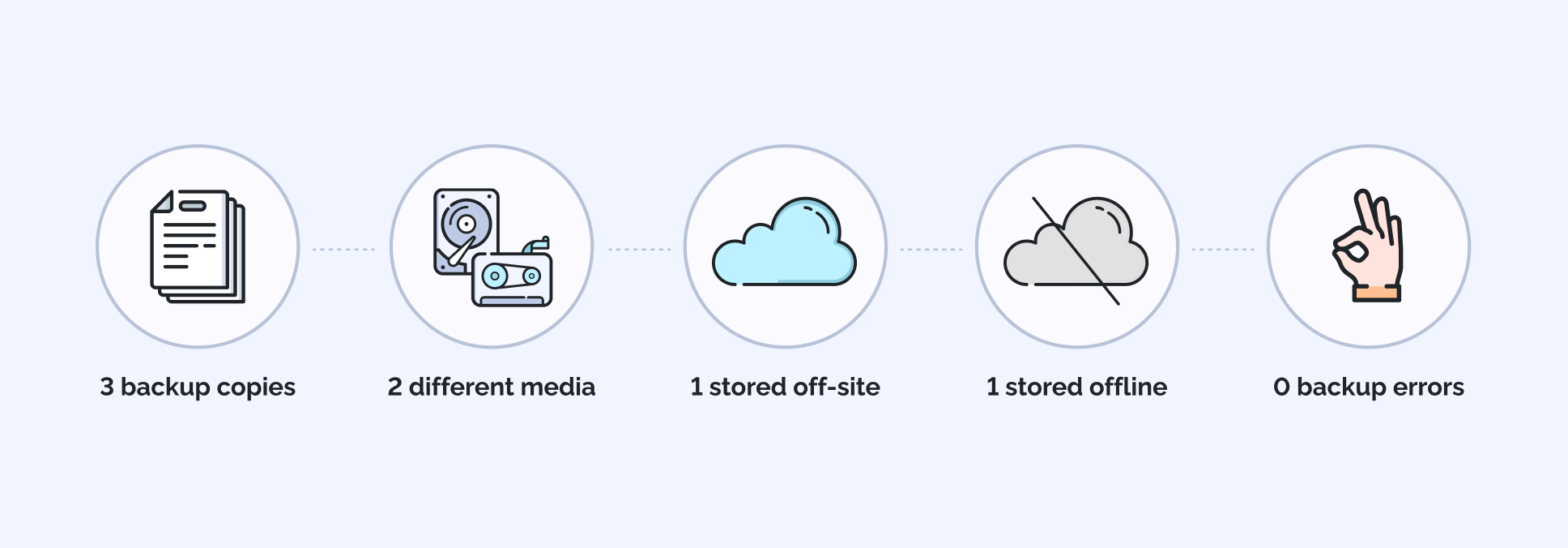
Figure 1: The “3-2-1-1-0” backup rule
Each layer addresses a different failure mode instead of duplicating the same risk.
And, lastly, ensure regular backup health checks and the ability to restore within your RTO target.
Do not ignore the backup environment itself
Backup systems should not trust the same credentials and network paths as production. If access is shared, a compromise spreads quickly.
Limit privileges, isolate access, and alert on changes to retention or deletion settings. Backup infrastructure is part of your recovery plan, not an afterthought.
Test restores, not backup jobs
A successful backup job just means data was written somewhere. It says nothing about whether you can use it.
Periodic recovery tests should bring systems up in isolation, verify applications behave correctly, and confirm that files can actually be restored.
If recovery has never been exercised, it is still theoretical.
Match retention to reality
Not every system needs the same recovery depth. Production workloads justify tighter recovery points and longer retention. Lab environments usually do not.
Classifying data properly prevents wasting capacity while making sure critical systems get the protection they need.
The bottom line
Keep using snapshots and checkpoints for short-term rollback. They are good at that.
For everything else – data loss, corruption, security incidents, or infrastructure failure – rely on backups that live outside the system you are trying to protect.
Confusing those roles works fine right up until the day you actually need to recover.
