


Microsoft released some weeks ago a new great feature for AKS: Azure CNI Overlay: Announcing Azure CNI Overlay in Azure Kubernetes Service | Azure Blog | (microsoft.com)
Before, in AKS, we had the choice of two kinds of network plugins:
- Kubenet: Nice to save a lot of IP, but some limitations, like complex routing with UDR, max 400 nodes, calico only for policy, etc.
- Azure: Network is easy to manage, because you use a routable IP, that can access/be access, better performances than kubenet, but, it can consume a lot of private IP
And now, Microsoft released the better of these 2 worlds, Azure CNI Overlay.
With Azure CNI Overlay, you can:
- Use a private IP range, that can be used on all your AKS clusters (10.240.0.0/16 for example)
- Use Azure Network policies
To create an Azure CNI Overlay cluster, you can’t do this through the portal. So here, we will do this in CLI. The important parameter here is –network-plugin azure –network-plugin-mode overlay:
sysPoolSubnetId=$(az network vnet subnet show -n aks  --vnet-name vnet -g vnet-rg -o tsv --query id)
clusterName="aks-cnioverlay"
resourceGroup="aks-cnioverlay"
location="westeurope"
az group create --name $resourceGroup --location $location
az aks create -n $clusterName -g $resourceGroup --nodepool-name "system" --generate-ssh-keys --vm-set-type VirtualMachineScaleSets --load-balancer-sku standard --enable-private-cluster --enable-managed-identity --dns-name-prefix $clusterName --enable-aad --vnet-subnet-id $sysPoolSubnetId --location $location --kubernetes-version 1.26.3 --network-plugin azure --network-policy azure --network-plugin-mode overlay --node-count 1 --node-vm-size Standard_D2s_v5 --max-pods 30
The deployment can start:

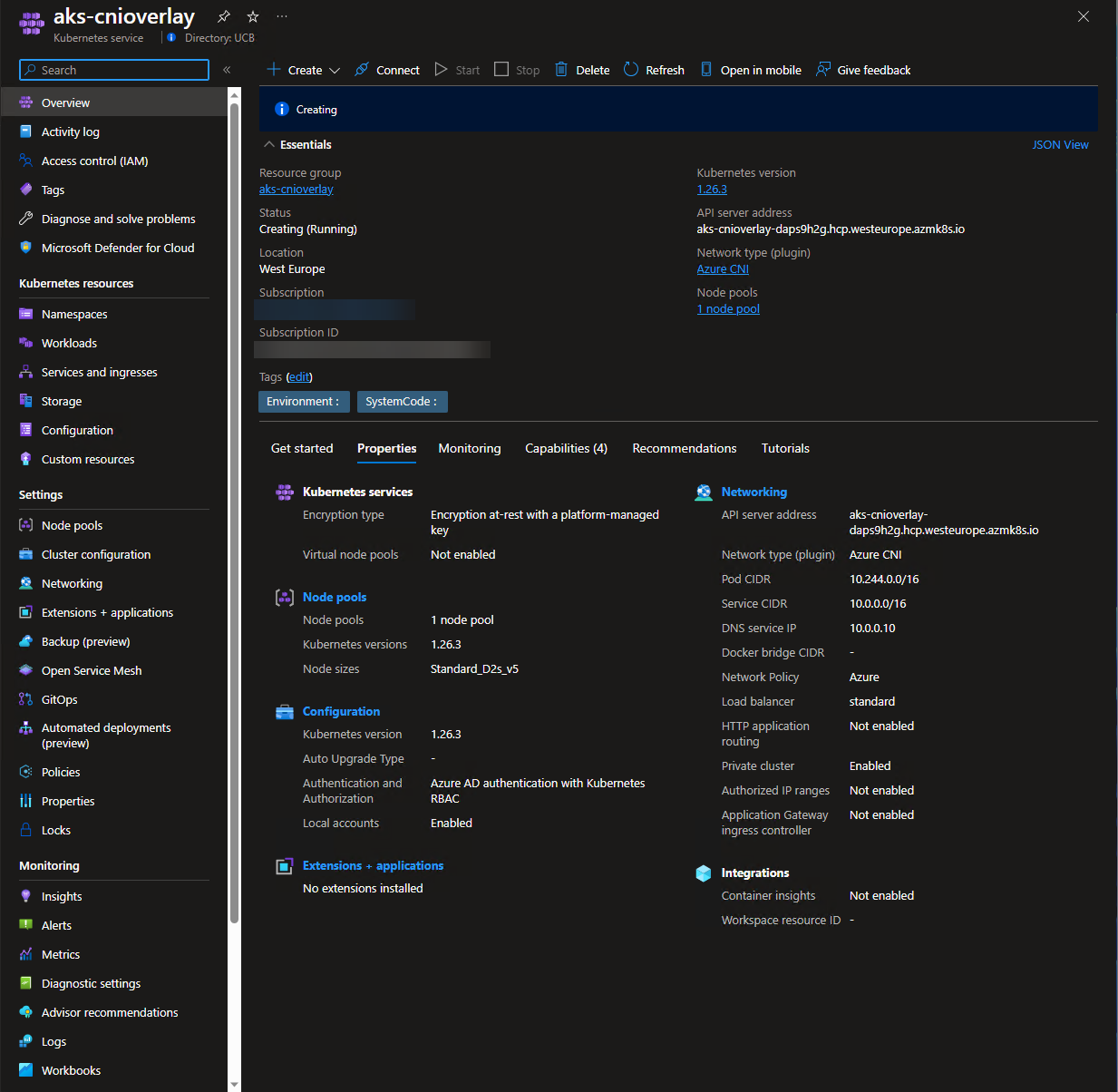
So when the cluster is created, you can do what you want, as it is a CNI cluster.
If you want to read the full description of the overlay, you can read it on the Microsoft website: Configure Azure CNI Overlay networking in Azure Kubernetes Service (AKS) – Azure Kubernetes Service | Microsoft Learn
Now, what to do if you want to change from your old network plugin to CNI Overlay?
You can do, but with some limitations:
- AKS Cluster in version 1.22+
- No network policies
- No Windows node pools
If you meet all of these requirements, then you can upgrade to Azure CNI Overlay, with the following command:
az aks update --name $clusterName --resource-group $resourceGroup --network-plugin-mode overlay --pod-cidr 192.168.0.0/16
After some time, depending on your cluster size, you will be with this new network plugin.
To resume, depending on the configuration that you want, and if it is a new cluster, really consider the Azure CNI Overlay option, at it will help you to have all advantages of Azure CNI, without IP constraints.
