


The hyperconverged infrastructure (HCI) market keeps evolving, bringing fresh options that blend compute, storage, and networking into one software-defined stack. Nutanix has long been one of the big names here. But is it always the best fit?
Choosing the right HCI platform depends heavily on your infrastructure setup, team expertise, performance demands, and budget realities. Some platforms are all about ease of use; others go deep with ecosystem tie-ins or are built for specific workloads. So, let’s take a practical look at what Nutanix offers, where it might fall short, and which alternatives are worth your attention.
What Is Nutanix?
Nutanix was among the first to push HCI into the enterprise mainstream. Nutanix integrates compute, storage, networking, and virtualization via AOS, a distributed OS supporting AHV (Nutanix KVM-based hypervisor), ESXi, and Hyper‑V.
Nutanix features distributed storage with intelligent tiering (SSD/HDD/NVMe), data locality, snapshots, self‑healing, Autonomous Extent Store, RDMA and SPDK optimizations for resilience and database‑level workloads. Nutanix Prism UI offers unified management, with add‑ons like Era (DBaas), Files/Objects, and Cloud Native AOS. It scales linearly, supports hybrid deployments via NC2 for cloud mobility and backup/DR.
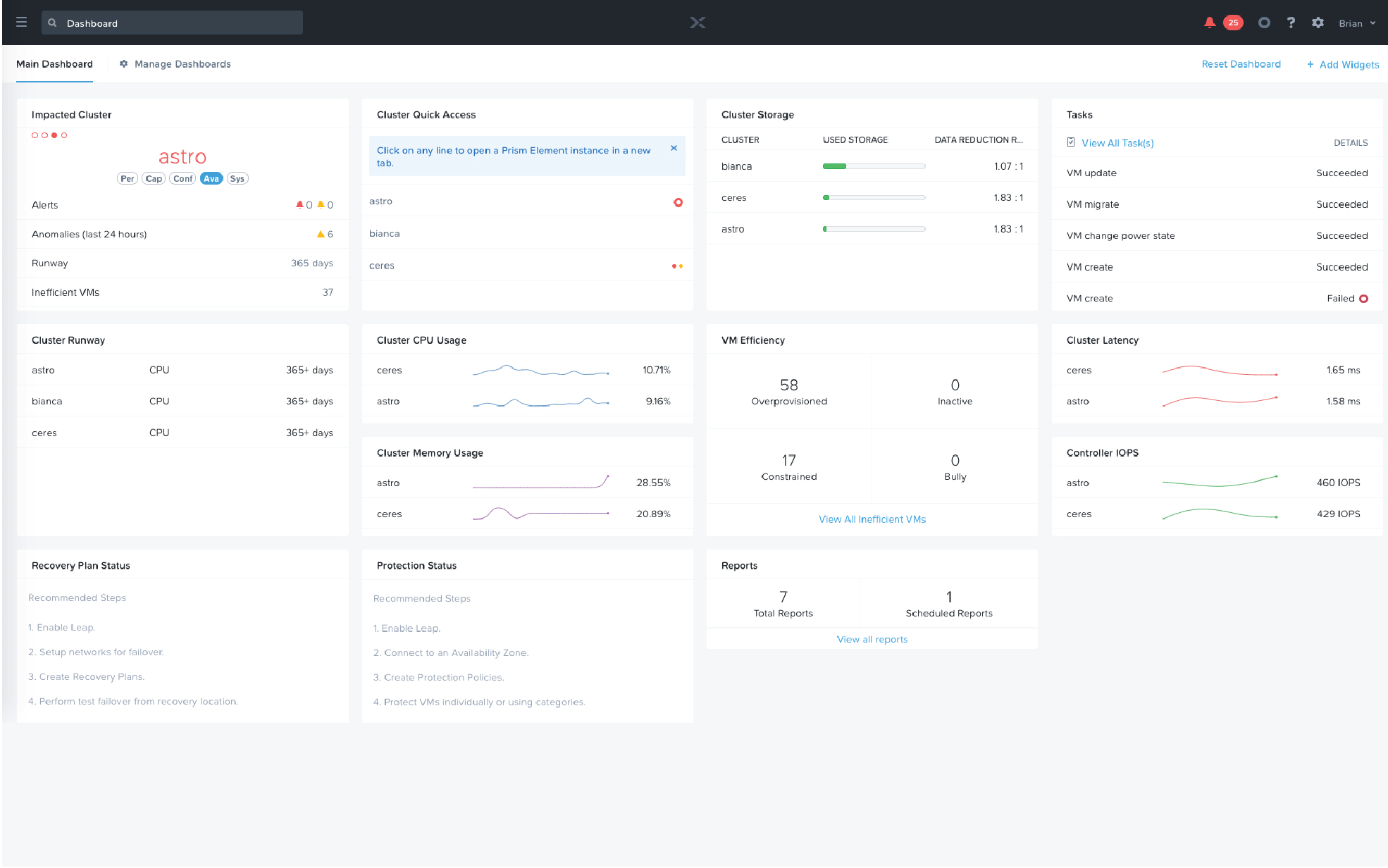
Robust virtualization management stack, one-click upgrades, and integrated data services make Nutanix appealing for teams looking to reduce complexity without sacrificing features. But let’s not gloss over the fact that every solution has tradeoffs.
What is Nutanix Used for?
Nutanix products are used for a range of IT functions, primarily focused on simplifying infrastructure management and improving resource utilization. The platform is designed to meet diverse enterprise needs across various use cases:
| Capability | Description |
|---|---|
| Virtualization | Includes Nutanix’s native hypervisor (AHV) and supports VMware ESXi and Microsoft Hyper-V for running virtual workloads. |
| Private Cloud Infrastructure | Enables on-premises cloud environments with self-service provisioning capabilities. |
| VDI Deployments | Provides support for Virtual Desktop Infrastructure, including tools for managing desktop images and user sessions. |
| Database Hosting | Offers optimized configurations for hosting workloads such as Oracle, SQL Server, and SAP HANA. |
| Edge Computing | Supports compact deployments tailored for remote or distributed locations with limited IT resources. |
| Hybrid Cloud Management | Facilitates workload mobility between on-premises environments and public cloud platforms. |
| Data Protection | Delivers integrated backup and disaster recovery solutions across multiple sites. |
Why Look for Nutanix Alternatives?
Nutanix has built a comprehensive HCI stack with native virtualization (AHV), centralized management (Prism), and hybrid cloud support (NC2 on AWS and Azure). But it also comes with:
- Higher Costs: Licensing (especially VMware-based) and hardware expenses can be steep, especially for smaller organizations with limited budgets.
- Vendor Lock-In: While Nutanix aims to be hardware-agnostic, some users report a degree of vendor lock-in due to the tight integration between its software and specific hardware configurations.
- Initial Complexity: While Nutanix simplifies many aspects of IT management, the initial setup and onboarding can be complex.
Alternatives may provide similar benefits with more flexible or leaner models.
Top Nutanix Competitors and Alternatives for 2025
The HCI market is competitive, with multiple vendors offering compelling alternatives to Nutanix. Here’s a look at some of the top contenders for 2025:
1. VMware vSAN / Dell VxRail
Overview: VMware vSAN, paired with vSphere, remains one of the most deployed HCI solutions in the enterprise. vSAN is embedded in ESXi, combining SSD/HDD into a software-defined storage cluster controlled via vSphere/vCenter. It includes policy-based storage, stretched clusters, DR, and tight integration with NSX and Horizon. VxRail packages this in turnkey Dell hardware, with lifecycle automation and unified support for VMware-centric setups.

Key Features:
- Tight integration with VMware ecosystem (vCenter, NSX, Horizon)
- Policy-driven storage management
- Support for stretched clusters and enterprise DR
- Available in hybrid and all-flash models
Best for: Enterprises and larger SMBs already using VMware who want a seamless HCI transition with Dell support.
Considerations:
- Higher licensing costs (especially post-Broadcom)
- Limited to ESXi/VMware hypervisor
- Excellent for enterprise features, less flexible for non-VMware shops and smaller businesses
2. Dell PowerFlex
Overview: Software-defined block storage (formerly ScaleIO) running on PowerEdge or commodity servers. Forms a clustered virtual SAN with linear scalability across compute and storage. Offers HCI, disaggregated, and hybrid models. Managed via RESTful API and UI, with QoS, snapshots, replication, and orchestration features.
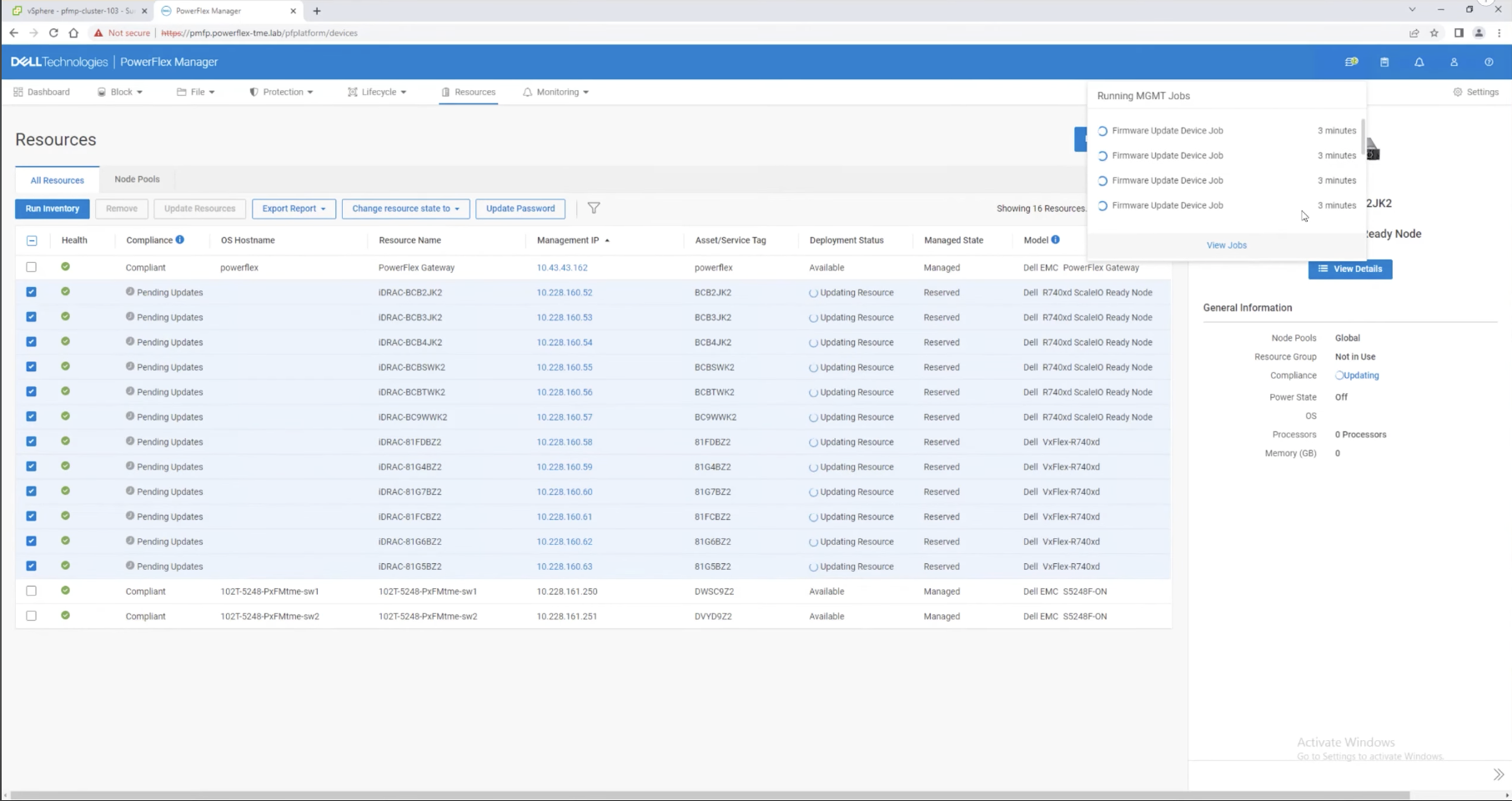
Key Features:
- Supports multiple hypervisors (ESXi, KVM, etc.)
- Scalable from small HCI clusters to large enterprise-scale deployments
- Performance-focused: high IOPS, low latency
Considerations:
- Mainly sold to enterprise markets — less fit for small teams
- Requires investment in Dell PowerEdge hardware
3. Microsoft Azure Stack HCI
Overview: Azure Stack HCI extends the Azure experience to on-prem infrastructures. Runs on validated hardware using Hyper‑V and Storage Spaces Direct (S2D). Supports 1–16 nodes, including 2‑node ROBO setups. Integrates with Azure Arc, Monitor, Backup, and Windows Admin Center. Offers VM encryption, micro‑segmentation, central billing, and hybrid licensing tied to Azure subscription.

Key Features:
- Integration with Azure Arc and Azure Monitor
- Uses Storage Spaces Direct (S2D) for software-defined storage
- Hybrid licensing via Azure subscription
- Broad hardware vendor support
Best for: Windows-centric environments looking for hybrid cloud integration and a familiar management model.
Considerations:
- Azure subscription required even for on-prem use
- Needs certified hardware and Hyper-V expertise
4. HPE SimpliVity
Overview: HPE ProLiant-based appliance combining virtualization and data optimization services (dedupe, compression, backup). Powered by HPE OmniStack to perform inline optimization across nodes, with vSphere integration via vCenter. HPE InfoSight analytics supports tuning and fault detection; models scale from ROBO to large deployments.
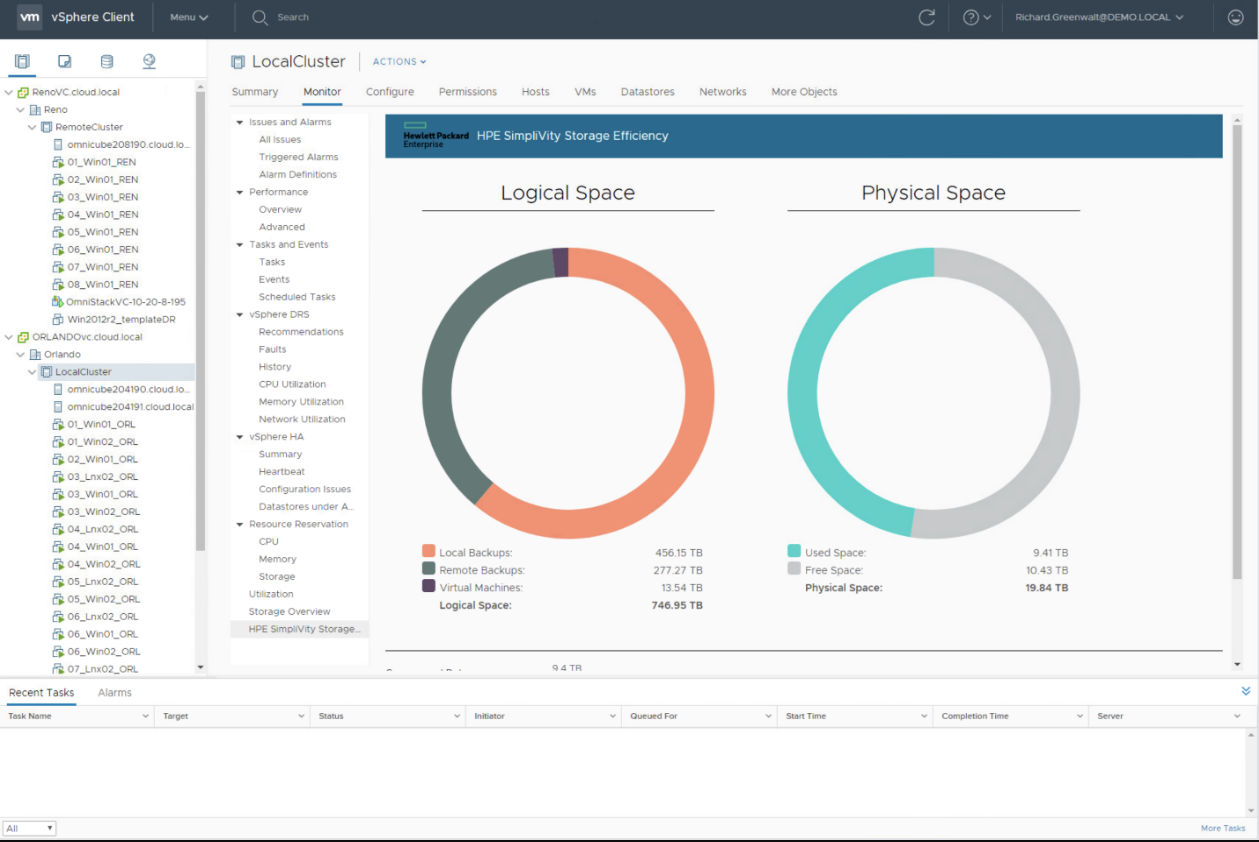
Key Features:
- Always-on deduplication and compression
- Built-in backup and disaster recovery
- Plugin integration with VMware vCenter
- Available in ROBO-friendly configurations
Best for: IT teams that prioritize storage efficiency, backup, and centralized VM management.
Considerations:
- Appliance cost can be high
- Must run on VMware ESXi
5. StarWind Hyperconverged Appliance (HCA)
Overview: Either physical or virtual HCI appliance that supports VMware, Hyper-V, or even KVM/Proxmox. StarWind HCA combines servers, storage, network, hypervisor, and management tools into a compact two-node system (expandable) using commodity hardware from vendors like Dell, HPE, or Supermicro. It uses StarWind Virtual SAN to convert local disks into a shared storage pool, offering synchronous replication between nodes and optional scale-up/out by adding disks or nodes. Networking features include RDMA and support for NVMe over Fabrics. Operations are handled via StarWind Web UI with optional ProActive support offering health monitoring and predictive failure detection.
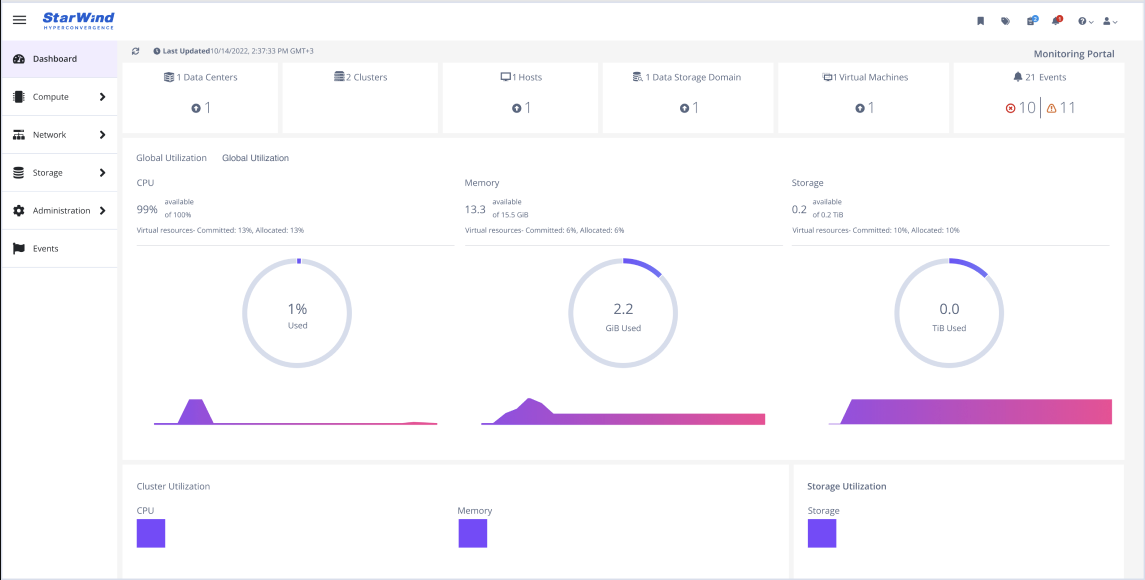
Key Features:
- 2-node clusters with HA and sync replication, no witness needed
- Single-pane management
- No vendor lock-in, a range of hardware options
- Built-in proactive support (requires higher tier support subscription)
Best for: Budget-minded shops or enterprise ROBO needing HA, flexibility, and simplicity.
Considerations:
- Less features compared to Nutanix
- For larger deployments, configuration tuning is critical (configuration assistance is provided by StarWind engineers)
6. Scale Computing HC3
Overview: Scale Computing HC3 integrates servers, storage, and virtualization into a single system based on its HyperCore software. Each cluster requires at least three nodes (up to sixteen), available in 1U or 2U formats with support for HDDs, SAS or NVMe SSDs, and even GPU-equipped models. At its core is SCRIBE, a block engine that stripes and replicates data across nodes, with automated tiering between flash and spinning disks. Management is via a web interface with built-in features like live VM migration, self-healing, rolling upgrades, and cluster-to-cluster replication. The HC3 is often delivered preconfigured on Lenovo hardware, enabling fast deployment, with no need for separate hypervisor licenses.

Key Features:
- No separate hypervisor licensing
- Easy to use web-based interface
- Supports tiny clusters (1–2 nodes)
- Automated failover and self-healing
Best for: Small teams and remote sites with limited IT support and budget.
Considerations:
- KVM lacks some advanced enterprise features (hot-add CPU, memory, hypervisor-level backup support)
- Backup options are agent-based (Acronis)
7. Red Hat OpenShift Virtualization
Overview: An OpenShift operator enabling VM workloads via KubeVirt/KVM alongside containers. VMs run in pods on worker nodes, with UI and CLI management, live migration, import from VMware, and integration with Kubernetes and RHEL security/performance features.

Key Features:
- Ideal for cloud-native and DevOps-centered teams
- Unified container+VM management
- Enterprise-grade support
Best for: Organizations moving toward containerized app stacks that still rely on VMs.
Considerations:
- Requires Kubernetes expertise
- More complex than pure HCI solutions
- Design better suited for modern app development than traditional infrastructure roles
8. Citrix Hypervisor (XenServer)
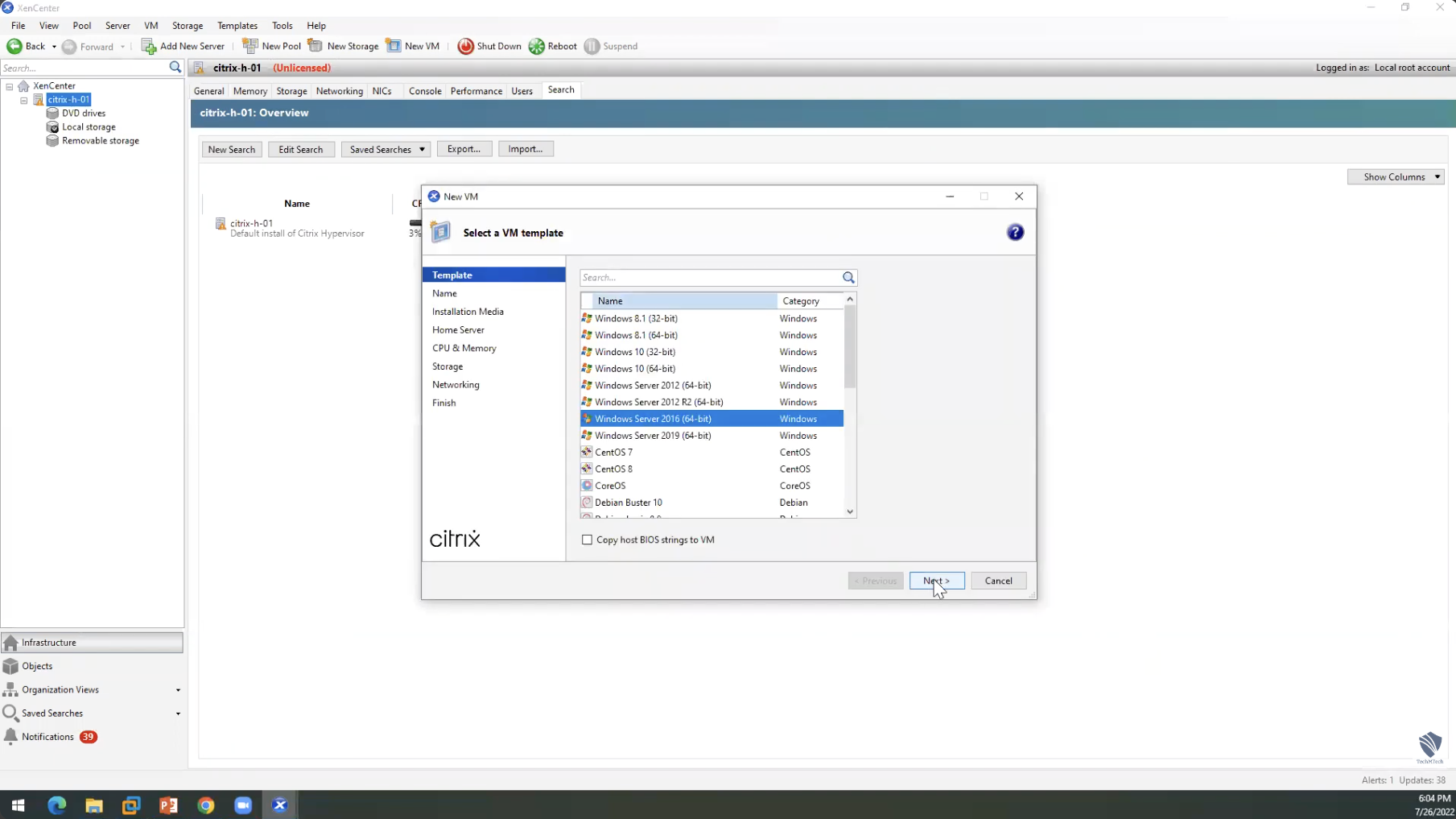
Overview: A type‑1 hypervisor for desktop, server, and cloud virtualization. Offers live migration, high availability, and consolidation of multiple VMs per host. Managed via XenCenter, supports integrations with networking/storage, and optimizes resource use across physical servers.
Key Features:
- Stable, open-source base
- Strong Citrix integration
Best for: Organizations with existing Citrix toolchains wanting consistent virtualization.
Considerations:
- No native software-defined storage, needs combination with StarWind (Virtual SAN) or other storage software
- Less turnkey than appliance-based HCI
9. Sangfor HCI
Overview: A fast-growing KVM-based HCI vendor (especially in Southeast Asia). Includes aSV (hypervisor), aSAN (storage with striping, SSD cache/tiering), aNET (SDN, micro‑segmentation), and integrated backup/CDP. Supports RDMA, DPDK, SR‑IOV, AI-driven scheduling, and security features like built-in firewall/WAF.

Key Features:
- Runs on 2-node clusters (ROBO-friendly)
- Includes network virtualization and continuous data protection (CDP)
- Built-in NFV/security tooling
- Options for appliance or “software only” deployments
Considerations:
- Support and documentation are heavily region-dependent (stronger in Asia)
- Market presence in Europe/US is limited, which may raise concerns
- KVM-based, so some enterprise VMware features aren’t available
10. SMTX OS (SmartX)
Overview: HCI software stack providing distributed block storage (ZBS) and native ELF hypervisor, with compatibility for ESXi and Citrix. ZBS supports active-active DR, and ELF delivers hypervisor services at no additional cost. Can expand clusters node-by-node, supports mixed hardware, and integrates containerized and VM workloads under one system.

Key Features:
- Distributed block storage with high performance
- VMware and Citrix hypervisor compatibility
- Native ‘ELF’ hypervisor on KVM provided for free
Considerations:
- Support and global reach may be limited outside Asia
- Enterprise VMware integrations on a vendor-specific OS may require validation
Discontinued or Shifted Solutions
These are not recommended for new deployments in 2025:
- Cisco HyperFlex: End-of-sale in 2024, phasing out
- NetApp HCI: Discontinued mid-2022
- Pivot3: Acquired by Quantum; now niche-focused (e.g., surveillance workloads)
HCI Solutions Summary
| Solution | Hypervisor | Licensing Cost | Scale/Use Case | Noteworthy Tradeoffs |
|---|---|---|---|---|
| vSAN / VxRail | ESXi | High | Enterprise/VMware shops | Costly, VMware-locked |
| Dell PowerFlex | ESXi/KVM | High | Performance & scale-out environments | Enterprise cost & complexity |
| Azure Stack HCI | Hyper-V | Med/OPEX | Windows/Azure teams | Requires Azure subscription |
| SimpliVity | ESXi | High | VMware + backup needs | Appliance cost |
| Scale HC3 | KVM | Low | SMB/ROBO | Limited hypervisor features |
| StarWind HCA | ESXi/Hyper-V/KVM | Low | Flexible SMB/Edge | Needs tuning at scale |
| Sangfor HCI | KVM | Mid-Low | SEA/EMEA emerging markets | Support gaps outside Asia |
| OpenShift Virtualization | KVM/KubeVM | Mid-High | Containerized workloads | Complex, DevOps-focused |
| Citrix Hypervisor | Xen | Mid | Citrix VDI | Needs external storage |
| SMTX OS | KVM/ESXi | Mid | Regional HCI in Asia | Limited global support |
How to Choose a Nutanix Alternative
Selecting the right Nutanix alternative requires careful consideration of this factors:
- Current Infrastructure: Evaluate how well each alternative integrates with your existing investments in hardware, software, and staff expertise.
- Workload Requirements: Different HCI solutions excel at different workloads. Consider which platform best addresses your specific application needs.
- Scaling Projections: Assess how each solution handles growth, including costs and complexity when expanding.
- Management Capabilities: Compare administrative interfaces, automation capabilities, and monitoring tools to match your operational model.
- Total Cost: Look beyond initial acquisition costs to include maintenance, licensing, training, and operational expenses over a 3- to 5-year period.
- Support Quality: Investigate the support infrastructure, including availability, response times, and expertise levels.
- Ecosystem Integration: Consider how well each solution works with your critical applications and third-party tools.
Final Thoughts
There’s no universal HCI winner, especially for SMBs and remote branches. Nutanix still delivers, but:
- Big VMware stacks? Big budgets? VxRail/VxSAN is smooth.
- Azure-centric? Azure Stack HCI is natural decision.
- Simplicity and Flexibility is key? ROBO? StarWind HCA is very well balanced.
- Cloud-native or VDI-focused? OpenShift and Citrix fit best in their niches.
Choose based on your stack, projected growth, licensing flexibility, and support needs. This way, you’ll find an HCI solution that’s right for your 2025 environment, and one you’ll feel confident deploying.
Conclusion
While Nutanix remains a leader in the hyperconverged infrastructure space, a variety of compelling alternatives exist to address different organizational needs, budgets, and priorities. From VMware’s mature ecosystem to Microsoft’s deep Azure integration, from Dell’s turnkey approach to StarWind’s white-glove support and unbeatable cost effectiveness, today’s market offers diverse options for enterprises of all sizes. By carefully evaluating each alternative against your unique needs, you can find an HCI solution that delivers the right balance of performance, simplicity, scalability, and cost-effectiveness for your organization.
