Search
Join the Technical Preview Program
See how NVMe-oF removes iSCSI
bottlenecks in your HCI
The Best Hyperconverged
Infrastructure
(HCI) for Enterprise
ROBO, SMB & Edge
The Best Virtual SAN
for Enterprise ROBO, SMB & Edge

[Azure] OMS Gateway Error

  • April 28, 2020
  • 3 min read
Cloud and Virtualization Architect and Microsoft MVP. Florent specializes in public, private, and hybrid cloud ecosystems. An MCSE in Private Cloud, he provides technical leadership in Cloud and Datacenter Management. Florent delivers high-authority insights on Azure deployments, virtualization strategy, and optimizing enterprise-scale cloud infrastructure.


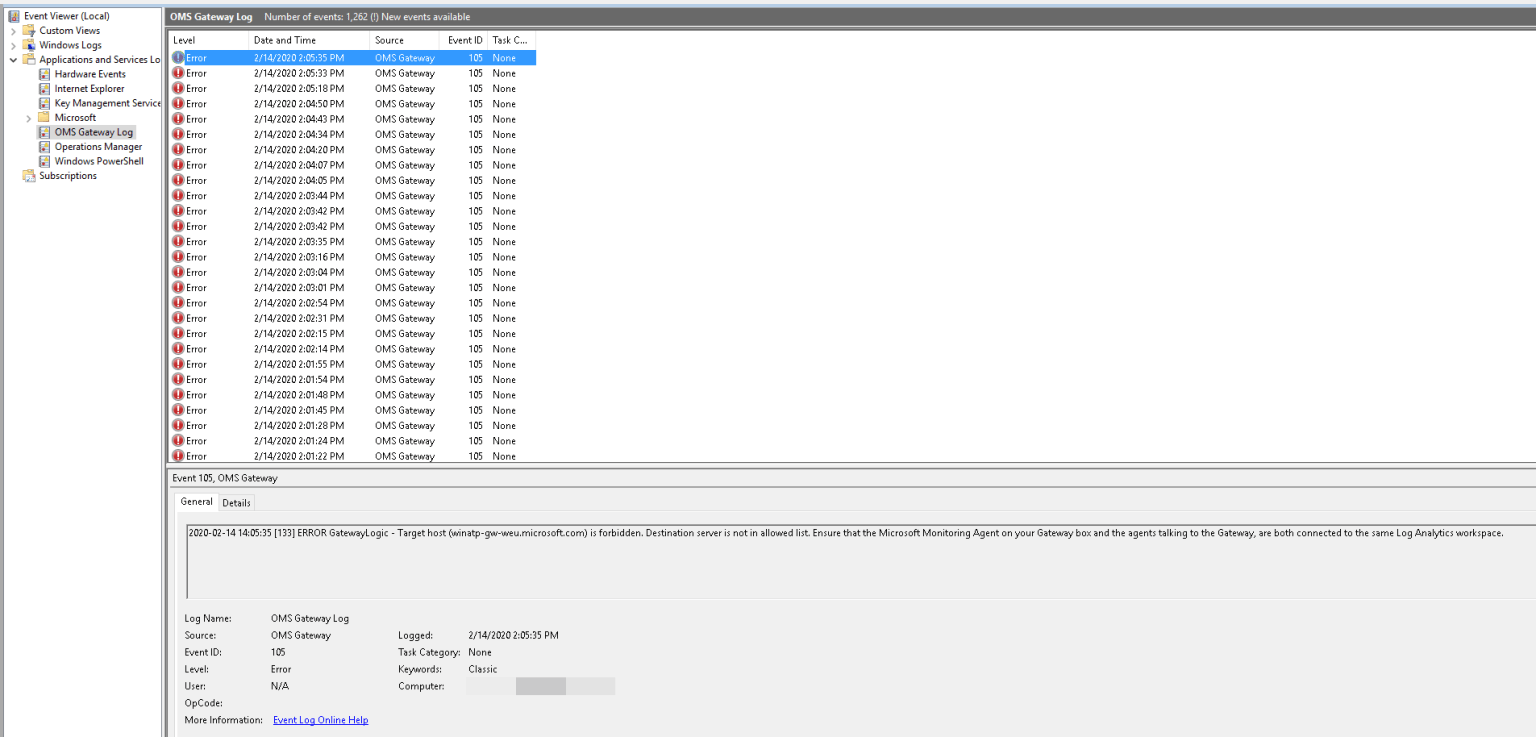
While deploying the OMS Gateway for Windows Defender ATP, I encountered the following error in the event viewer of the OMS Gateway:

2020-02-28 13:19:05 [47] ERROR GatewayLogic – Target host (winatp-gw-uks.microsoft.com) is forbidden. Destination server is not in allowed list. Ensure that the Microsoft Monitoring Agent on your Gateway box and the agents talking to the Gateway, are both connected to the same Log Analytics workspace.
Windows Defender ATP

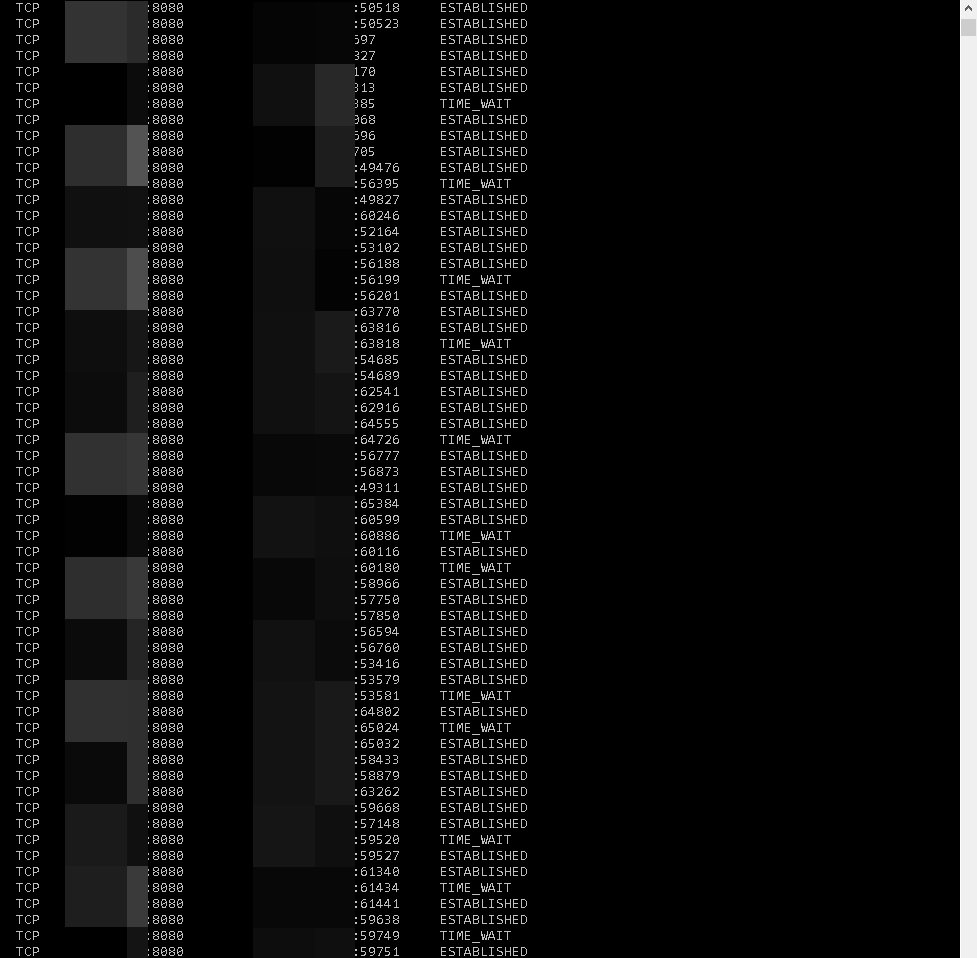
This error indicates that the OMS Gateway can’t communicate through the URL that is being provided. So, I looked into the inbound connections on the OMS Gateway server, and I saw that some servers had the TIME_WAIT status after I performed the netstat -an:
Windows Defender ATP

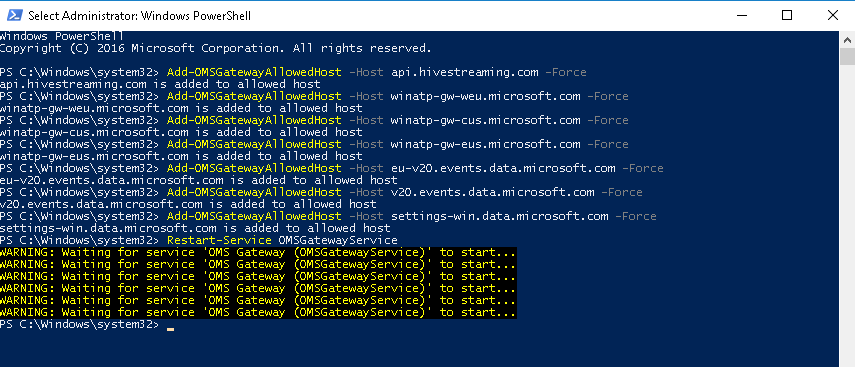
After some research, I found a PowerShell command, Add-OMSGatewayAllowedHost for the gateway. I authorized URLs that were present in the logs of the event viewer and I restarted the OMSGatewayService:

Add-OMSGatewayAllowedHost -Host winatp-gw-weu.microsoft.com -Force

Add-OMSGatewayAllowedHost -Host winatp-gw-cus.microsoft.com -Force

Add-OMSGatewayAllowedHost -Host winatp-gw-eus.microsoft.com -Force

Add-OMSGatewayAllowedHost -Host eu-v20.events.data.microsoft.com -Force

Add-OMSGatewayAllowedHost -Host v20.events.data.microsoft.com -Force

Add-OMSGatewayAllowedHost -Host settings-win.data.microsoft.com -Force

Restart-Service OMSGatewayService

OMSGatewayAllowedHost

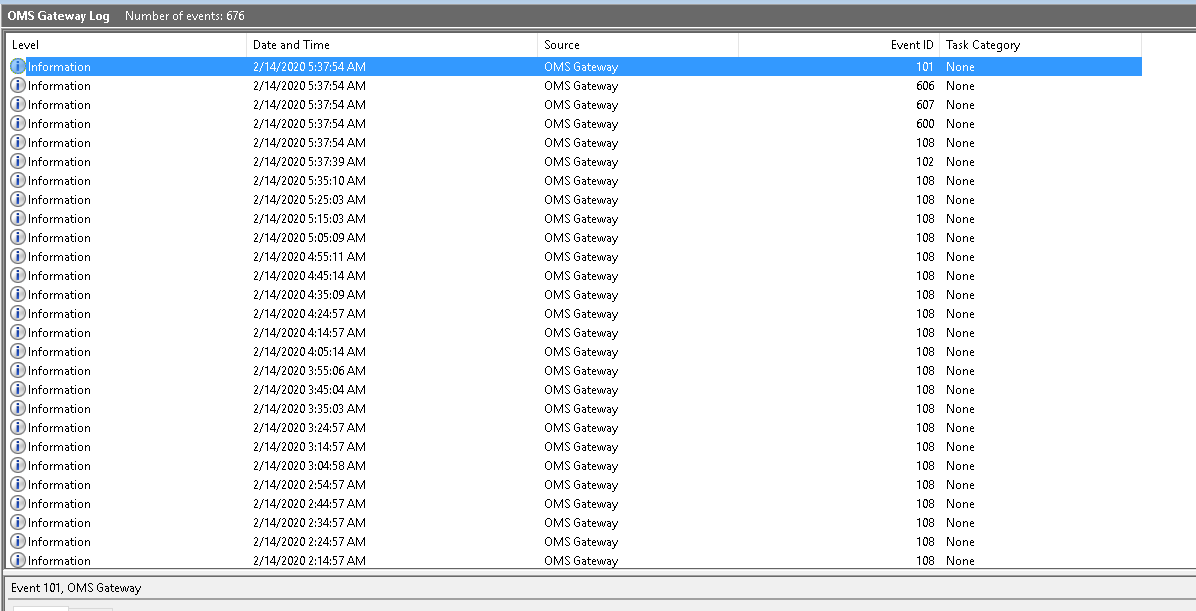
After restarting the service, I had no more errors:
No more errors

I hope that this short guide was able to help you. If you have any questions regarding the issue, be sure to leave a comment or text me and I will try and help if that’s within my reach.

Hey! Found Florent’s insights useful? Looking for a cost-effective, high-performance, and easy-to-use hyperconverged platform?
Taras Shved
Taras Shved StarWind HCI Appliance Product Manager
Look no further! StarWind HCI Appliance (HCA) is a plug-and-play solution that combines compute, storage, networking, and virtualization software into a single easy-to-use hyperconverged platform. It's designed to significantly trim your IT costs and save valuable time. Interested in learning more? Book your StarWind HCA demo now to see it in action!