



Because modern applications are now using containers, I’ll present to you today a PaaS service, for containers, with Azure Kubernetes Services. As you understand with the name, the orchestrator used is based on Kubernetes, a Google technology.
The advantage of AKS is that you just manage your environment, without taking care of the OS.
You can deploy AKS on Availability Zone now (announced during Ignite 2019).
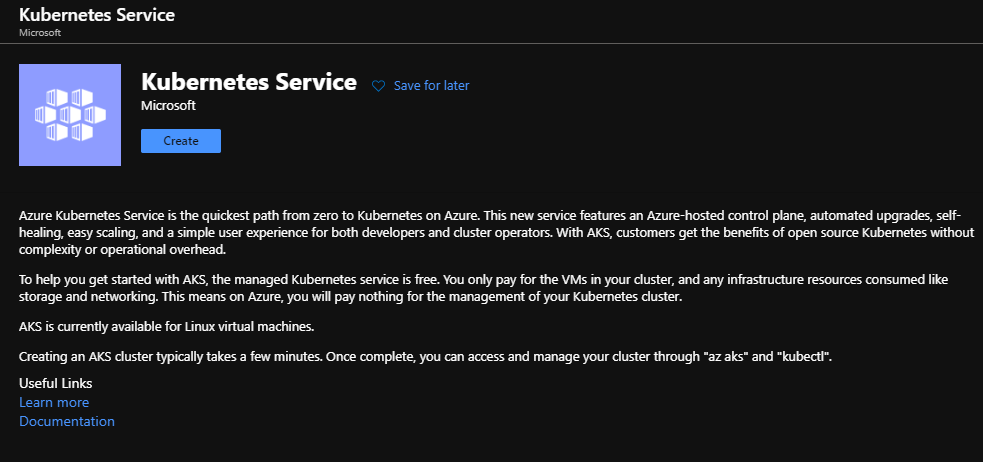
To start, search in the Azure Market place for AKS and click on Create:
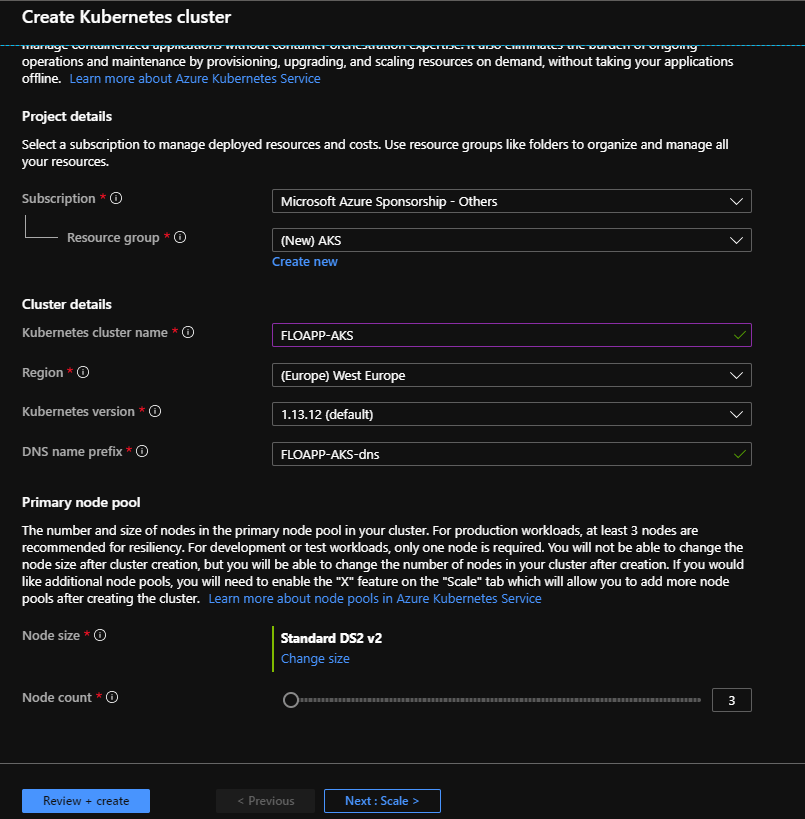
Choose where to deploy resources, a name for your cluster, the region, the Kubernetes version and the DN name. Choose how many nodes you want and the size of each nodes. The master is managed by Microsoft:
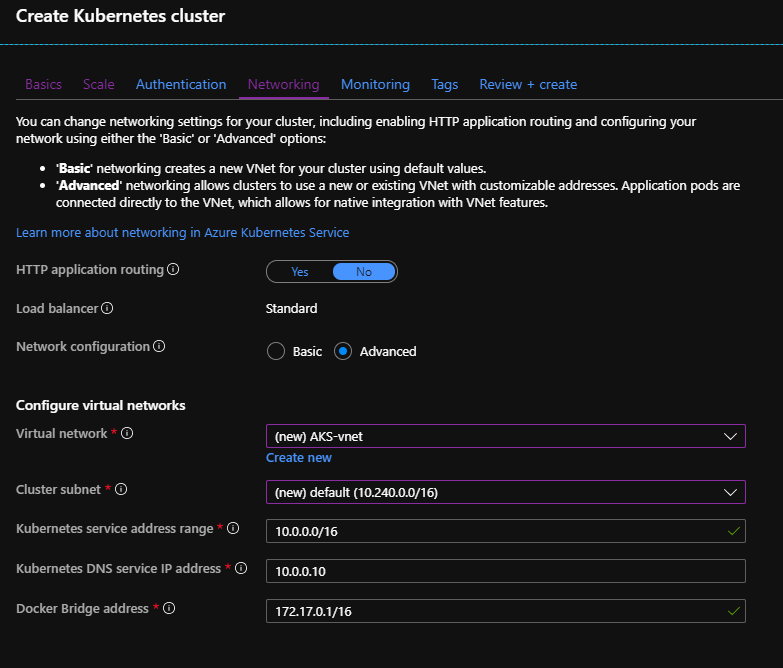
Choose to which Virtual Network you want to connect your AKS environment:
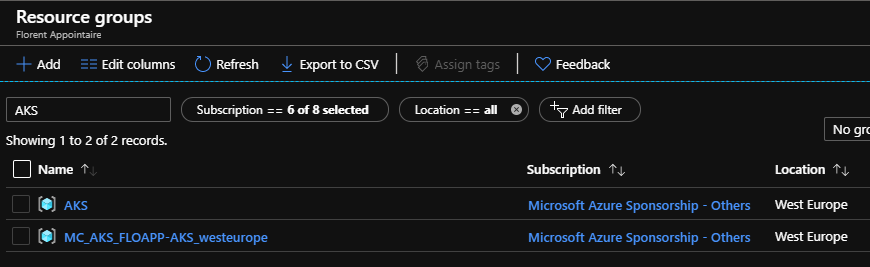
As you can see, the AKS Object and the VNet has been deployed in the resource group that you provided and another RG has been created with name MC_RGName_ClusterName_Region. This RG will contains the public IP, the NSG, the Load Balancer and finally, the VMSS:
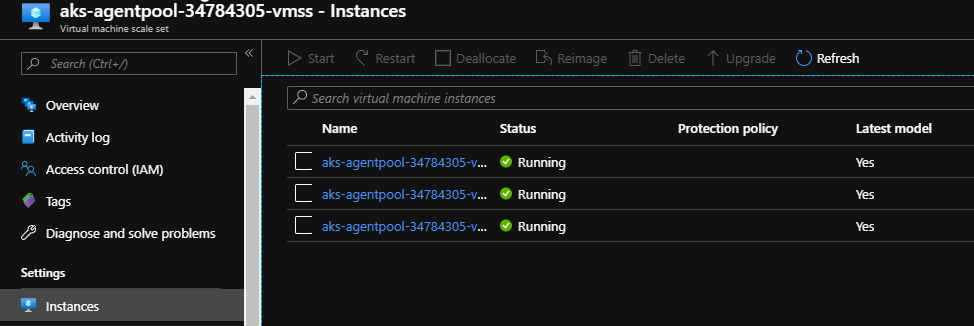
I’ve my 3 nodes in my VMSS:
Go now on https://shell.azure.com/ and connect to your shell. To connect to your AKS cluster, adapt the following command:
az aks get-credentials --resource-group AKS --name FLOAPP-AKS |

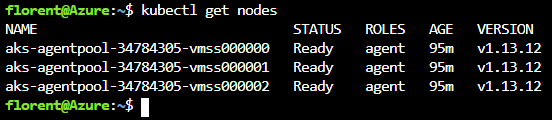
To verify that your nodes are present, use the following commands:
kubectl get nodes |
To see the admin interface of your AKS cluster, use the following command:
az aks browse --resource-group AKS --name FLOAPP-AKS |
It will open to you a new tab, to browse your Kubernetes admin console. If you have warning, execute the following command:
kubectl create clusterrolebinding kubernetes-dashboard --clusterrole=cluster-admin --serviceaccount=kube-system:kubernetes-dashboard |

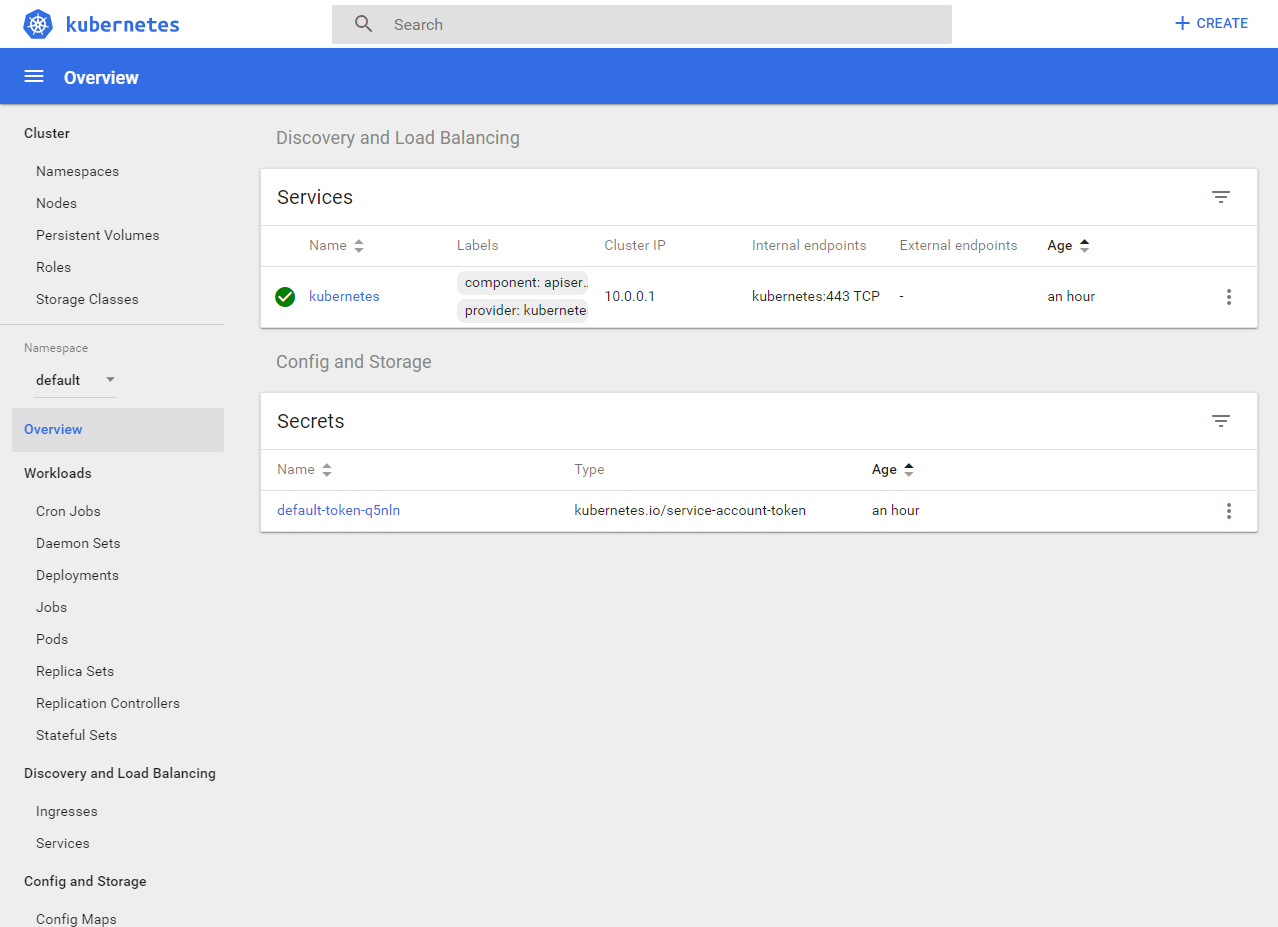
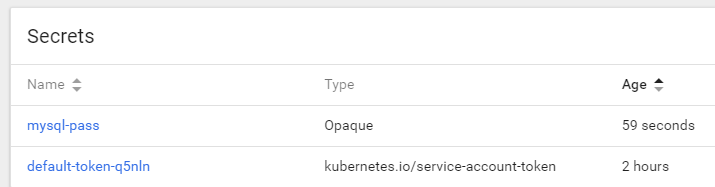
Now, we will deploy a first application, a wordpress website, from the admin interface. Click on Create on the top of right and paste the following code, to create the secret for the DB:
apiVersion: v1 kind: Secret metadata: name: mysql-pass type: Opaque data: password: Starwind2019 |
Now, we will create our MySQL container:
apiVersion: v1 kind: Service metadata: name: wordpress-mysql labels: app: wordpress spec: ports: - port: 3306 selector: app: wordpress tier: mysql clusterIP: None --- apiVersion: v1 kind: PersistentVolumeClaim metadata: name: mysql-pv-claim labels: app: wordpress spec: accessModes: - ReadWriteOnce resources: requests: storage: 20Gi --- apiVersion: apps/v1 # for versions before 1.9.0 use apps/v1beta2 kind: Deployment metadata: name: wordpress-mysql labels: app: wordpress spec: selector: matchLabels: app: wordpress tier: mysql strategy: type: Recreate template: metadata: labels: app: wordpress tier: mysql spec: containers: - image: mysql:5.6 name: mysql env: - name: MYSQL_ROOT_PASSWORD valueFrom: secretKeyRef: name: mysql-pass key: password ports: - containerPort: 3306 name: mysql volumeMounts: - name: mysql-persistent-storage mountPath: /var/lib/mysql volumes: - name: mysql-persistent-storage persistentVolumeClaim: claimName: mysql-pv-claim |
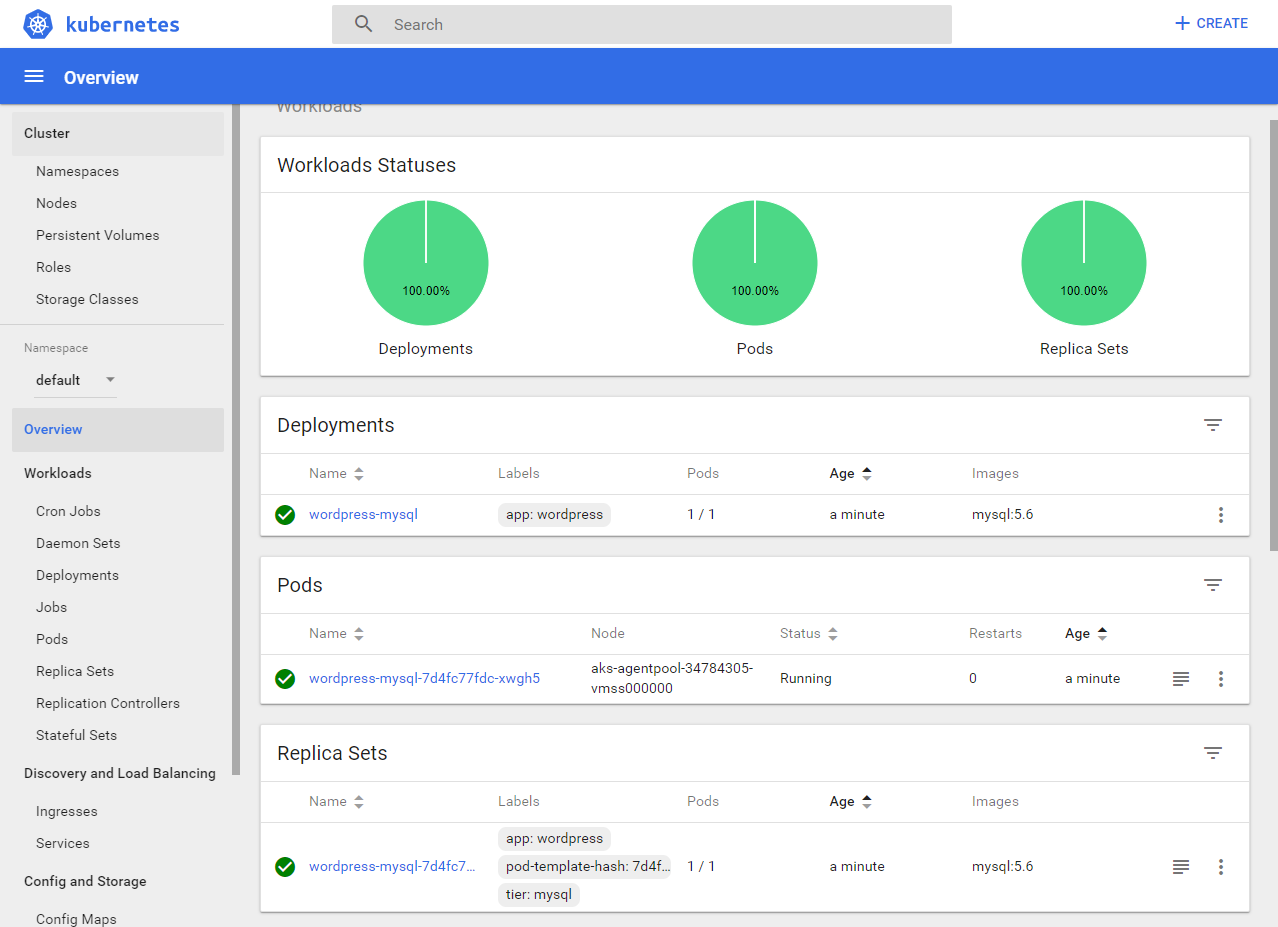
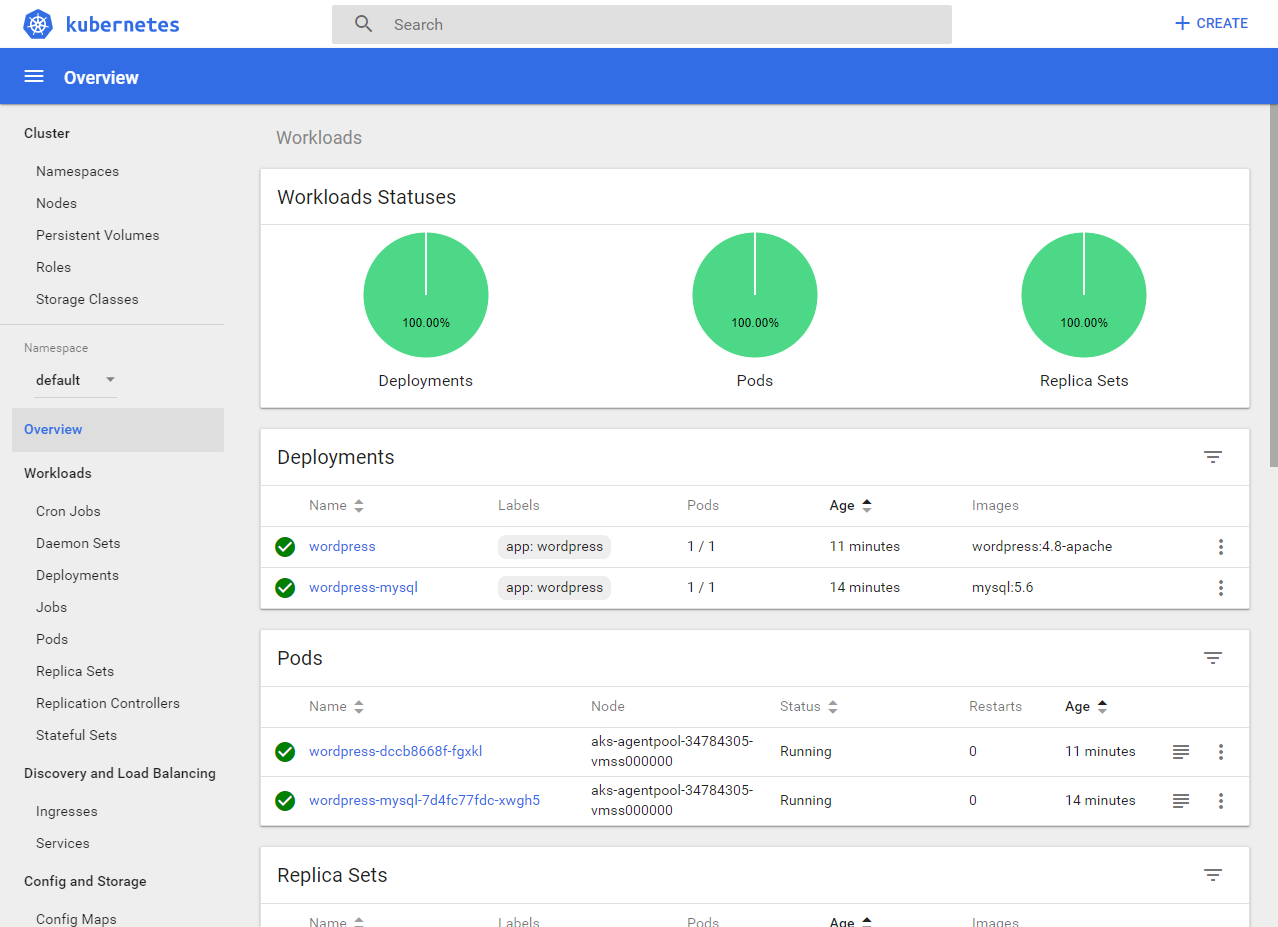
And now, the wordpress application:
apiVersion: v1 kind: Service metadata: name: wordpress labels: app: wordpress spec: ports: - port: 80 selector: app: wordpress tier: frontend type: LoadBalancer --- apiVersion: v1 kind: PersistentVolumeClaim metadata: name: wp-pv-claim labels: app: wordpress spec: accessModes: - ReadWriteOnce resources: requests: storage: 20Gi --- apiVersion: apps/v1 # for versions before 1.9.0 use apps/v1beta2 kind: Deployment metadata: name: wordpress labels: app: wordpress spec: selector: matchLabels: app: wordpress tier: frontend strategy: type: Recreate template: metadata: labels: app: wordpress tier: frontend spec: containers: - image: wordpress:4.8-apache name: wordpress env: - name: WORDPRESS_DB_HOST value: wordpress-mysql - name: WORDPRESS_DB_PASSWORD valueFrom: secretKeyRef: name: mysql-pass key: password ports: - containerPort: 80 name: wordpress volumeMounts: - name: wordpress-persistent-storage mountPath: /var/www/html volumes: - name: wordpress-persistent-storage persistentVolumeClaim: claimName: wp-pv-claim |
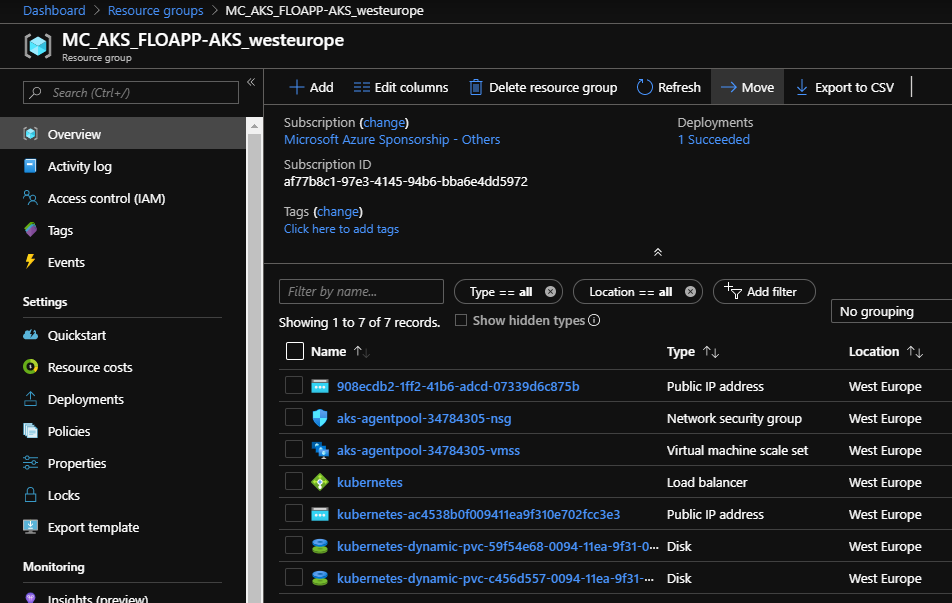
As you can see in Azure, 2 new disks for data have been deployed, and a public IP for my wordpress:
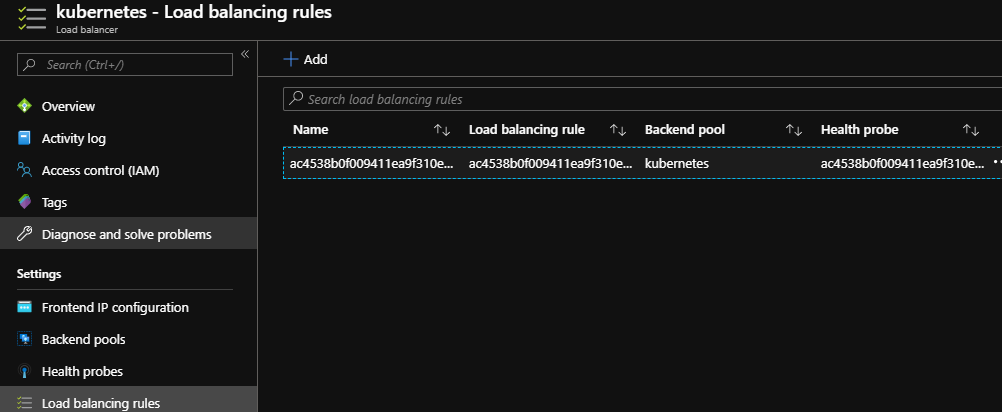
And in the load balancer, I’ve a new rule, to redirect the incoming traffic from port 80 to 80:
On Kubernetes, if you go on your Services you will see the public IP to browse the website:

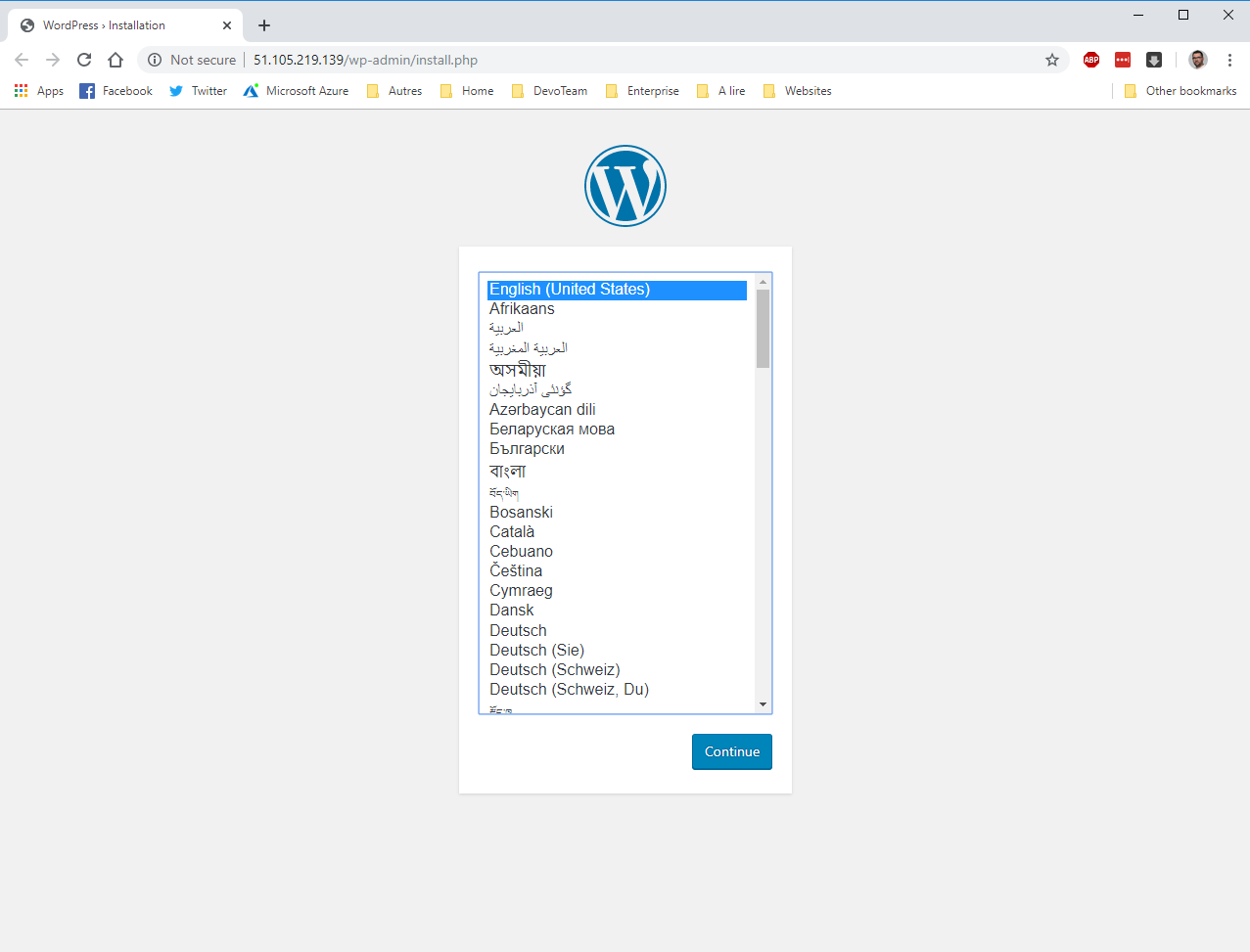
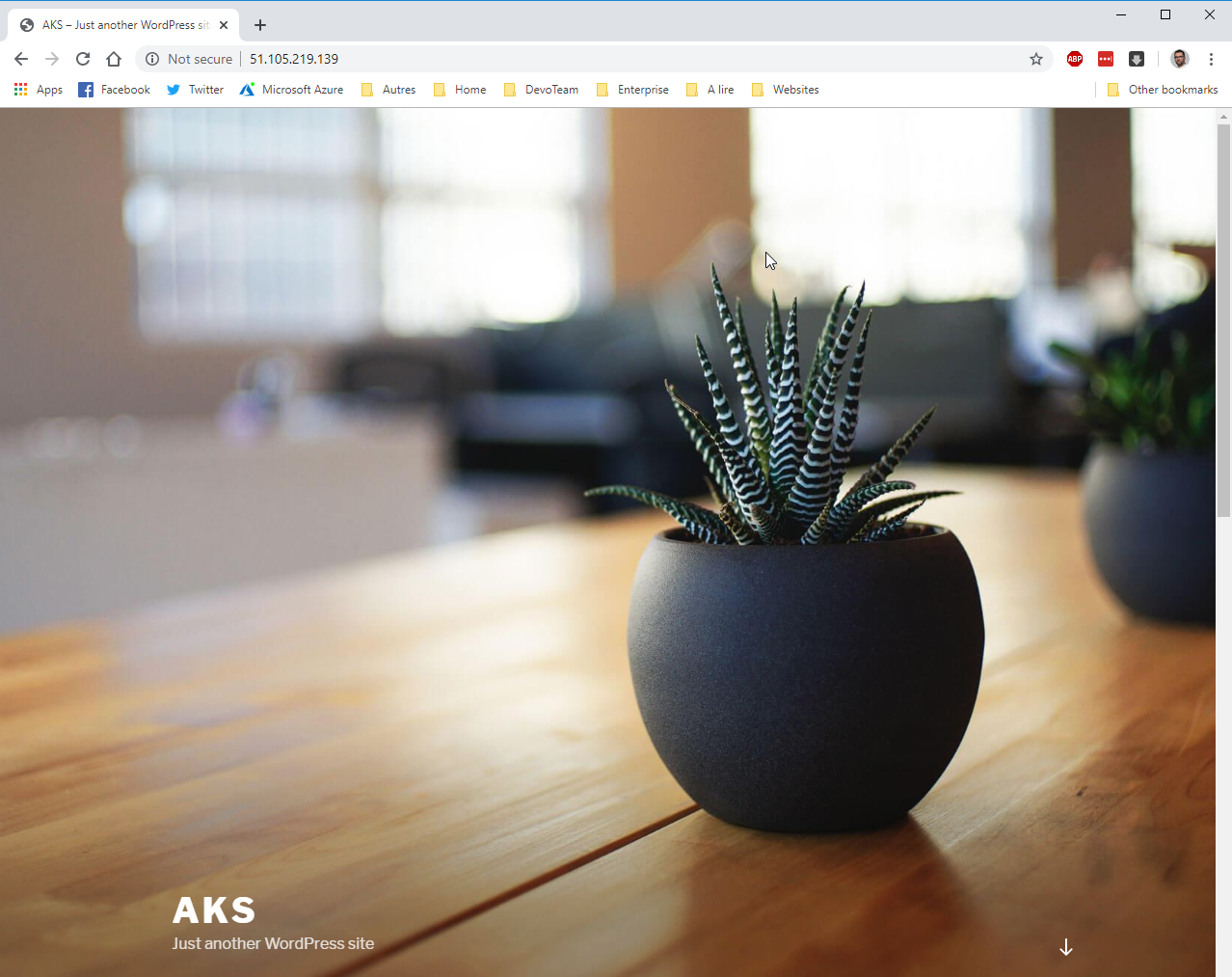
If you browse it, you will see your wordpress installation:
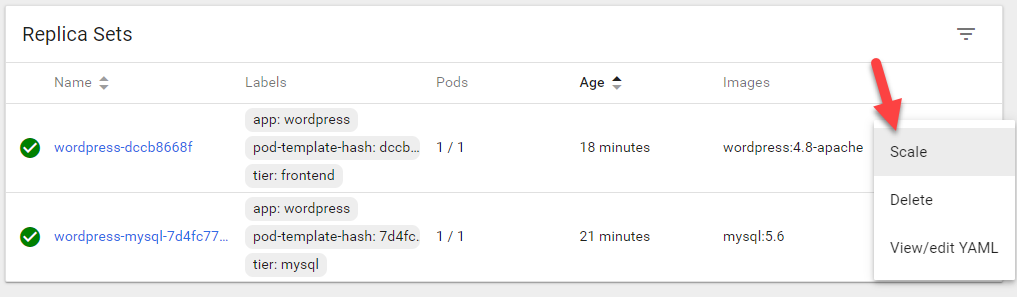
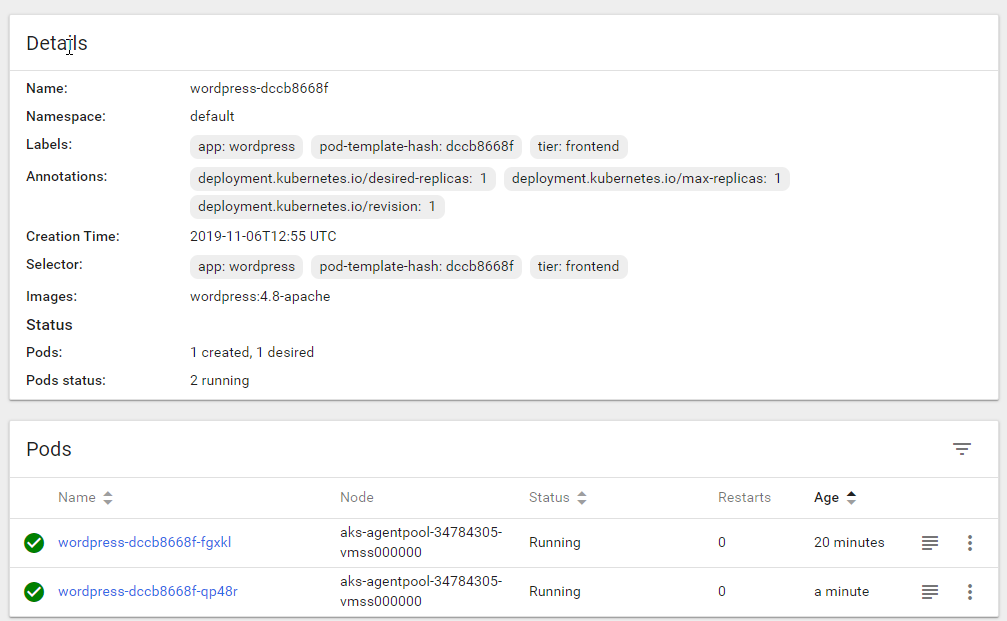
Currently, only one pod of this wordpress is running. To increase it, in Replicas Sets, click on Scale:
And now, an application to vote, provided by Microsoft, directly from the console. I’ll create a file, and put the following code in it:
apiVersion: apps/v1 kind: Deployment metadata: name: azure-vote-back spec: replicas: 1 selector: matchLabels: app: azure-vote-back template: metadata: labels: app: azure-vote-back spec: nodeSelector: "beta.kubernetes.io/os": linux containers: - name: azure-vote-back image: redis resources: requests: cpu: 100m memory: 128Mi limits: cpu: 250m memory: 256Mi ports: - containerPort: 6379 name: redis --- apiVersion: v1 kind: Service metadata: name: azure-vote-back spec: ports: - port: 6379 selector: app: azure-vote-back --- apiVersion: apps/v1 kind: Deployment metadata: name: azure-vote-front spec: replicas: 1 selector: matchLabels: app: azure-vote-front template: metadata: labels: app: azure-vote-front spec: nodeSelector: "beta.kubernetes.io/os": linux containers: - name: azure-vote-front image: microsoft/azure-vote-front:v1 resources: requests: cpu: 100m memory: 128Mi limits: cpu: 250m memory: 256Mi ports: - containerPort: 80 env: - name: REDIS value: "azure-vote-back" --- apiVersion: v1 kind: Service metadata: name: azure-vote-front spec: type: LoadBalancer ports: - port: 80 selector: app: azure-vote-front |
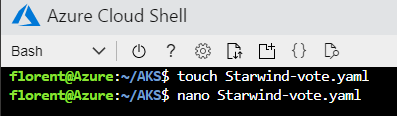
To deploy this, use the following command:
kubectl apply -f Starwind-vote.yaml |
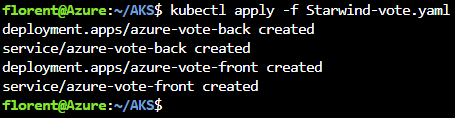
The application has been deployed correctly:
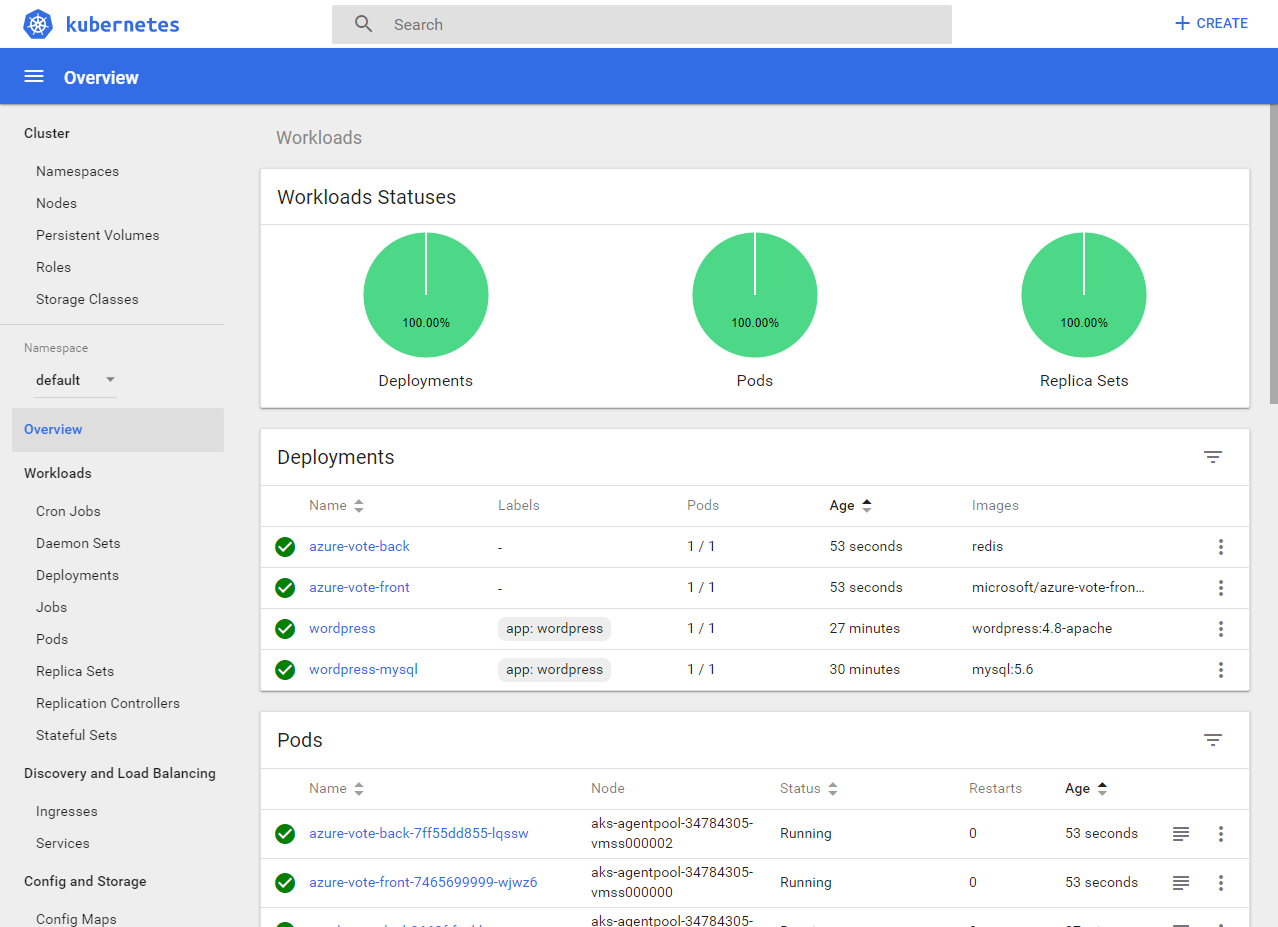
Use the following command to get the public IP:
kubectl get service azure-vote-front |

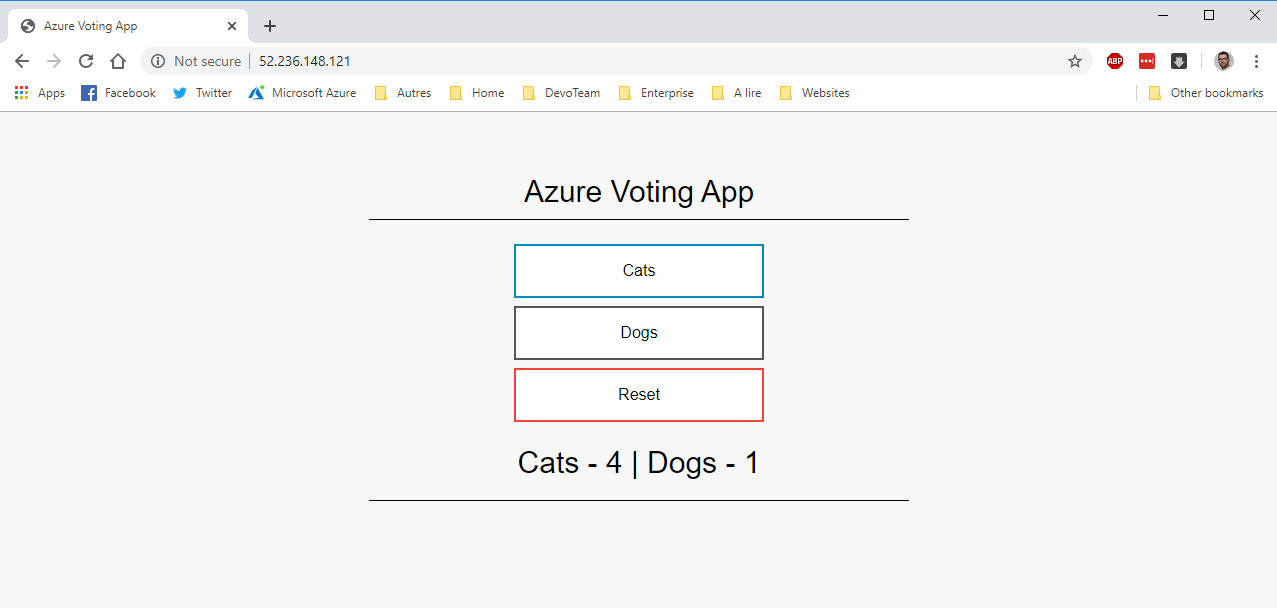
If you browse the IP, you will see the application:
Don’t hesitate to use this AKS service to provide an HA and very easy manageable platform.
