


FOG stands for Free Open-Source Ghost. If you’re in the IT you know what Ghost means. Back in the day, when I was knee-deep in VMware ESX labs and wrestling with physical server fleets, imaging physical systems, so the deployment tools were always a necessary part of my toolbox. Norton Ghost got the job done in the late 2000s, but it felt clunky. Clonezilla was a lifesaver for quick one-offs, and Acronis True Image delivered best experience with polish – but at a price. Fast-forward to today, and for SMBs and mid-size enterprises that need reliable Windows, Linux, or even macOS deployment and imaging tool without burning budget on licenses, the FOG Project stands out as one of the smartest, most practical solutions available.
If you don’t have a chance to have a Virtual desktop infrastructure (VDI) and have to manage 20–500 desktops or laptops, or you’re tired of burning DVDs/USB sticks and babysitting Clonezilla sessions, FOG might just become your new best friend. It’s completely free, open-source, and built from the ground up for network-based imaging and ongoing management. No more PXE nightmares with Ghost, no recurring Acronis subscriptions, and far more automation than Clonezilla Lite Server. You just need some time to master it. But hey, time is also money, right? To give you an idea how it works, let’s dive deep into why FOG deserves a spot in your toolbox.
What Exactly Is the FOG Project?
FOG (originally “Free Open-source Ghost”) is a Linux-based computer cloning and management solution that turns any spare server (physical or virtual) into a full-featured deployment engine. It uses PXE booting over the network – no boot disks, no CDs – so clients boot directly into a lightweight Linux environment that handles capture, deployment, hardware inventory, and post-install tasks.
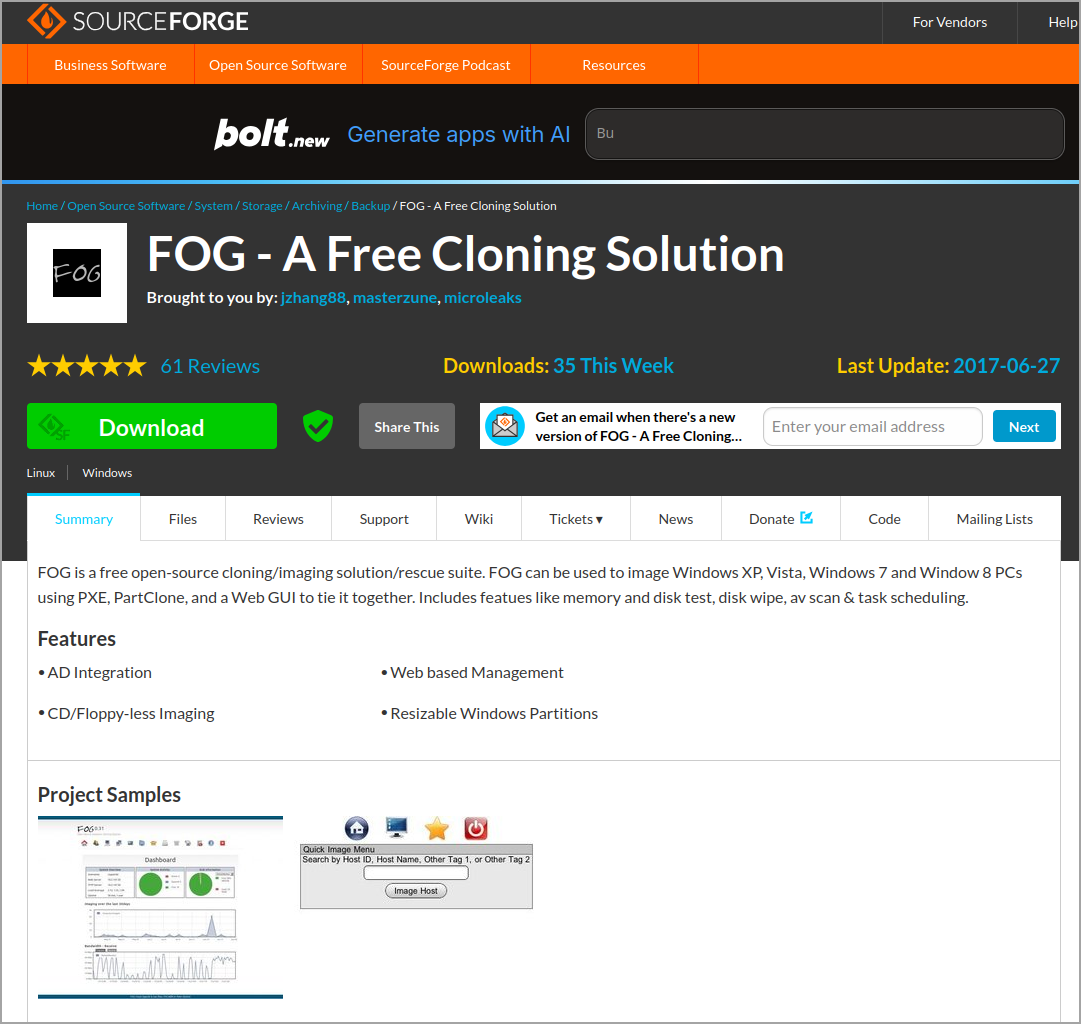
Under the hood it’s a classic LAMP stack: Linux (CentOS, Fedora, RHEL, Debian, Ubuntu, or Arch), Apache, MySQL/MariaDB, and PHP, plus TFTP, DHCP (or proxy DHCP), and the Partclone engine for imaging. The web-based management console is where the magic happens—clean, straightforward, and designed by sysadmins for sysadmins.
Key capabilities that matter for SMB/mid-size environments:
- Multicast imaging – Deploy the same image to dozens of machines simultaneously without killing your network.
- FOG Client – Lightweight Windows/Linux service installed on deployed machines for inventory, snapins (post-deployment scripts), power management, and printer mapping.
- Hardware inventory – Automatic detection of MACs, models, serials, and specs.
- Task scheduling – One-time or recurring jobs: deploy, capture, wipe, run AV scans, etc.
- Snapins – Push applications, scripts, or updates silently after imaging.
- Groups & Host management – Organize machines logically (by department, floor, hardware type).
- Storage nodes – Scale horizontally by adding secondary servers for larger environments.
- Power management & wake-on-LAN – Remote shutdown/restart cycles.
It supports Windows systems for up to Windows 11, various Linux distros, and macOS (with some extra work). UEFI/Secure Boot? Handled. RAID arrays? No problem. Dissimilar hardware? FOG’s sysprep integration plus driver injection gets you most of the way – though it’s not quite as “universal” as some paid tools we all know.
Installation – Straightforward and Fast
One of the things I love about FOG (and why it reminds me of the clean ESXi installer days) is the single-script installation. Almos one liner. Grab the latest from GitHub:
bash

sudo -i

cd /root

git clone https://github.com/FOGProject/fogproject.git

cd fogproject/bin

./installfog.sh
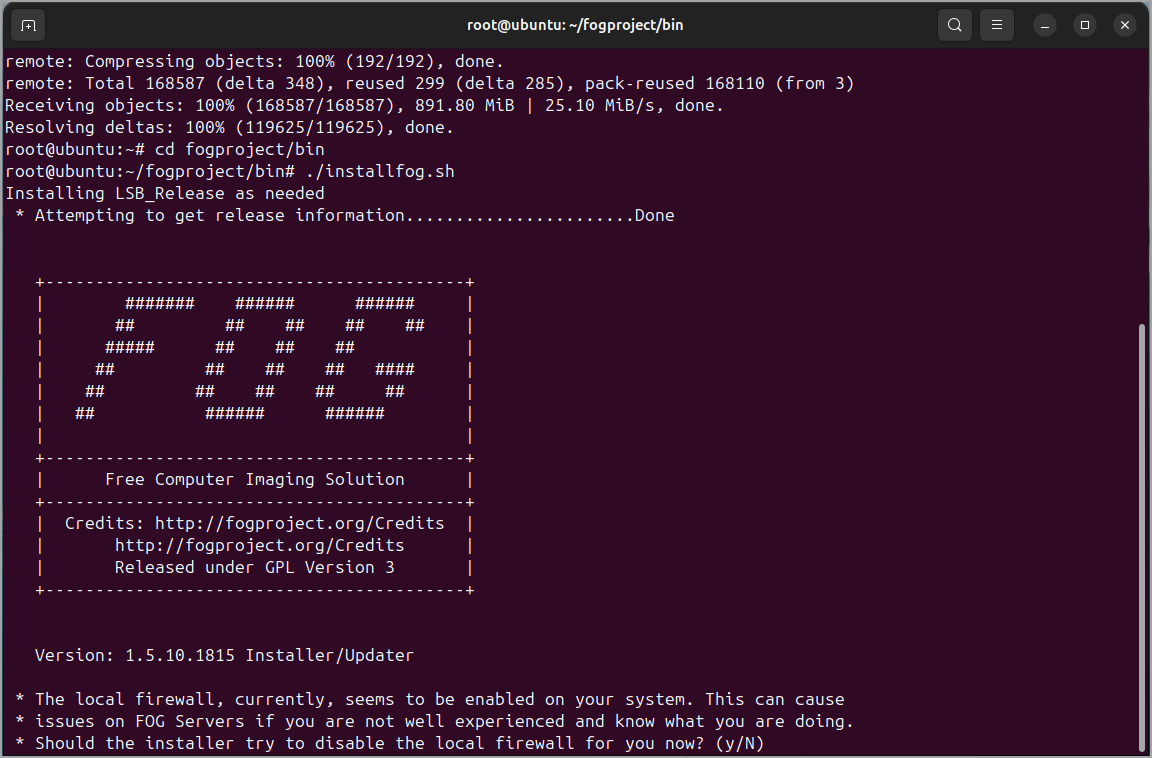
The installer asks a few sensible questions: Normal server or storage node? Use built-in DHCP or existing? Internationalization? Then it pulls down everything and configures Apache, MySQL, TFTP, etc. On a fresh Ubuntu 22.04 or Rocky Linux 9 box it takes 10–15 minutes.
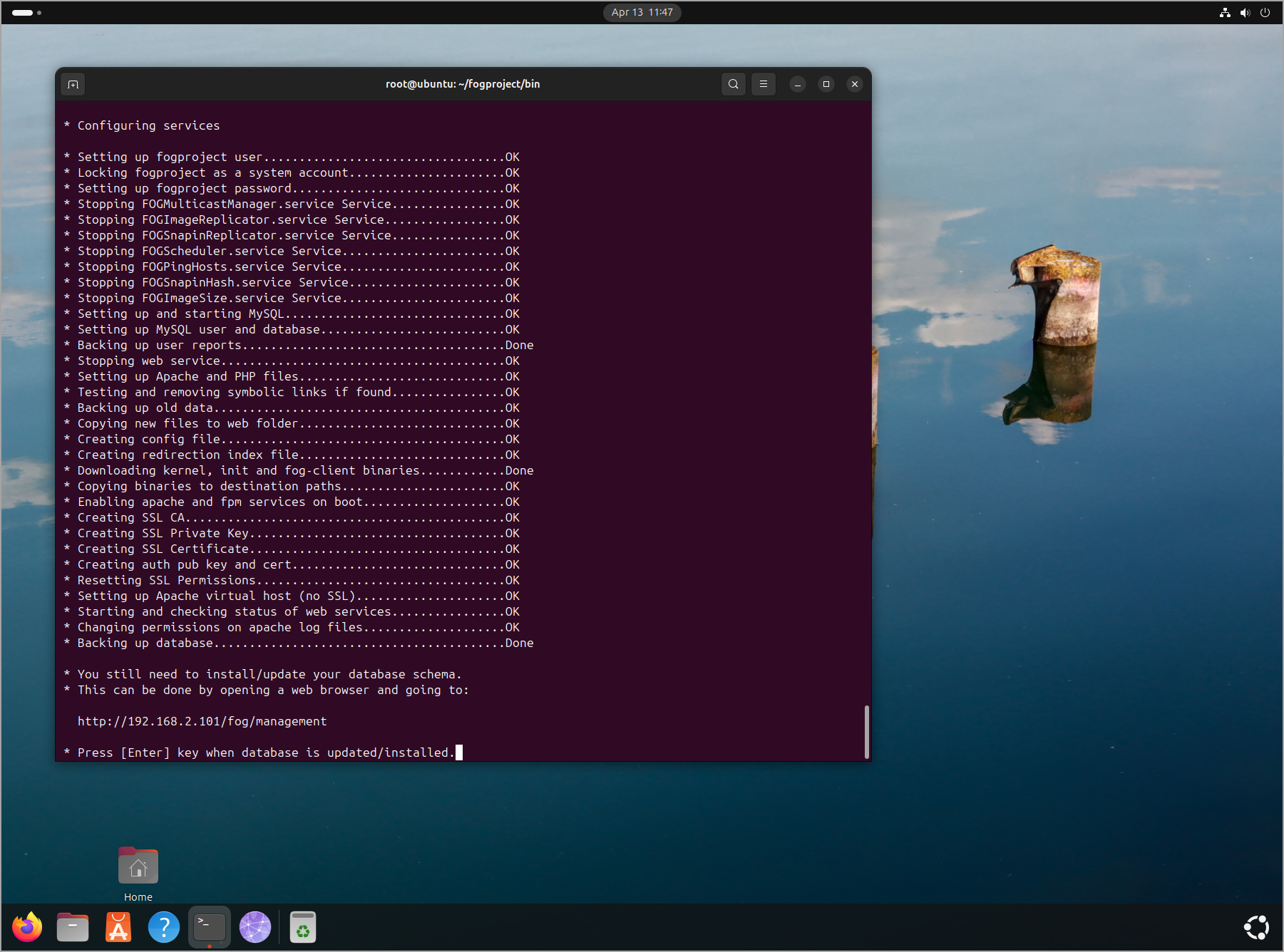
Screenshot from the lab showing the UI of FOG. Note that the default login/password are:
Login: fog
Pass: password
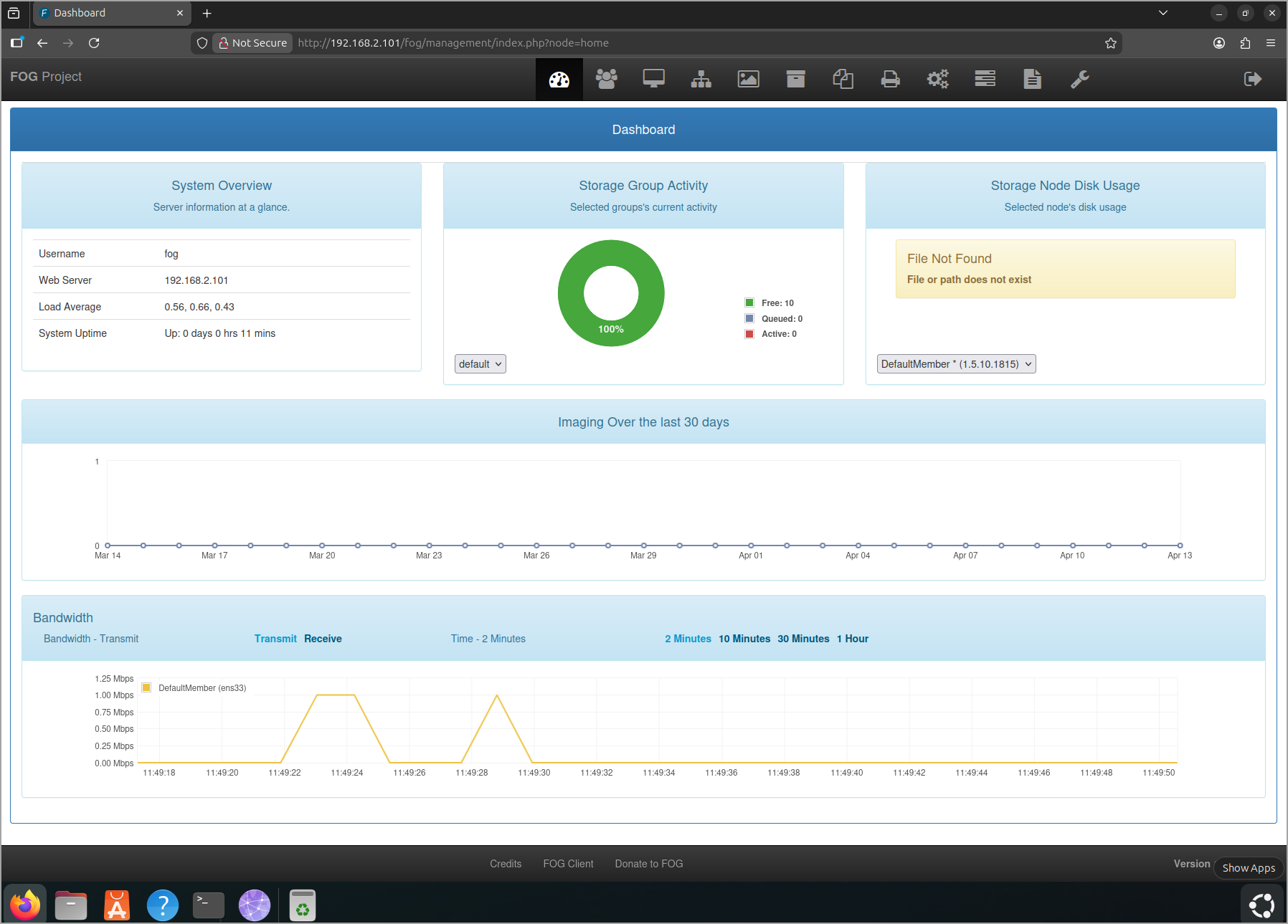
Hardware recommendations for real-world SMB use:
- Gigabit NIC (mandatory for multicast performance).
- RAID 1 or 10 for the image storage volume.
- At least 8 GB RAM and a decent CPU if you’re imaging 10+ machines at once.
- Works beautifully in a VM (ESXi, Hyper-V, KVM—tested by the community).
Post-install you hit the web UI at http://yourfogserver/fog to set up the database schema and create your first admin account. Done. No complex licensing keys, no phone-home nonsense.
Day-to-Day Usage – Where FOG Shines for Admins
Register hosts either manually or let FOG auto-register via PXE (you can set a “pending” approval workflow for security). Upload a “golden” reference image once – FOG captures it in Partclone format with compression options.
Deployment is dead simple:
- Set the task type (Deploy Image) on a host or group.
- Boot the target via PXE (or use the FOG Client “Reboot to FOG” option).
- Walk away.
Multicast kicks in automatically when multiple machines request the same image. I’ve seen 30 identical desktops imaged in roughly the same time it takes to image one – huge time saver in refresh cycles.
The FOG Client (MSI installer, fully scriptable) is the secret sauce for ongoing management. It reports inventory back to the console, applies snapins on schedule, enforces hostname/Domain join, and even lets you run disk wipes or memtests remotely. Perfect for mid-size shops that don’t have SCCM or Intune budgets.
Security note for SMBs: Run FOG on an isolated management VLAN if possible, or at least firewall it tightly – only the management subnet should reach the TFTP/DHCP ports.
FOG Integration with Active Directory – Automatic Domain Joins That Actually Work
One of the features that makes FOG a no-brainer for SMB and mid-size Windows environments is its rock-solid Active Directory integration. If you’re tired of manually joining machines after imaging, scripting unattend.xml files, or paying for MDT task-sequence wizardry, FOG handles the heavy lifting automatically – hostname rename + domain join in one clean post-deployment step.
FOG uses the FOG Client (installed in your golden image) and its HostNameChanger module. After deployment:
- The client phones home.
- HostNameChanger checks the host record.
- If enabled, it renames the machine and joins the domain.
- Reboot happens automatically.
No more generic “MININT-XXXXX” names or manual joins.
Step-by-Step Configuration (2026 Edition)
1. Prepare your golden image – Install the latest FOG Client before sysprep/capture and enable the HostNameChanger module. The reference machine must not be domain-joined.
2. Global AD defaults – Go to FOG Configuration → FOG Settings → Active Directory and fill in:
- AD Default Domain Name: company.com
- AD Default OU: OU=Desktops,OU=Computers,DC=company,DC=com (highly recommended)
- AD Default User: just the username (e.g. fogjoiner)
- AD Default Password: FOG encrypts it on save
Use a dedicated service account with “Create Computer objects” permissions on the target OU.
3. Per-host or per-group – Edit host/group → Active Directory tab → tick “Join Domain after deploy” and “Name Change/AD Join Forced Reboot”.
4. Deploy and walk away.
Pro Tips & Gotchas
- HostNameChanger must be enabled in the server config, golden-image client, and host record.
- Change the default FOG Passkey in the client source for production security.
- Check C:\fog.log for troubleshooting.
- Windows 11 almost always needs the forced-reboot option.
- Groups make bulk AD settings a one-click operation.
This feature alone can save days of work per refresh cycle in 200–400 seat environments.
If you’re lost, check the support page. You can find all you need within the documentation section.
How Does FOG Stack Up Against other known software?
vs. Clonezilla – Clonezilla is fantastic for quick, one-machine jobs. But it lacks the polished web UI, centralized host database, snapins, and scheduling that FOG offers. Image formats are incompatible. If you need ongoing fleet management rather than occasional cloning, FOG wins hands-down.
vs. Microsoft Deployment Toolkit (MDT) + Windows Deployment Services (WDS) – Microsoft’s free official answer for Windows-only shops. MDT gives powerful task sequences and driver injection; WDS handles PXE. Completely free and integrates beautifully with AD. The trade-off? File-based imaging (not block-level), so deployment times are longer on large fleets. FOG is faster for golden-image multicast blasts; MDT shines for maximum customization. Many admins build reference images in MDT then capture them with FOG for speed.
vs. SmartDeploy – The mid-market software for 100–5,000 endpoints. Excellent platform packs for drivers, rock-solid dissimilar hardware support, and a clean Windows console. Multicast works well. The downside is subscription pricing. FOG delivers 85–90 % of the same capabilities for $0 and runs on Linux – the smarter long-term choice if budget is tight.
vs. Acronis Snap Deploy / True Image – Acronis is slick with excellent dissimilar hardware support and Universal Restore. The GUI is prettier and it bundles backup/restore. But you pay per machine or technician. FOG gives you 90 % of the deployment power for free.
Pros, Cons, and Real-World Gotchas for SMB/Mid-SizePros:
- Zero licensing cost—ever.
- Excellent scalability with storage nodes.
- Active development and huge forum community.
- Integrates beautifully with existing DHCP (proxy mode).
Cons:
- Initial learning curve if you’ve never touched PXE/TFTP.
- Driver injection more manual than paid tools.
- macOS support community-driven.
- No built-in bare-metal backup scheduling (scriptable though).
Once you have golden images and the FOG Client deployed, refresh projects that used to take weeks now finish in days. The inventory data alone is worth the setup time during audits.
Final Thoughts – Should You Try FOG?
If you’re an SMB or mid-size enterprise admin tired of paying for imaging tools or cobbling together Clonezilla scripts, give FOG a spin in a lab this week. It’s stable, lightweight, genuinely useful, and the AD integration makes it a perfect fit for classic on-prem environments.
Start small: spin up a VM, image two test machines, deploy the Client, enable HostNameChanger, and play with snapins. You’ll quickly see why thousands of schools, hospitals, and businesses rely on it daily.
The project lives at https://fogproject.org/ and the documentation is solid (https://docs.fogproject.org/).
FAQ
What is FOG Project?
FOG Project is a free, open-source imaging and management tool for deploying Windows, Linux, and macOS systems over the network.
Is FOG Project free?
Yes. FOG is completely free and open-source, with no per-device licensing or subscription fees.
What is FOG used for?
FOG is used for PXE-based imaging, OS deployment, hardware inventory, snapins, power management, and basic endpoint management.
Can FOG join computers to Active Directory?
Yes. With the FOG Client and HostNameChanger module, FOG can rename machines and join them to Active Directory after deployment.
Is FOG better than Clonezilla?
FOG is usually better for ongoing fleet deployment and management, while Clonezilla is simpler for one-off imaging tasks.
Who should use FOG Project?
FOG fits SMBs, schools, hospitals, labs, and mid-size IT teams that need free network imaging without paid deployment tools.
