Search
Join the Technical Preview Program
See how NVMe-oF removes iSCSI
bottlenecks in your HCI
The Best Hyperconverged
Infrastructure
(HCI) for Enterprise
ROBO, SMB & Edge
The Best Virtual SAN
for Enterprise ROBO, SMB & Edge

[Azure] Dedicated Hosts

  • April 2, 2020
  • 3 min read
Cloud and Virtualization Architect and Microsoft MVP. Florent specializes in public, private, and hybrid cloud ecosystems. An MCSE in Private Cloud, he provides technical leadership in Cloud and Datacenter Management. Florent delivers high-authority insights on Azure deployments, virtualization strategy, and optimizing enterprise-scale cloud infrastructure.


A new feature that Microsoft released is the possibility to isolate virtual machines, from other Microsoft’s customers VM, by using a dedicated Hyper-V host. This service is in SaaS, so you will not be able to manage something, except the host deployment.

Firstly, you need to create a Host Group:
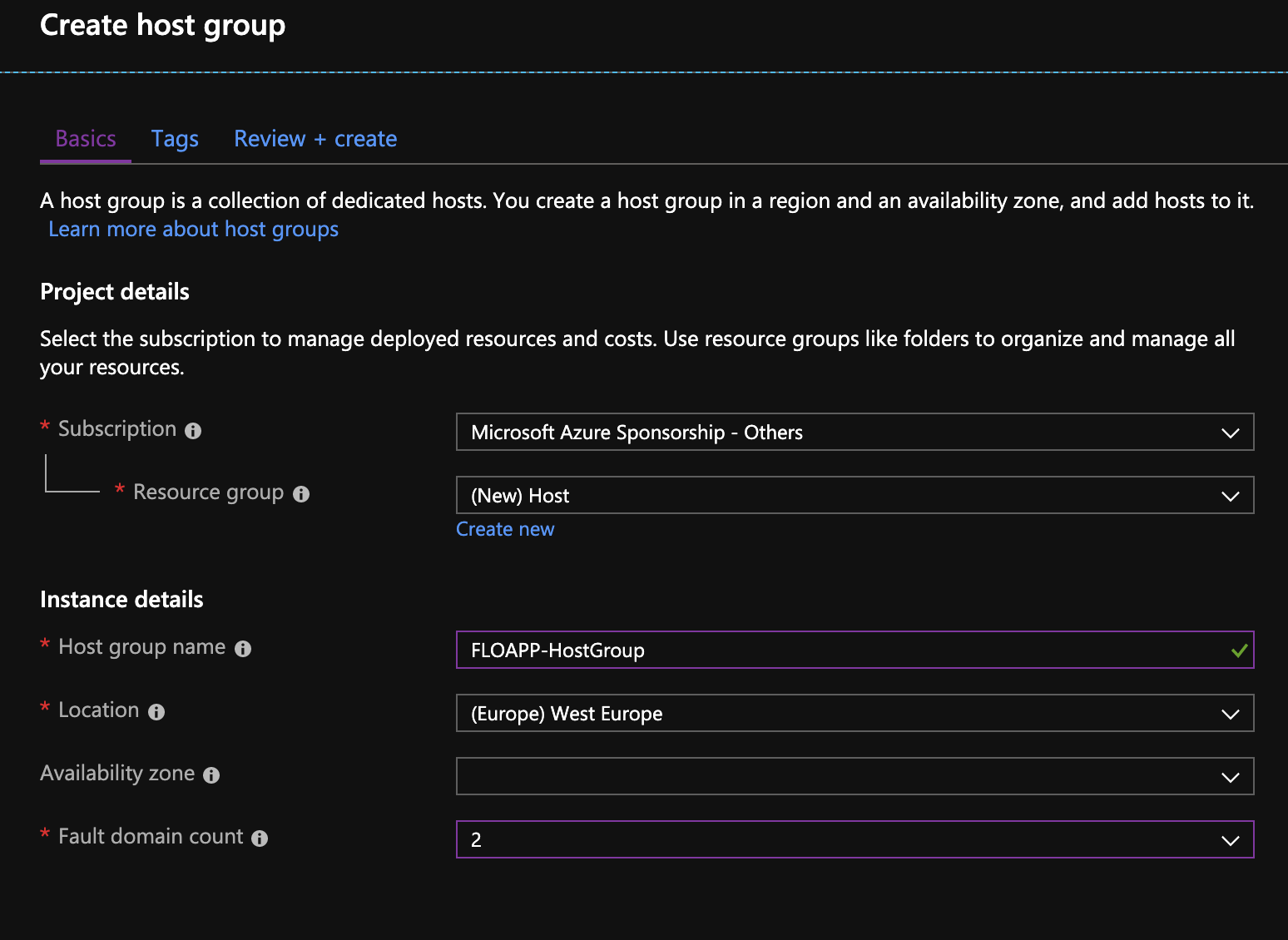
Сreate a Host Group

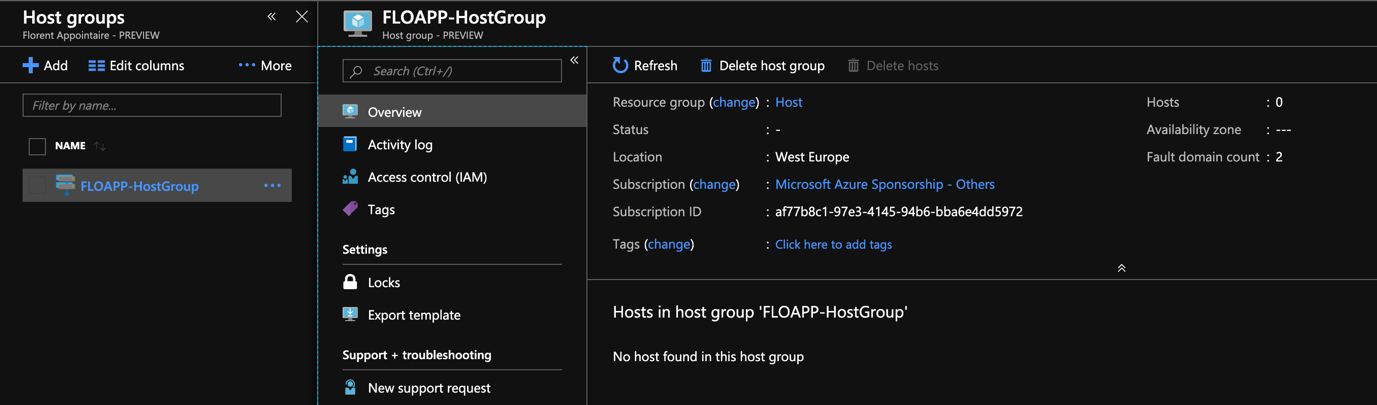
The Host group is created.

The Host group is created.

Now, before creating the dedicated host, you must register the Microsoft.Maintenance resource provider, for your subscription:
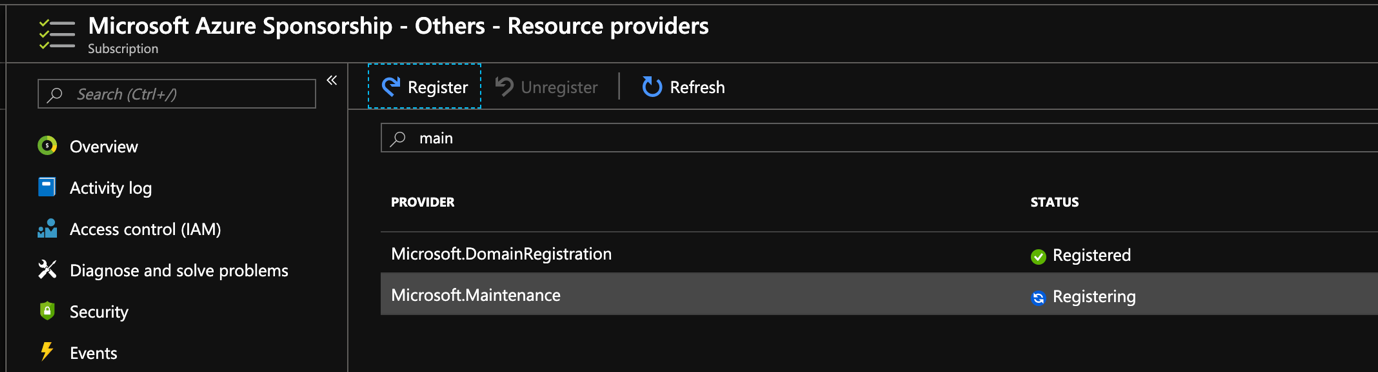
Microsoft.Maintenance resource provider

When it has been done, you’re now able to deploy a Dedicated Host, in the previous created host group:
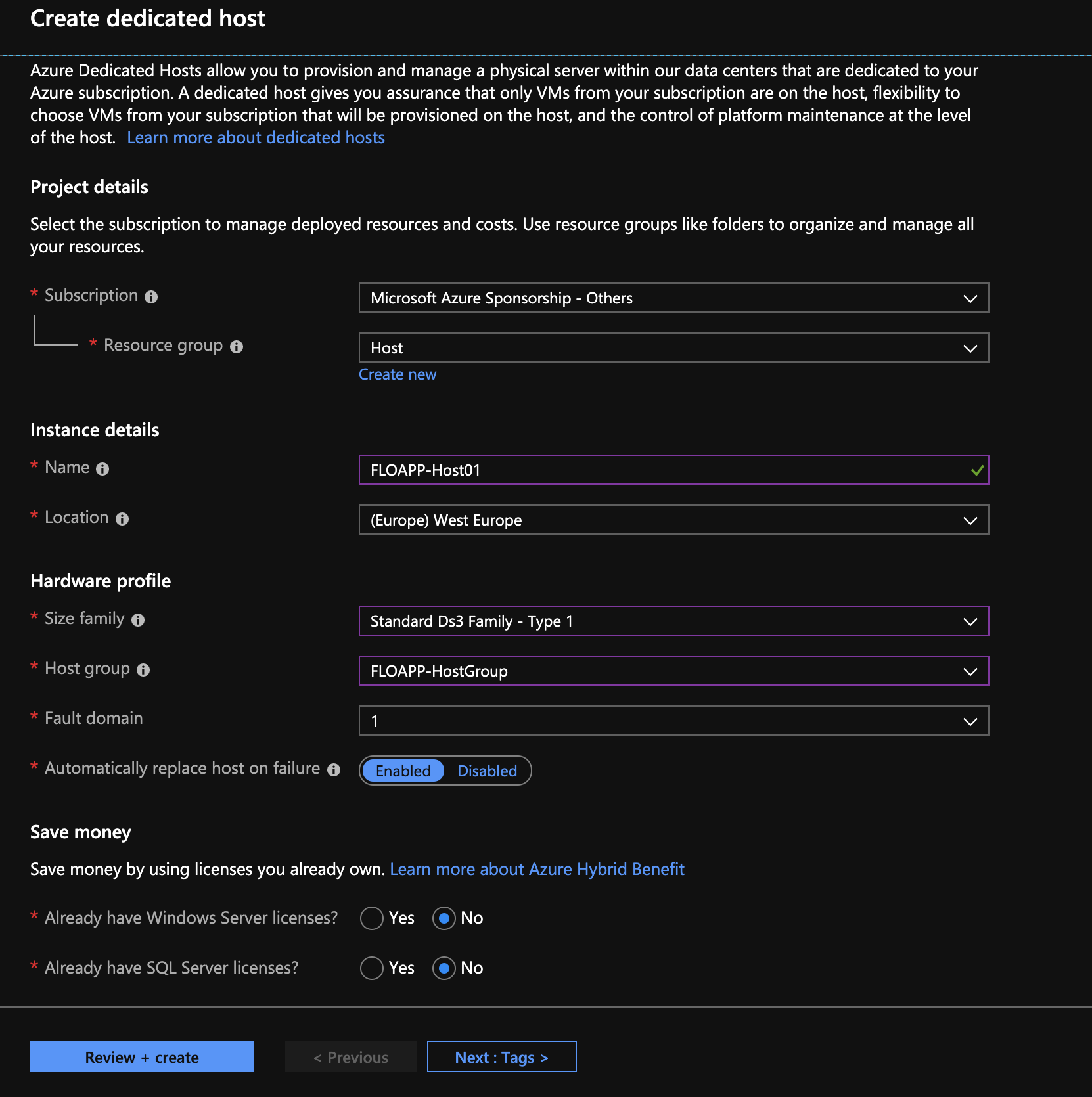
Dedicated Host

If you’ve the following error, check your usage or your subscription type (doesn’t work with Visual Studio/Sponsorship subscriptions):
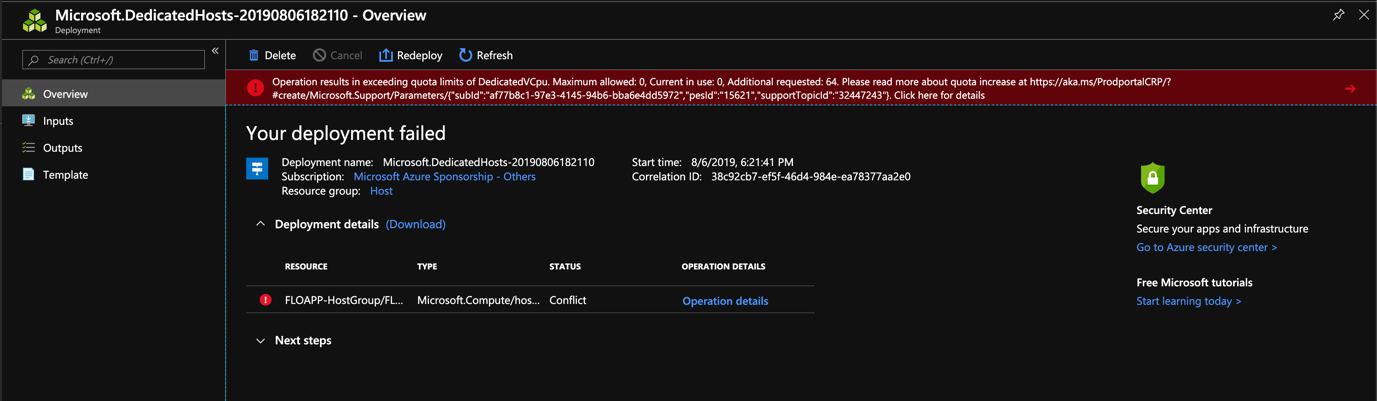
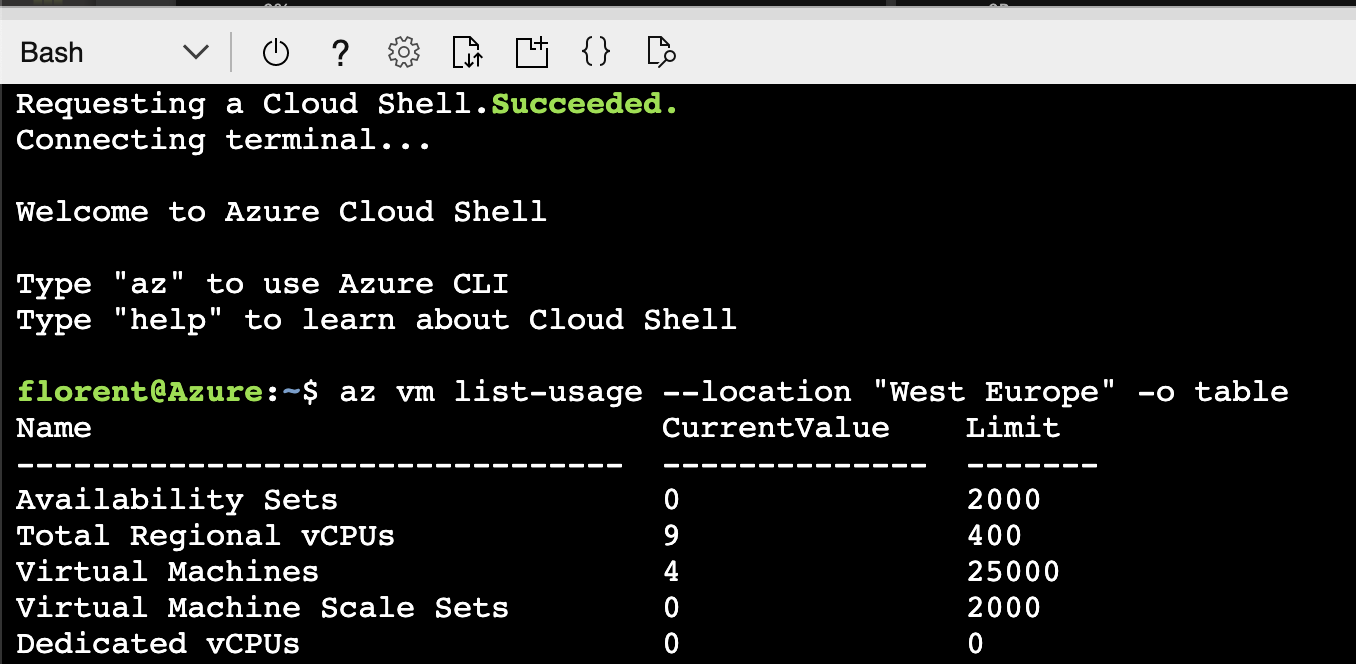
Check your usage or your subscription type

Requesting a cloud shell

If you need more vCPU for the region, open a ticket:
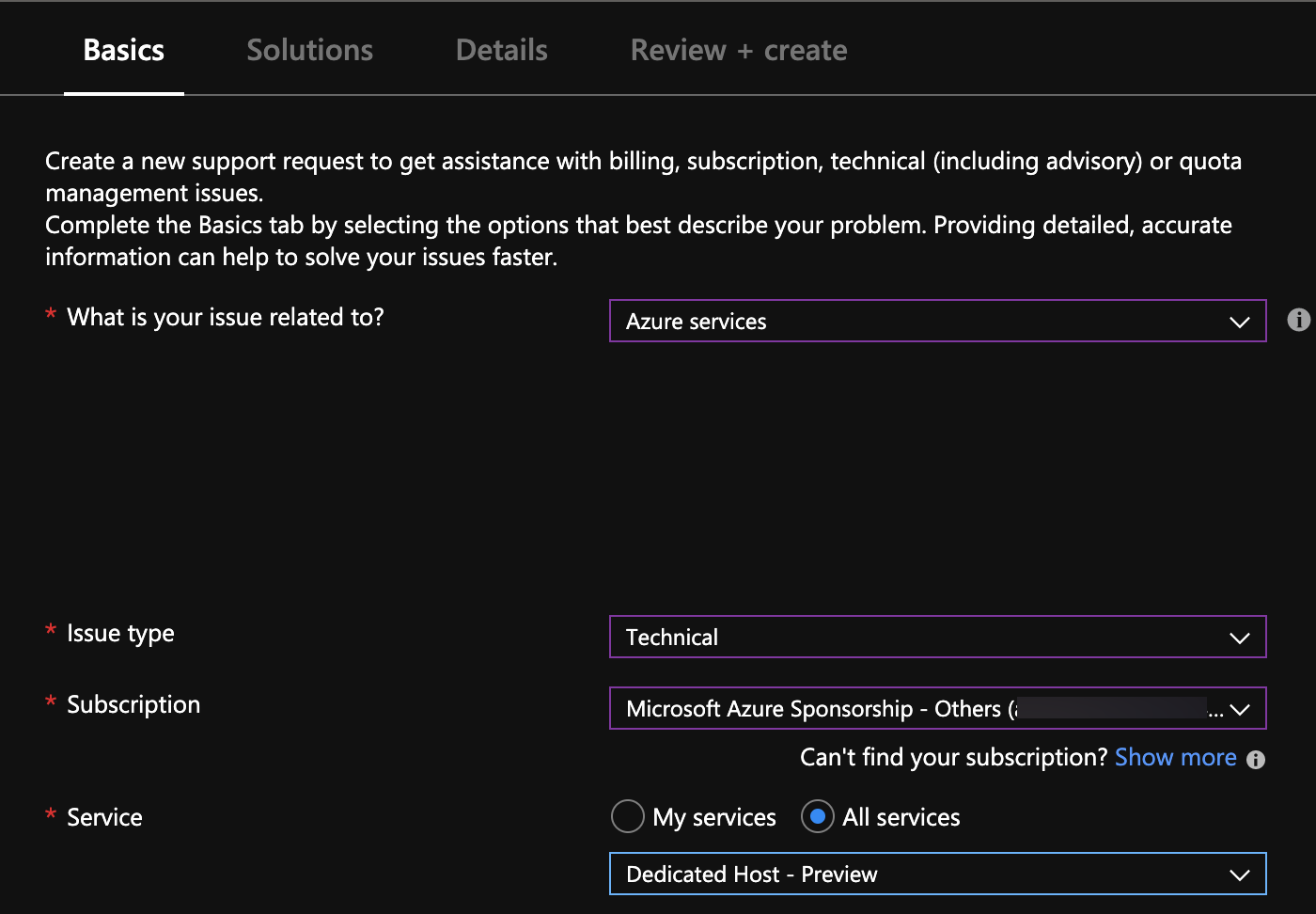
vCPU

When the deployment is done, you can see it in the Azure Portal:
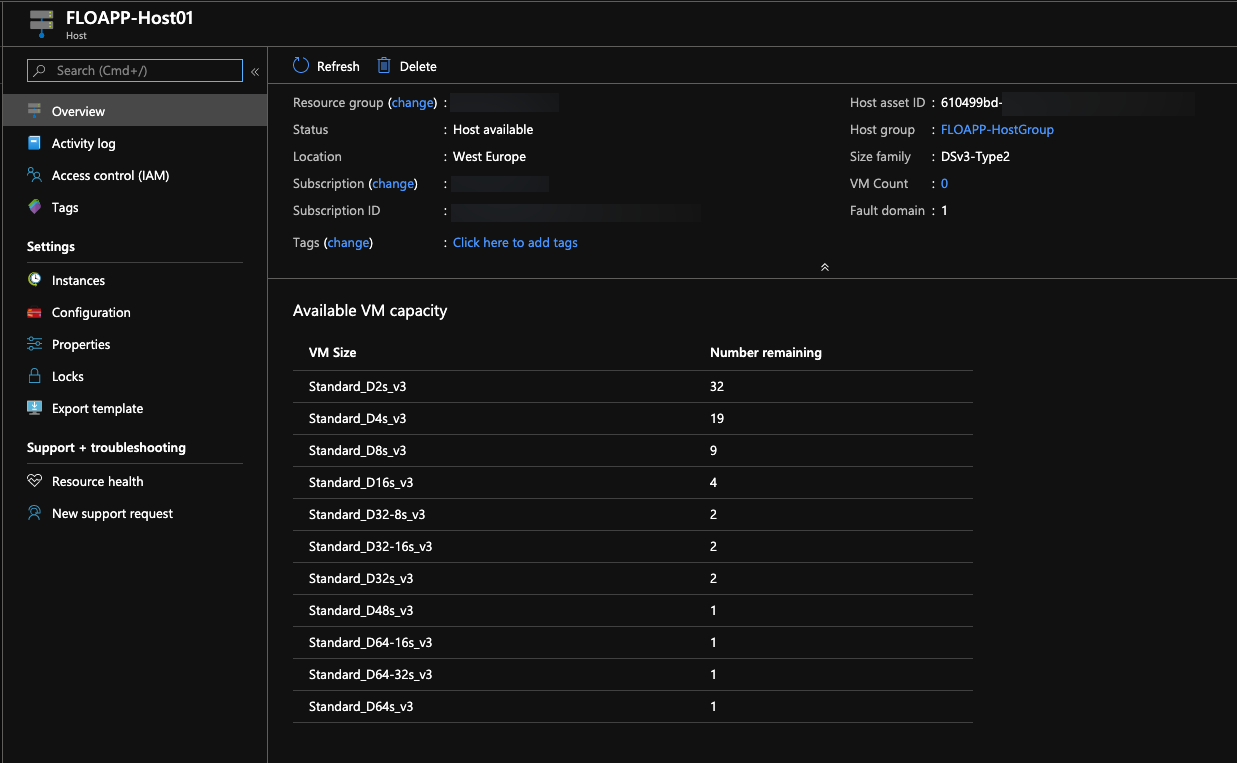
Azure Portal

Now, try to deploy a new virtual machine. In the Advanced tab, choose the host group created previously and the Host that we deployed previously:
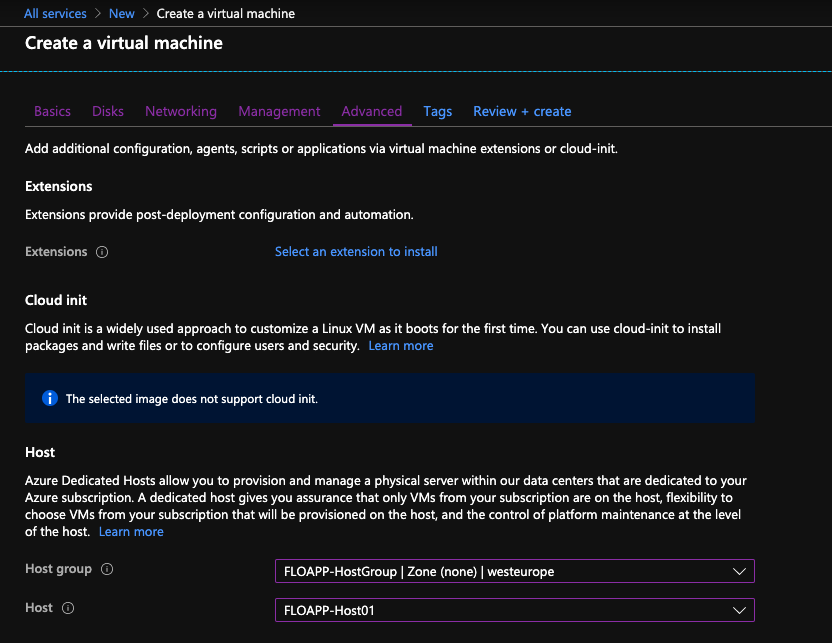
Choose the host group

When the virtual machine is deployed, you can see it directly in the Host service:
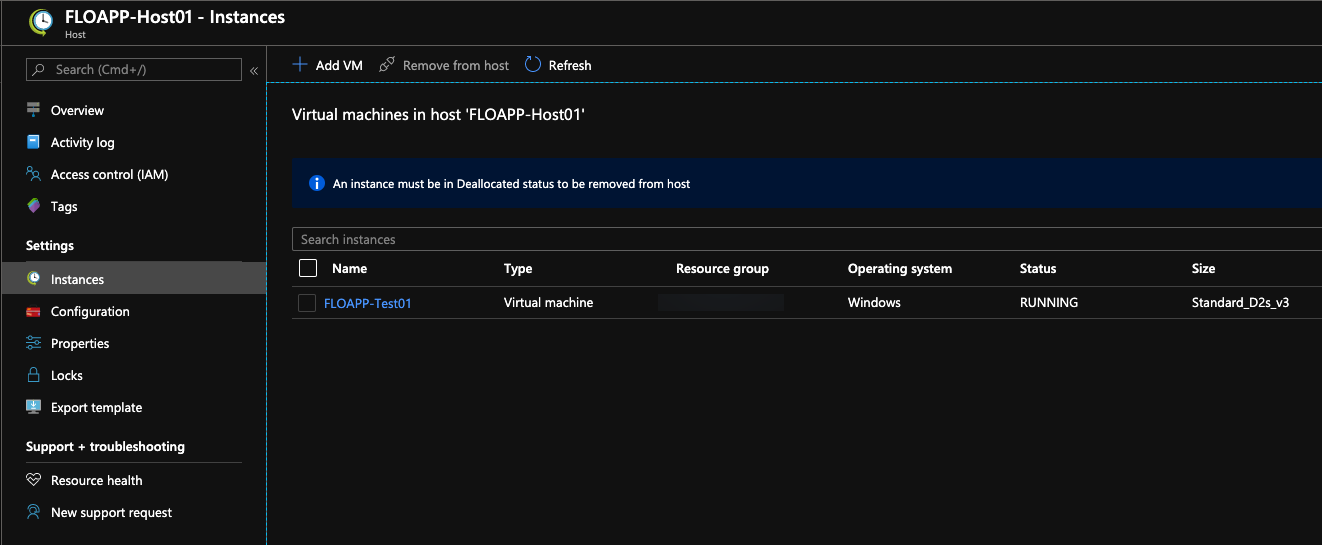
The virtual machine is deployed

You have now a great opportunity to deploy resources, in Azure Cloud, on dedicated hardware.

Hey! Found Florent’s insights useful? Looking for a cost-effective, high-performance, and easy-to-use hyperconverged platform?
Taras Shved
Taras Shved StarWind HCI Appliance Product Manager
Look no further! StarWind HCI Appliance (HCA) is a plug-and-play solution that combines compute, storage, networking, and virtualization software into a single easy-to-use hyperconverged platform. It's designed to significantly trim your IT costs and save valuable time. Interested in learning more? Book your StarWind HCA demo now to see it in action!