To remove a device:
1. Navigate to the Devices tab of the Console.
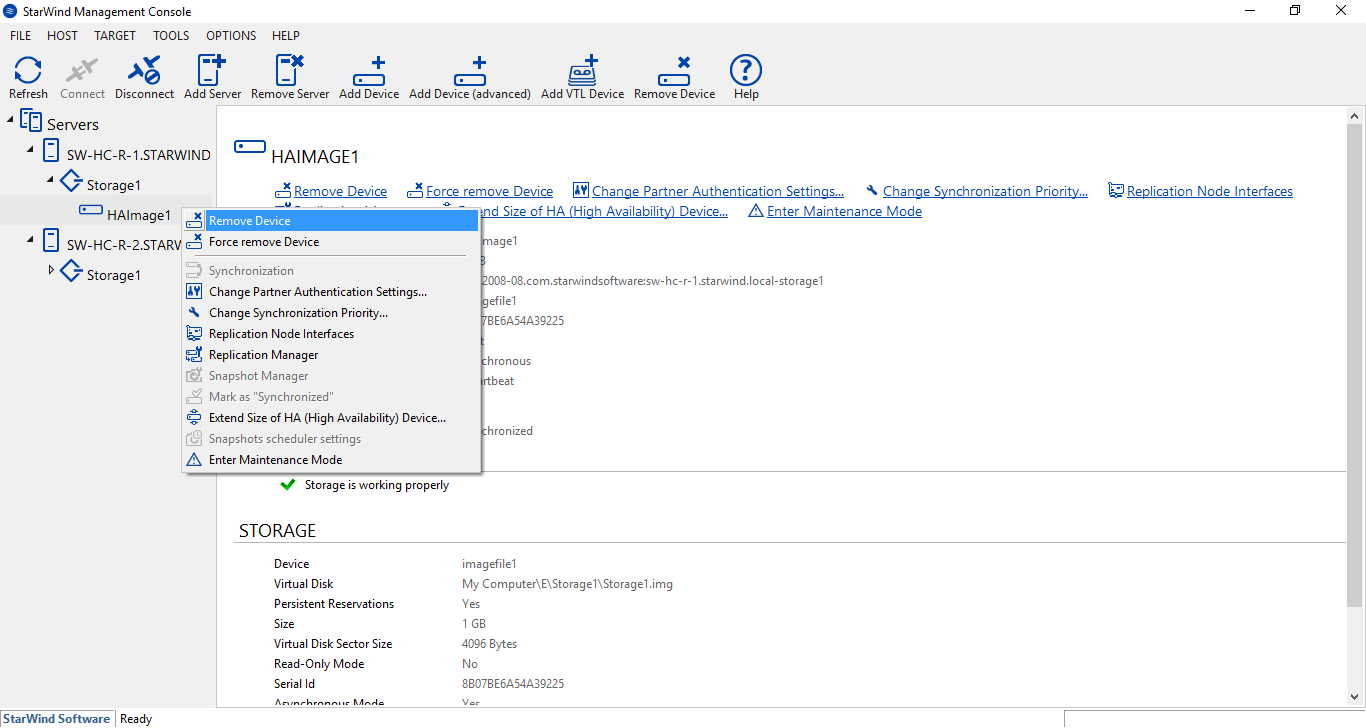
2. Right-click the device you want to delete and select Remove Device from the shortcut menu.
3. Click Yes to confirm the deletion.
To remove a device:
1. Navigate to the Devices tab of the Console.
2. Right-click the device you want to delete and select Remove Device from the shortcut menu.
3. Click Yes to confirm the deletion.