To create a new server group:
1. Right-click the StarWind Servers item in the Console tree and select Host Groups Manager from the shortcut menu.
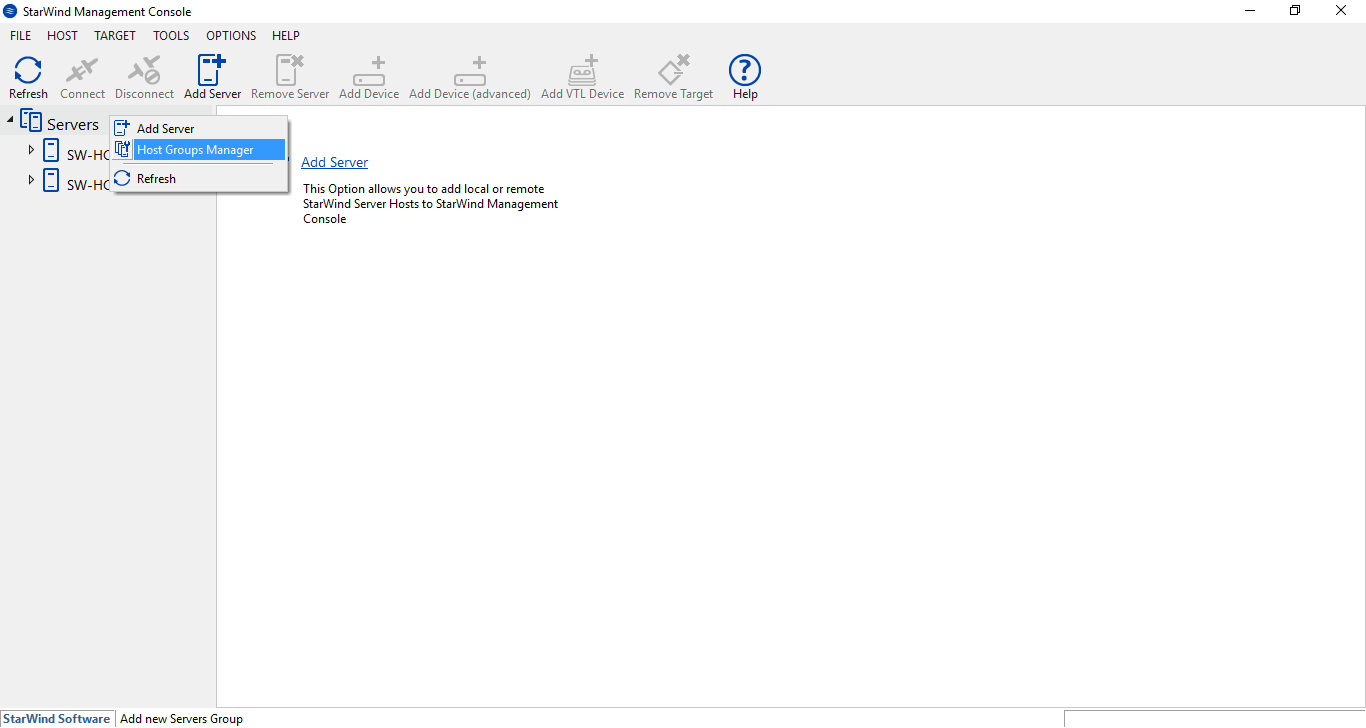
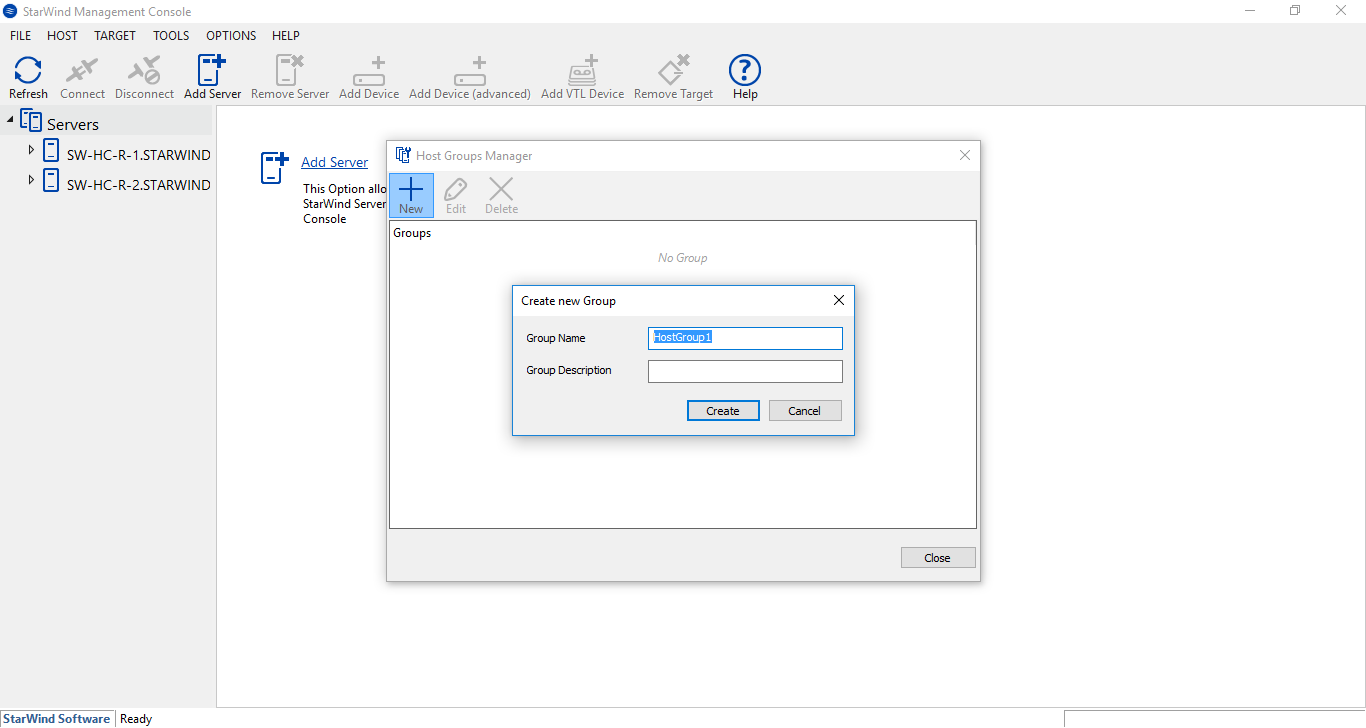
2. Click New on the toolbar of the Host Groups Manager.
3. Enter a group name and its description in the appropriate text fields of the Create new Group dialog box.
4. Click Create.
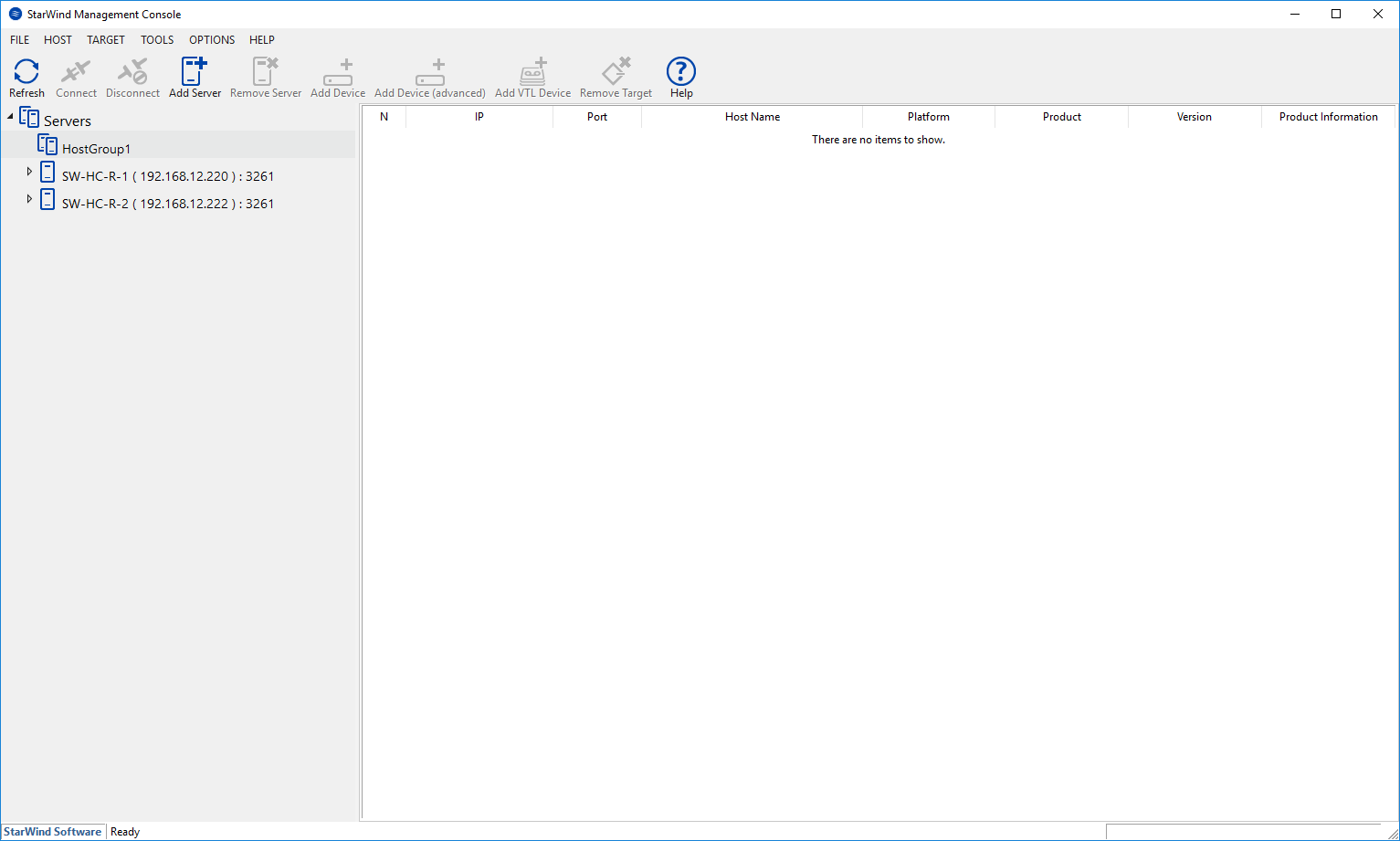
5. The successfully added server group appears in the StarWind Console.
To rename a server group:
1. Right-click the server group you want to rename and select Rename group from the shortcut menu.
2. Change the group name or description.
3. Click OK.